
How to track stock and sell products
Track the items you use and sell, and know when to reorder.
Updated 17 November 2026
Part 1 Add what you stock
Step 1 Add an item
Turn on Stock & products in Settings › Features, go to Stock and click Add item. Import CSV takes a file with Export CSV's columns (only Name is needed) and skips names already in stock.
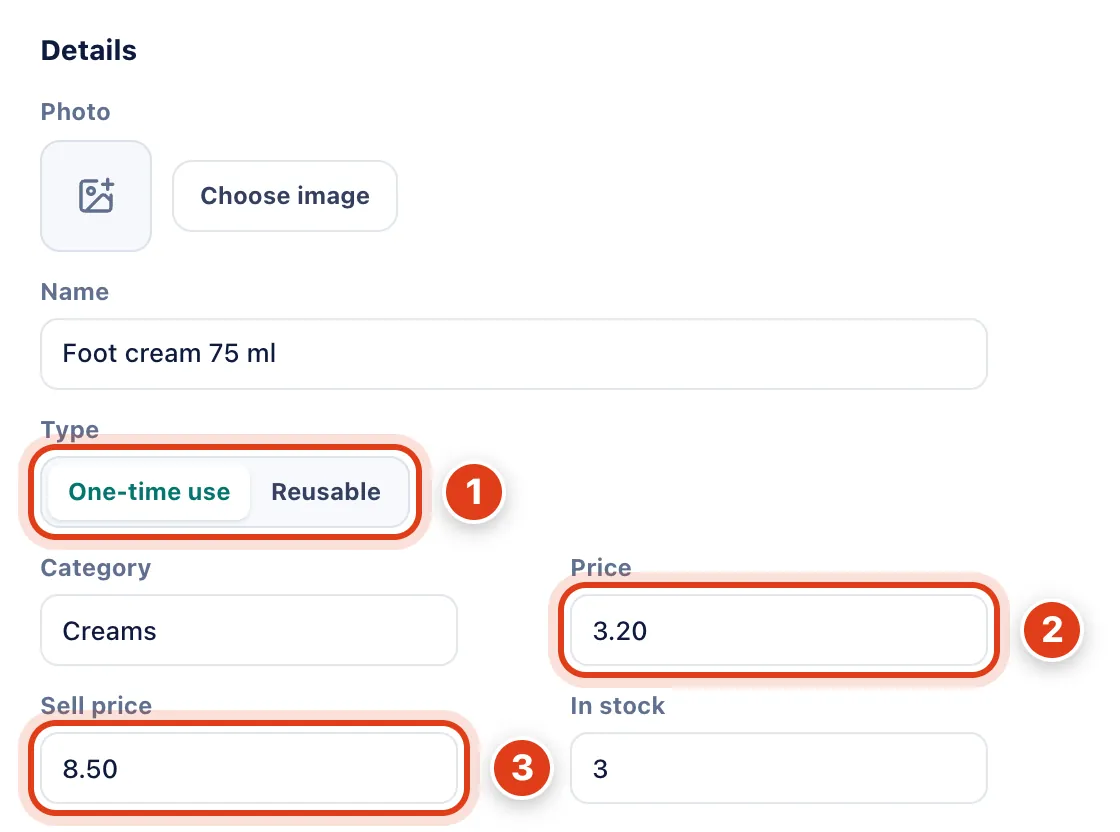
- Type on Reusable is for tools: each completed visit that uses one puts it under Sterilise until you sterilise it: for example, with 6 Nail nippers and 4 visits done today, 2 are ready.
- Price is what one costs you, and Value is it times In stock: for example, 3 creams at £3.20 are worth £9.60.
- Sell price lets you add it to an invoice (Part 3), and Profit counts its Price as the cost: for example, a cream sold for £8.50 that cost £3.20 adds £5.30 profit.
Step 2 Say when to reorder
Fill in Low at, Alert before (days) and the Supplier details. If you leave Price empty, a Product link fills it in, with the photo, from the shop's page when you save.
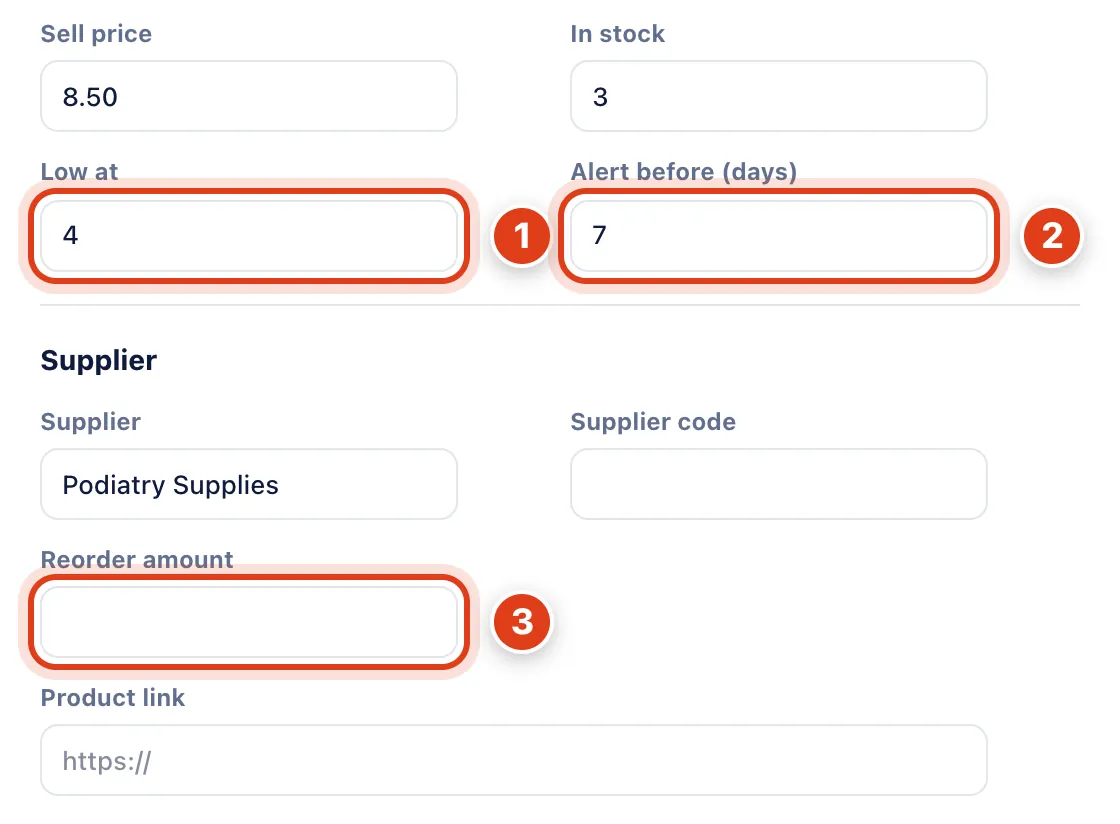
- Low at marks the item Low and puts it on the Reorder list once In stock is at or under it, and 0 turns it off: for example, with 4, the 3 creams show Low.
- Alert before (days) looks at visits booked that far ahead: for example, with 7, this week's 2 Corn and callus removal visits need 2 blades, so 1 blade in stock shows Need more.
- Reorder amount is what the Reorder list tells you to order, or more if booked visits need it; left empty, enough to reach twice Low at: for example, 5 creams when 3 are left and Low at is 4.
Step 3 Link it to your services
Under Used by services, click Add service, choose the service and how many one visit uses, then Add item. A service's own Items used is the same list.
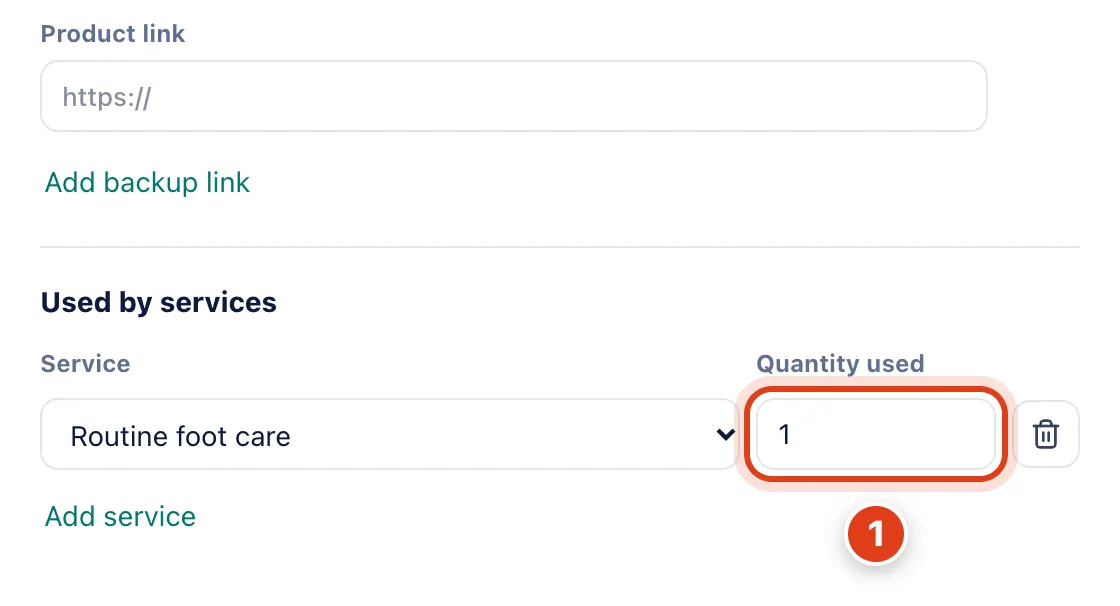
- Quantity used comes off In stock only when a visit is marked Completed, and goes back if you undo it: for example, booking Linda Evans's Routine foot care takes no gloves; completing it leaves 39 of 40.
Part 2 Keep your stock right
Step 4 Add, remove or sterilise stock
On a row, click + for Add stock or the minus for Remove stock and enter the Quantity; for a reusable tool, click Sterilise once it's clean.
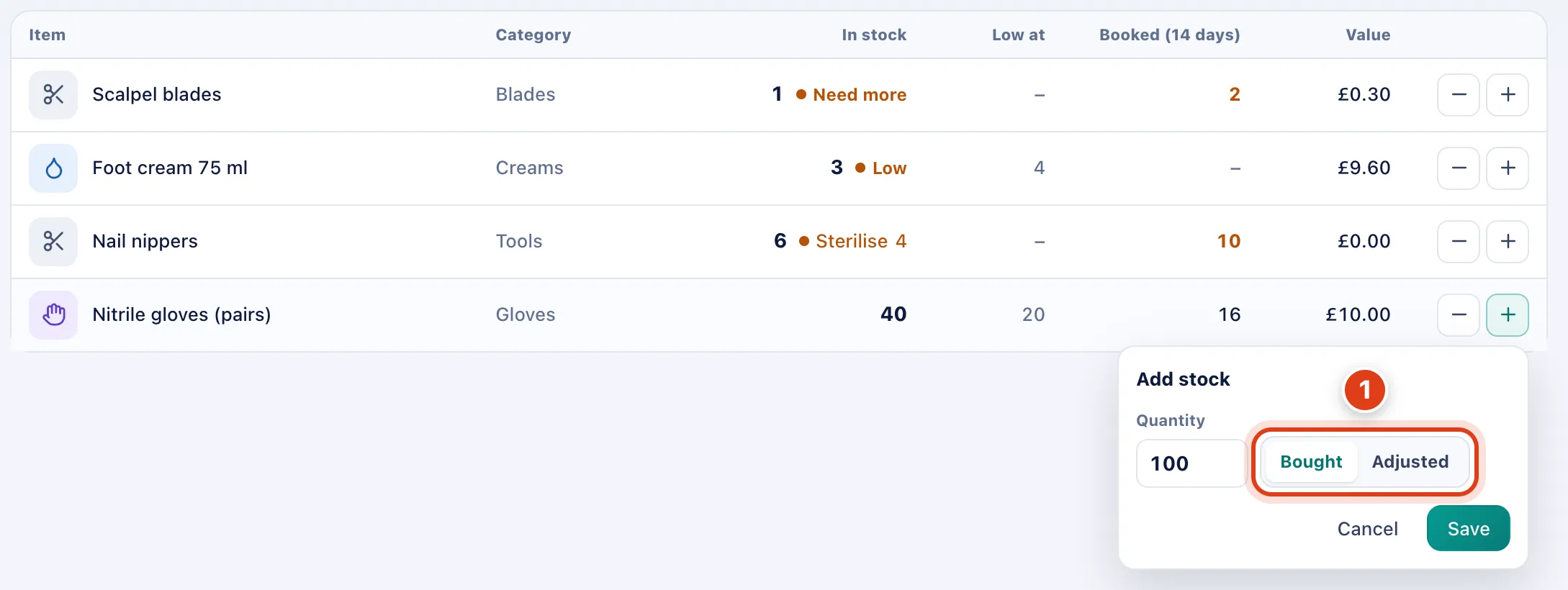
- Reason only labels the change in the item's History: for example, Bought 100 pairs of gloves adds 100 to In stock, and no £25 cost goes into your books.
Step 5 Reorder what's running low
Click Reorder list to see every one time use item that's Low, Out of stock or Need more; Low stock and Out of stock at the top filter the table.
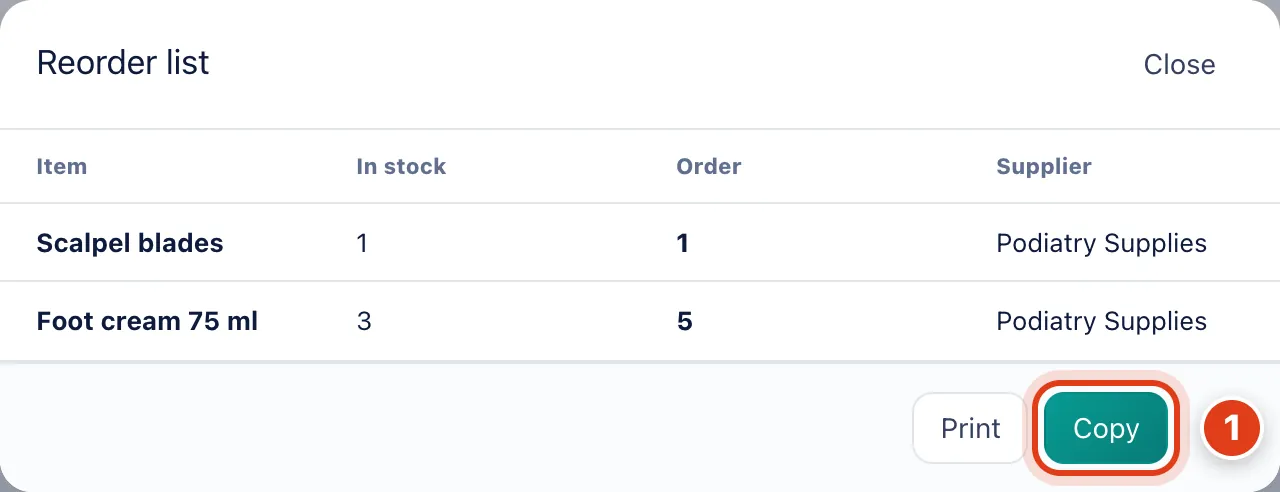
- Copy puts one line per item on your clipboard with the amount to order, its name, supplier and link: for example, 5 x Foot cream 75 ml from Podiatry Supplies, ready to paste into an order.
Part 3 Sell a product and share stock
Step 6 Sell one on an invoice
Open the visit's invoice, click Edit invoice, then Add item, type the product's name, then Save changes.
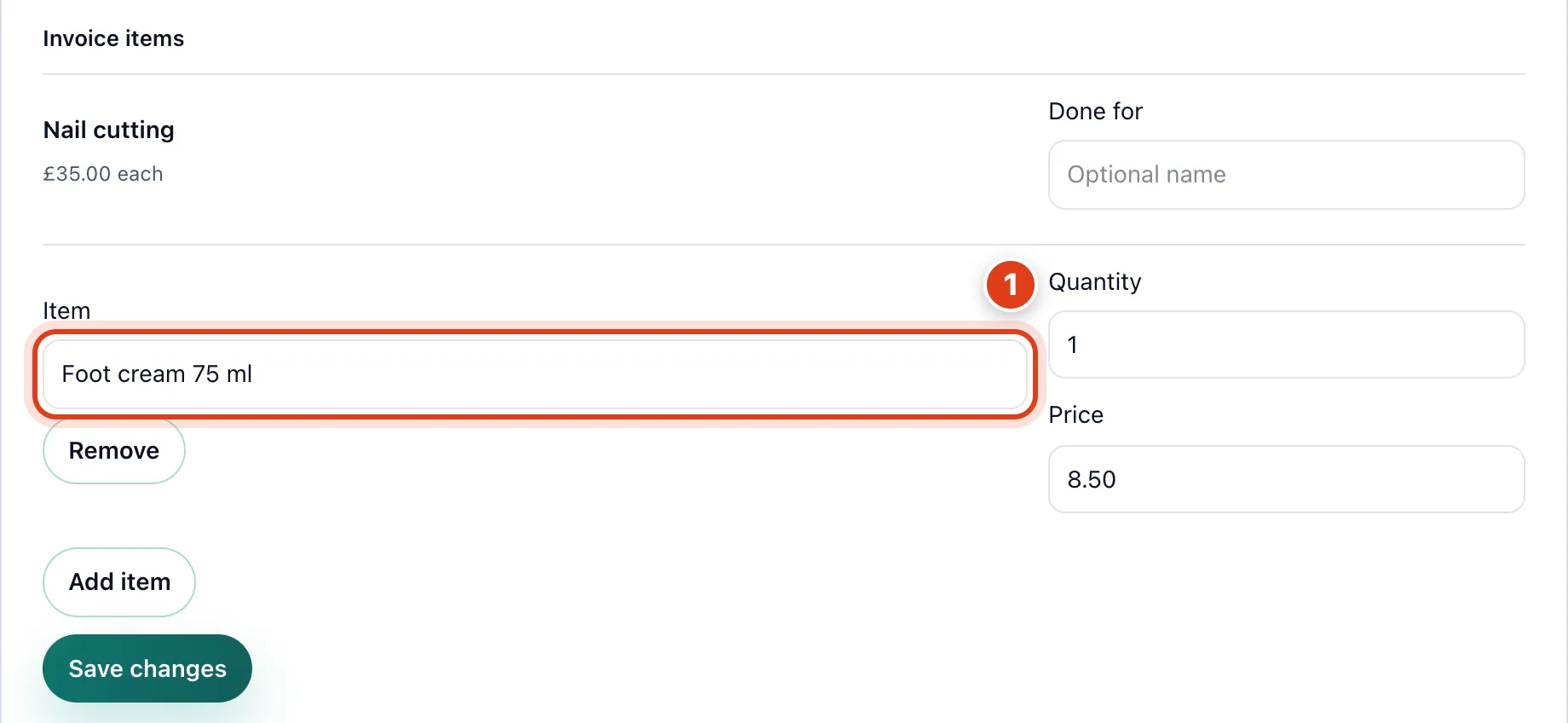
- Foot cream 75 ml fills in its Sell price, and saving takes it off stock: for example, it adds £8.50 to Linda Evans's invoice and leaves 2 of 3 in stock.
Step 7 Give stock to your team
With a team, open the item, then under Team members choose From, To and the Quantity and click Move. Team member at the top of Stock shows one person's stock.
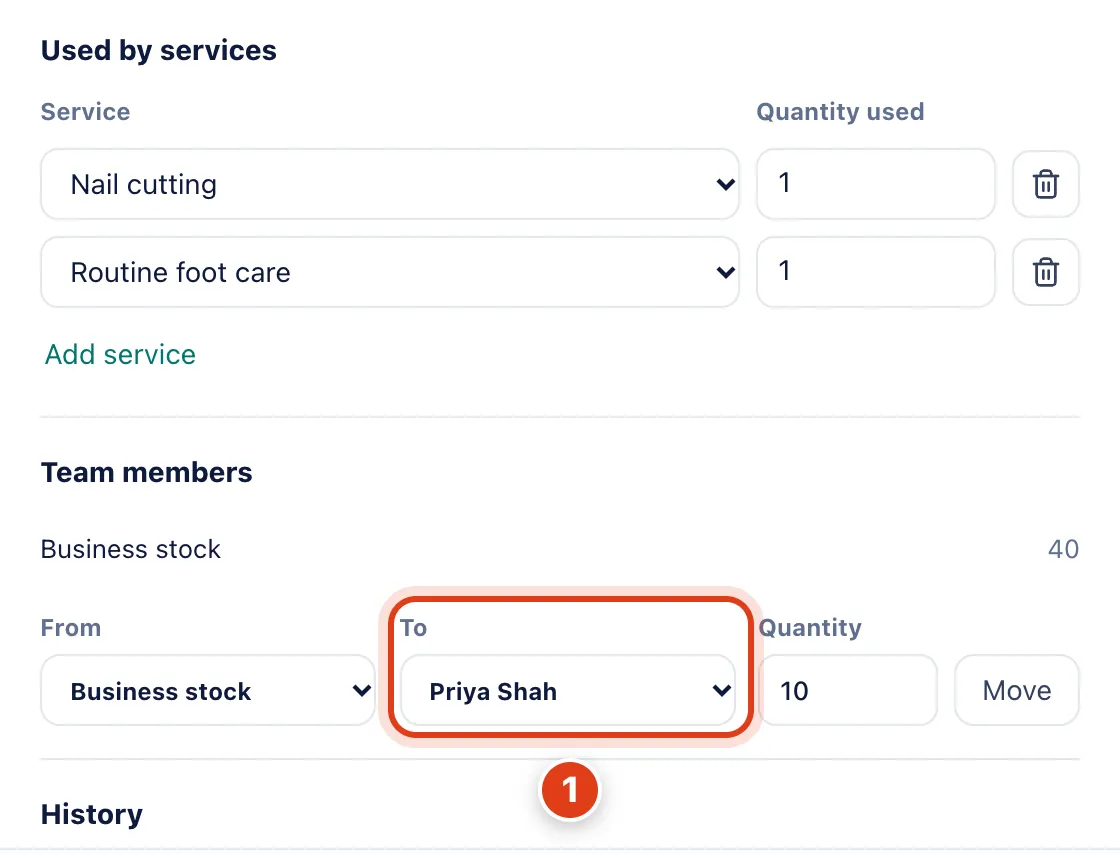
- To gives a team member stock of their own, and their completed visits take from it: for example, Priya Shah with 10 pairs has 9 after one Routine foot care assigned to her.