
Communication settings explained
Set your text sender name and the reminders that ask clients to pay.
Updated 17 November 2026
Step 1 Sender ID
Go to Settings › Sender ID, type your business's short name and click Request.
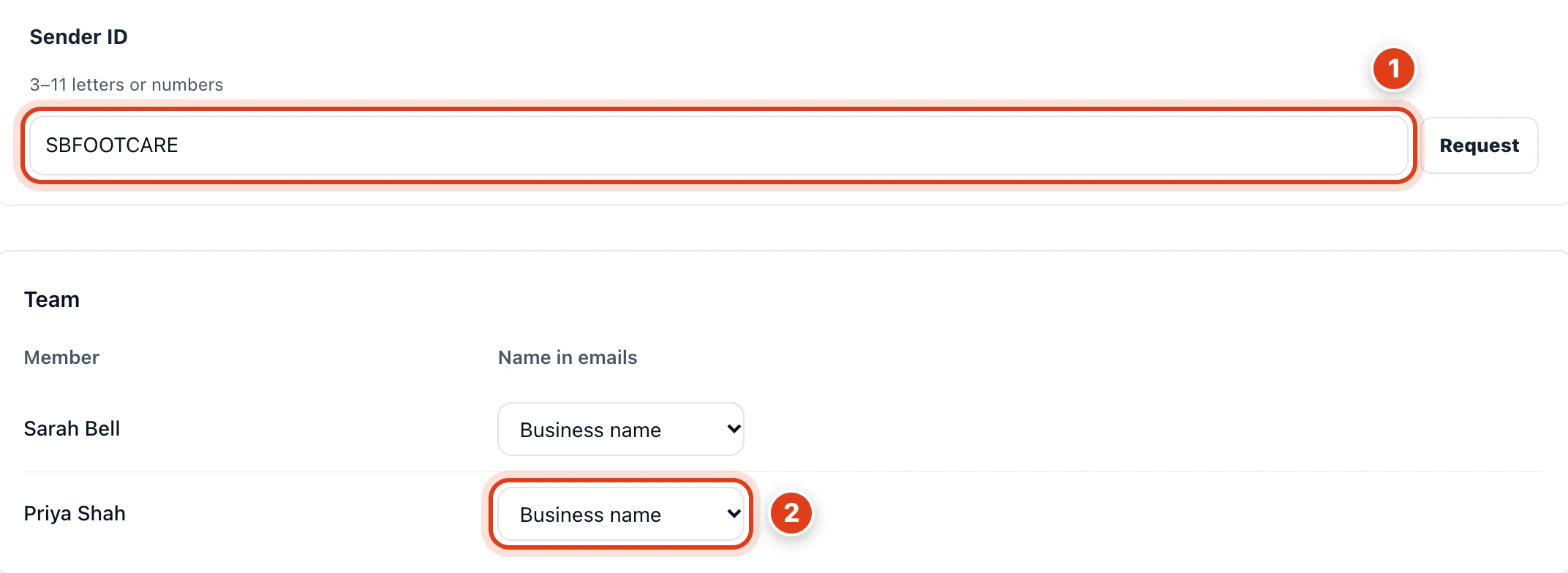
- Sender ID puts your business's short name on texts to the UK and most of Europe; it can't be changed unless Rejected. For example, with SBFOOTCARE, Linda Evans's reminder comes from SBFOOTCARE.
- Name in emails is the name on emails about their visits; texts keep your Sender ID. For example, at Member at business, Linda Evans's email for Priya Shah's visit is from "Priya at Sarah Bell Foot Care".
Step 2 Payment reminders
Go to Settings › Payment reminders and choose what clients owe for visits you book and how they pay, then Save.
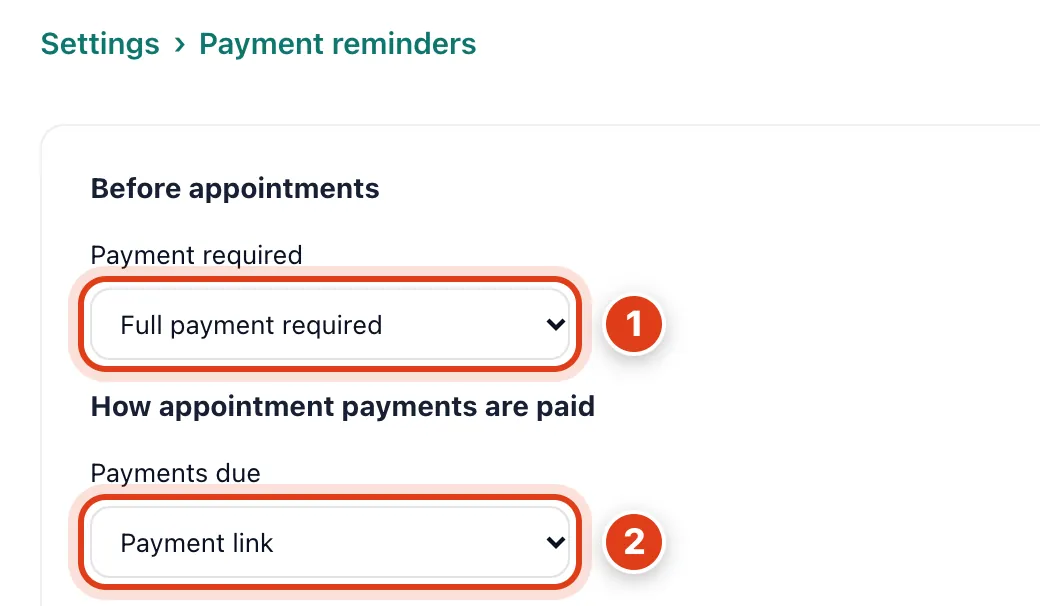
- Payment required sets what clients owe before visits you book yourself, unless the service has its own online payment. For example, with Full payment required, Linda Evans owes her £42 before her Thursday visit.
- Payments due sets what reminders send: Payment link a card payment page (needs Stripe), Bank transfer your bank details. For example, with Bank transfer, Linda Evans's reminder gives sort code 12 34 56.
Step 3 Automation
Under Automation, switch on the reminders you want and choose their timing, then Save.
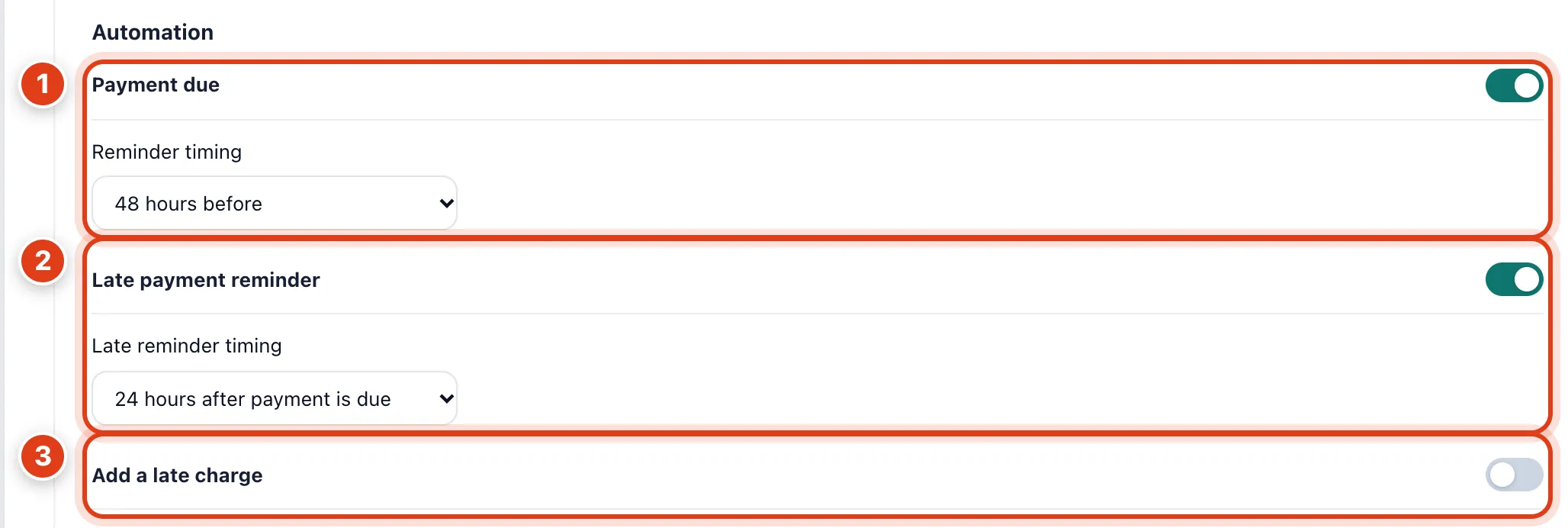
- Payment due asks for what's owed, Reminder timing before the visit, the way the client gets reminders. For example, at 48 hours before, Linda Evans's £42 for Thursday 09:30 is asked for on Tuesday 09:30.
- Late payment reminder asks once more if it's still unpaid, Late reminder timing after it was due. For example, at 24 hours after payment is due, Linda Evans is asked for her £42 again on Friday at 09:30.
- Add a late charge puts a Late payment charge of a fixed amount or a Percentage of what's owed on the invoice once, as the late reminder goes. For example, with £5, Linda Evans's late reminder asks for £47.