How to plan the best route for your day
Plan a day of home visits in the quickest order.
Updated 17 November 2026
Part 1 Plan a round of visits
Step 1 Choose the day and where it starts and ends
Click Install on Route optimiser in Extensions, open Route optimiser in the menu and choose the Date; Start time and Start from fill in from your working day.
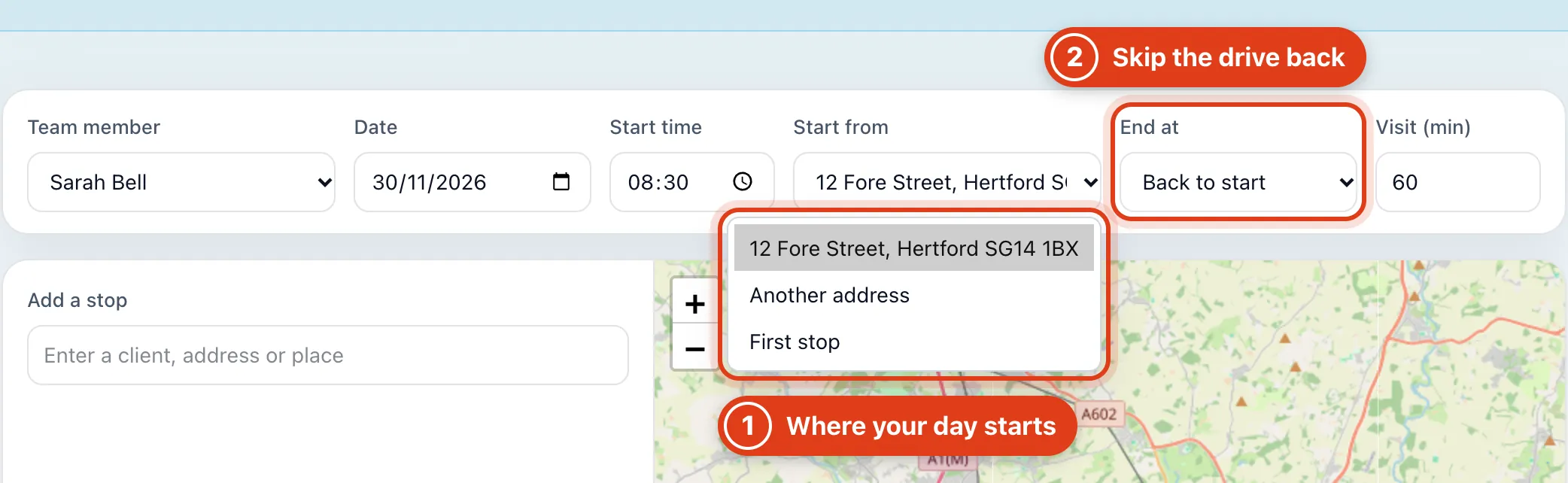
- First stop starts the round at a client instead of your start address, so Offlico leaves out the first drive. For example, Sarah's Monday then starts at Linda Evans at 08:30 and comes to 11.6 miles instead of 18.8.
- Last stop ends the round at a client instead of driving back, so Offlico can finish with your furthest client. For example, Sarah's Monday then ends at Linda Evans and comes to 11.5 miles instead of 18.8.
Step 2 Add your visits and get the quickest order
Type each client, address or place in Add a stop and pick it; Offlico plans the round again after every change.
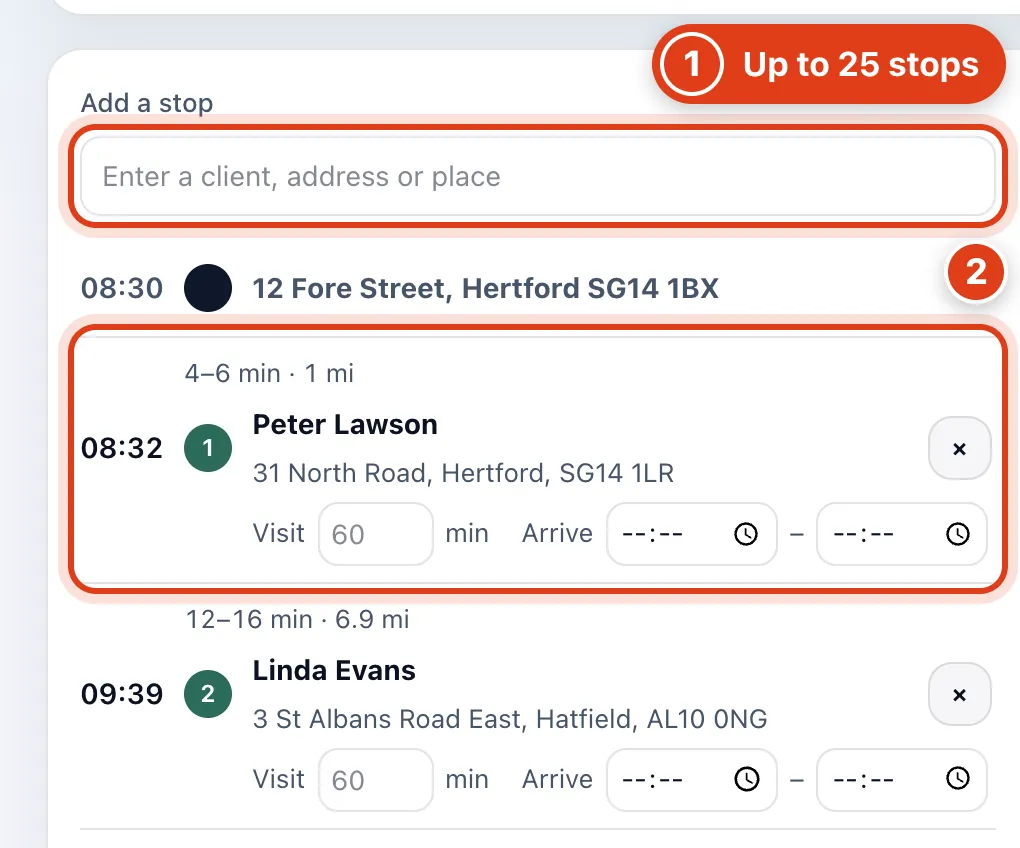
- Add a stop finds your clients at their saved address, or any address or place, up to 25 stops.
- Offlico puts the stops in the order with the least driving. For example, Sarah's five clients come to 18.8 miles starting with Peter Lawson, a mile from 12 Fore Street, instead of 19.4 in the order she added them.
Step 3 Give a client their own time
Under a stop, set its own Visit length or the times it must start between in Arrive.
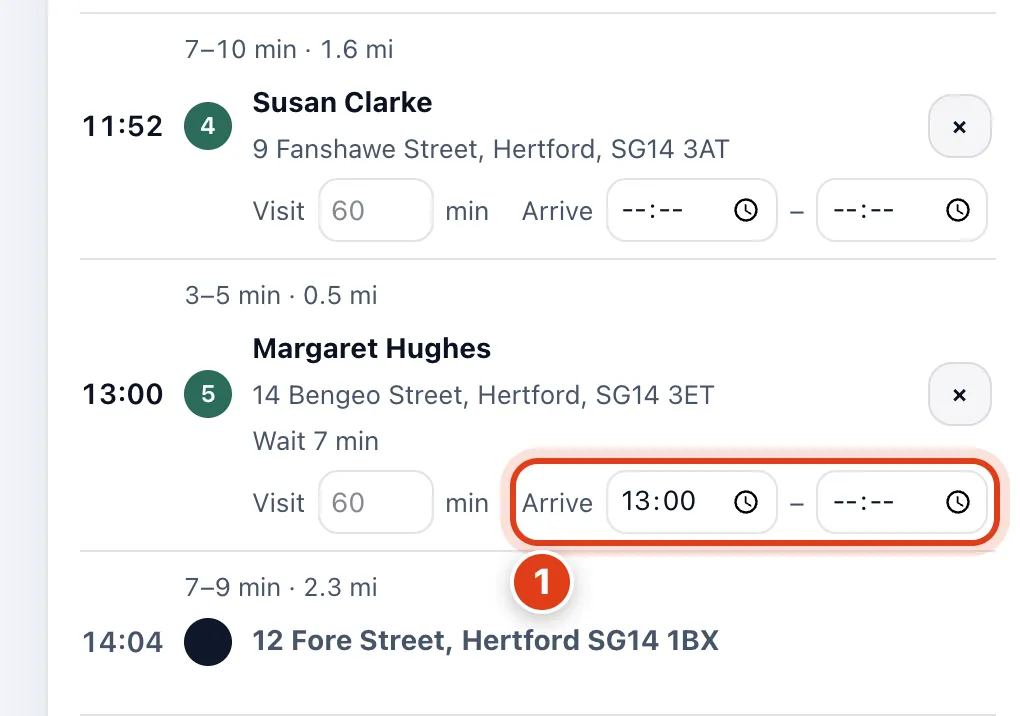
- Offlico moves a stop with an Arrive time to where it fits that time. For example, with Arrive from 13:00, Margaret Hughes moves from fourth to last in Sarah's round, at 13:00.
Step 4 Sort out a stop you can't reach in time
A stop shows Late when Offlico can't get you there by its Arrive by time; change that time or another stop's.
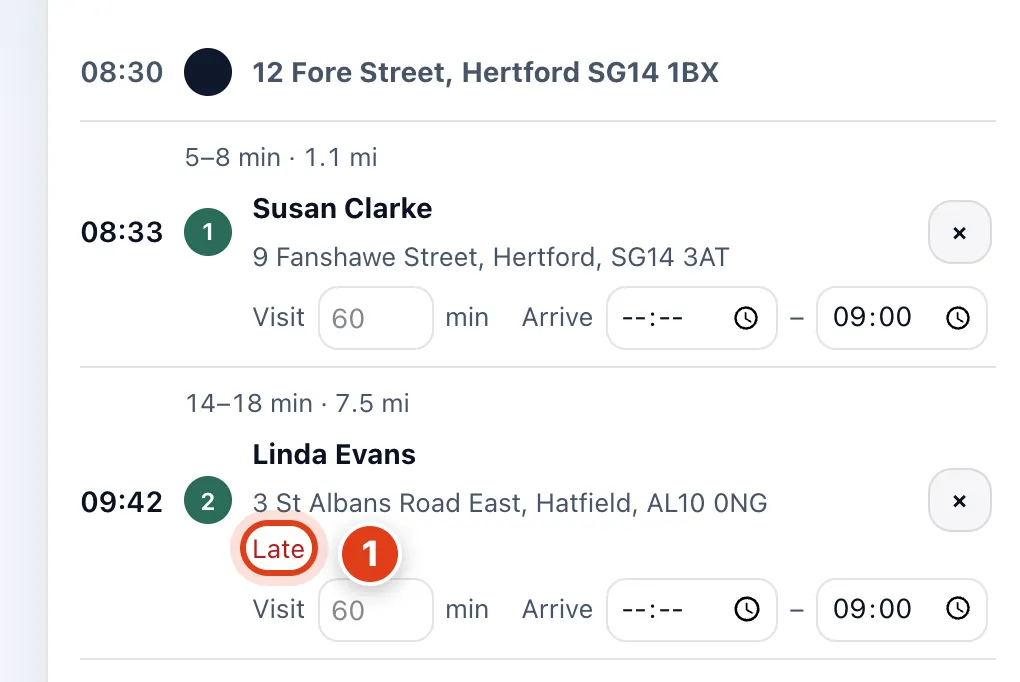
- Offlico keeps the late minutes as few as it can and still plans every stop. For example, with Arrive by 09:00 for both Susan Clarke and Linda Evans, Sarah sees Susan Clarke first and Linda Evans Late.
Part 2 Take the round with you
Step 5 Open the route in Maps or copy it
Click Open in Maps for turn by turn directions, or Copy list to paste the round into a message or note.

- Open in Maps holds up to 10 stops a link; a longer day gets more links, each starting where the last ended. For example, 12 stops show Open in Maps 1/2 to the 10th stop and Open in Maps 2/2 from there home.
- Copy list copies the round as plain text, one line per stop with its time, name and address.
Step 6 Send the round to someone in your team
With a team, click Share, tick who gets the round and click Send to 1 (the button counts the people you tick).
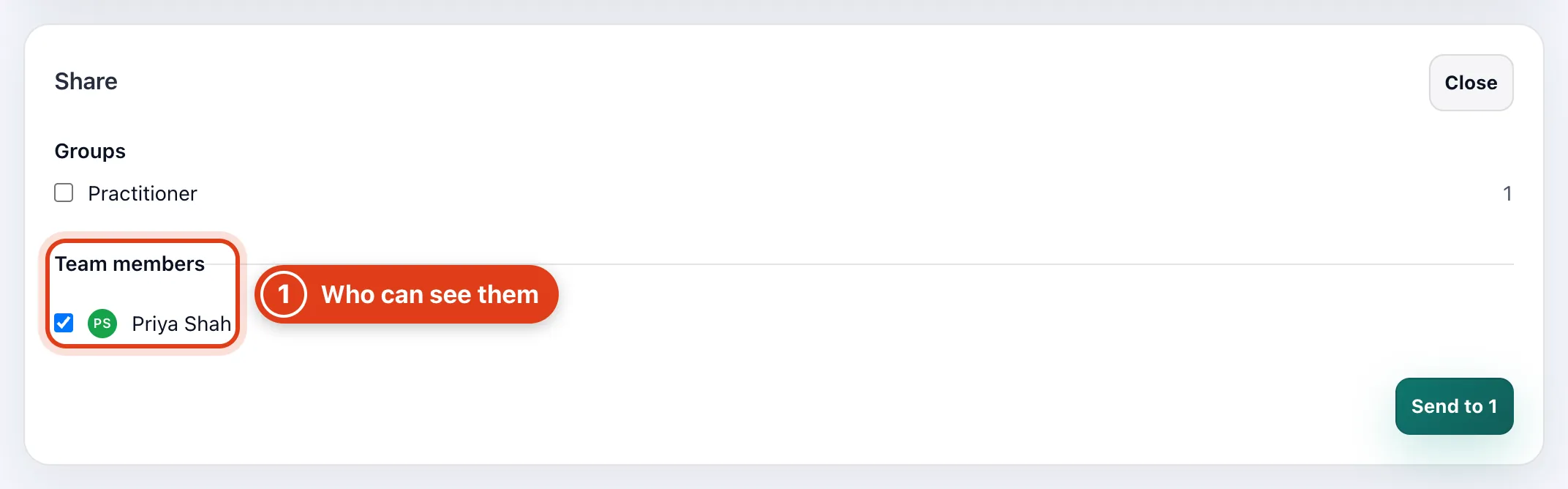
- Share sends the round as a team message to each person you pick, and only to people allowed to see all its clients. For example, Priya Shah gets Sarah's Monday round only if she can see all five clients.