How to track your mileage
Log the journeys to your visits and what they claim.
Updated 17 November 2026
Part 1 Switch it on and set your rate
Step 1 Install Mileage
Click Install on Mileage in Extensions: it works out your journeys from the visits already in your calendar.
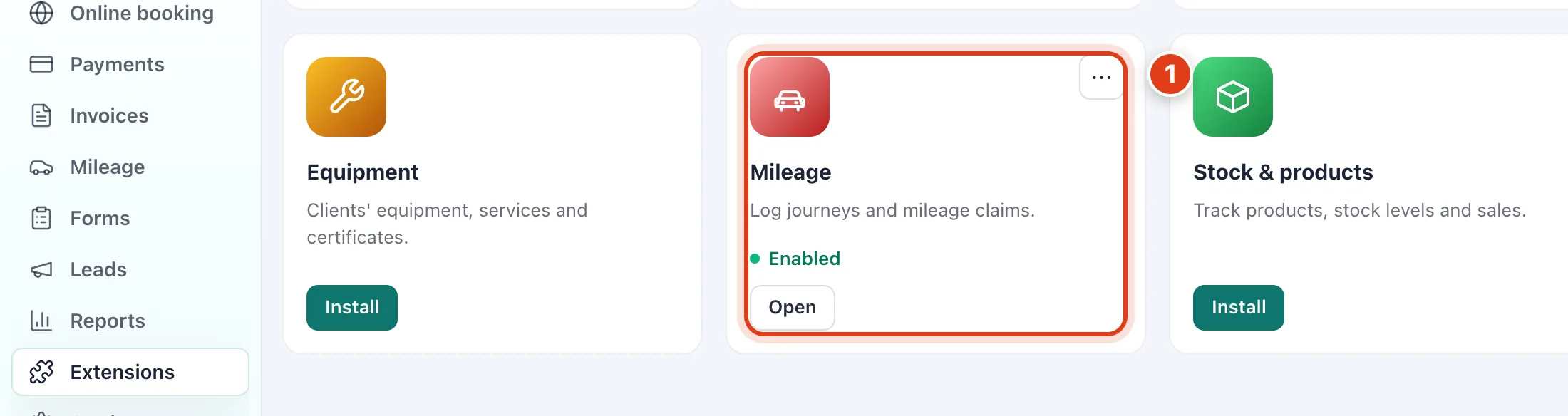
- Team members see only the journeys to their own visits; you see everyone's: for example, Priya Shah sees George Wilson and Mary O'Neill, not Margaret Hughes.
Step 2 Set your rate and how journeys are saved
Go to Settings › Mileage, set your rate and choose how journeys are saved, then Save. A new rate counts from the day you save it: change it on Tuesday and Monday's journeys still claim 55p.
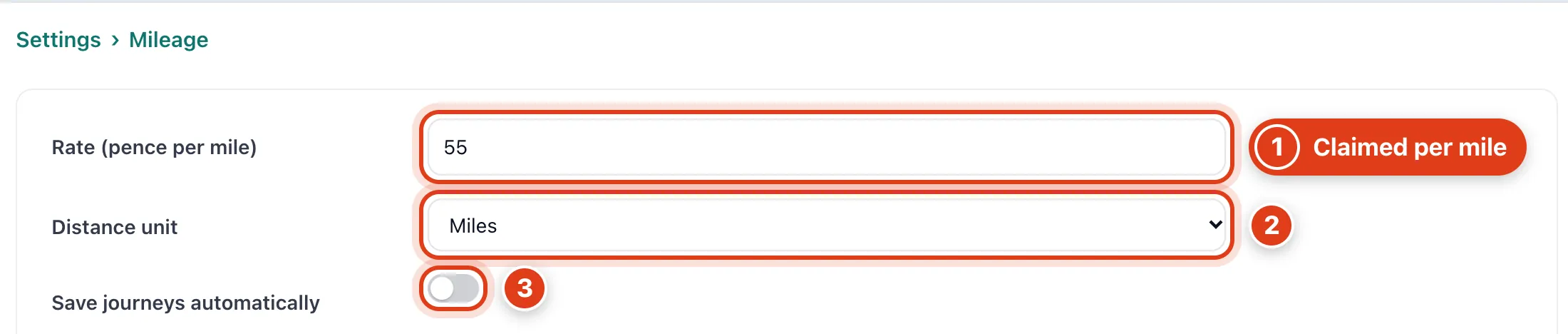
- Rate (pence per mile) starts at HMRC's 55p and each business journey claims its miles times it: for example, 12 miles claims £6.60.
- Distance unit Kilometres converts your rate too: for example, 55p a mile becomes 34p a kilometre.
- Save journeys automatically saves a visit's journey when you mark it completed, from your base address in Locations & service area: for example, completing Margaret Hughes's 09:00 visit saves the drive to her.
Step 3 Choose the rules for saved journeys
These rules decide where each automatically saved journey starts and ends.
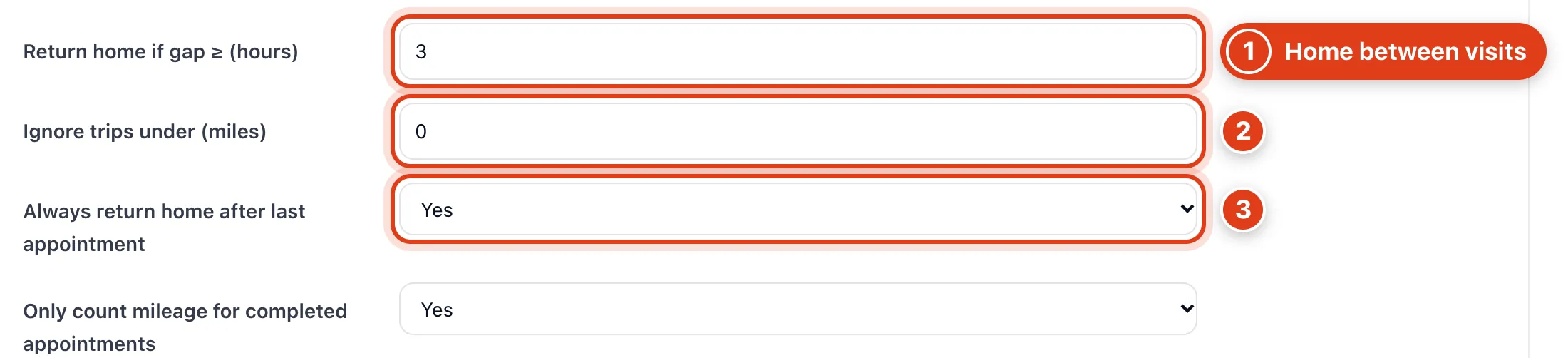
- Return home if gap ≥ (hours) counts a drive home between visits this far apart: for example, with 3, Raj Patel ending 11:45 and Anne Robinson at 14:30 make one journey; with 2, two via home.
- Ignore trips under (miles) leaves shorter journeys out: for example, with 1, a half mile hop between two neighbours isn't saved.
- Always return home after last appointment Yes saves the drive home after each day's last visit: for example, from Susan Clarke on Monday.
Part 2 Check and save your journeys
Step 4 See your week's journeys
Go to Mileage: the miles above each visit are the journey to it.
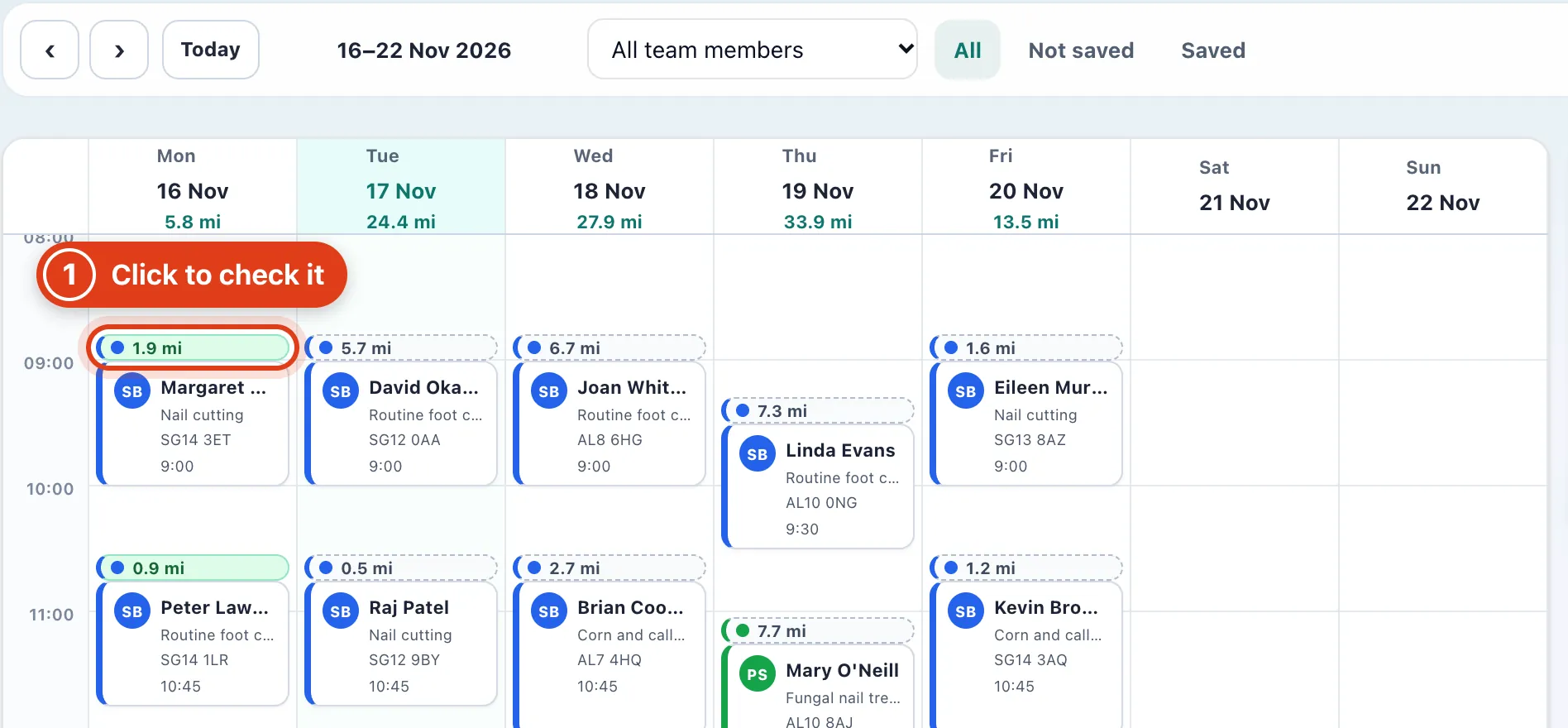
- Each day runs from Start (your base address, or a team member's own start) to the visits and back: for example, Monday's four visits make five journeys, 5.8 miles.
Step 5 Save the journeys and see your allowance
Check the week, then save what's not saved. Click a person to see only their journeys.
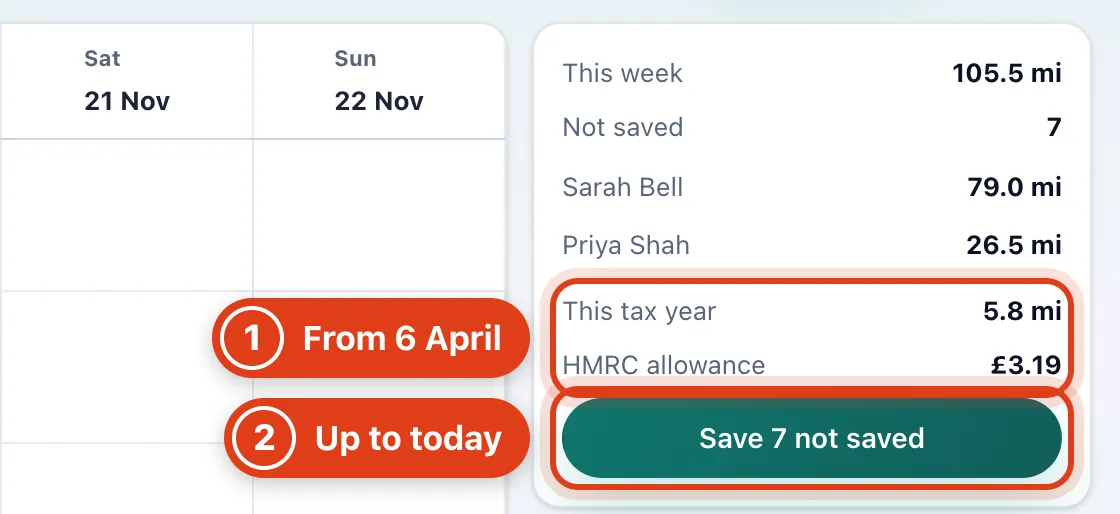
- HMRC allowance prices each person's saved business miles since 6 April at 55p for the first 10,000, then 25p: for example, 10,020 miles is £5,505.00.
- Save 7 not saved saves every journey up to today; later ones wait for their day: for example, on Tuesday it saves Tuesday's 7, not Wednesday's.
Step 6 Change a journey's stops
Click a journey's miles to open it. For a journey that isn't to a visit, such as a trip for supplies, click Add journey and fill in the same panel.
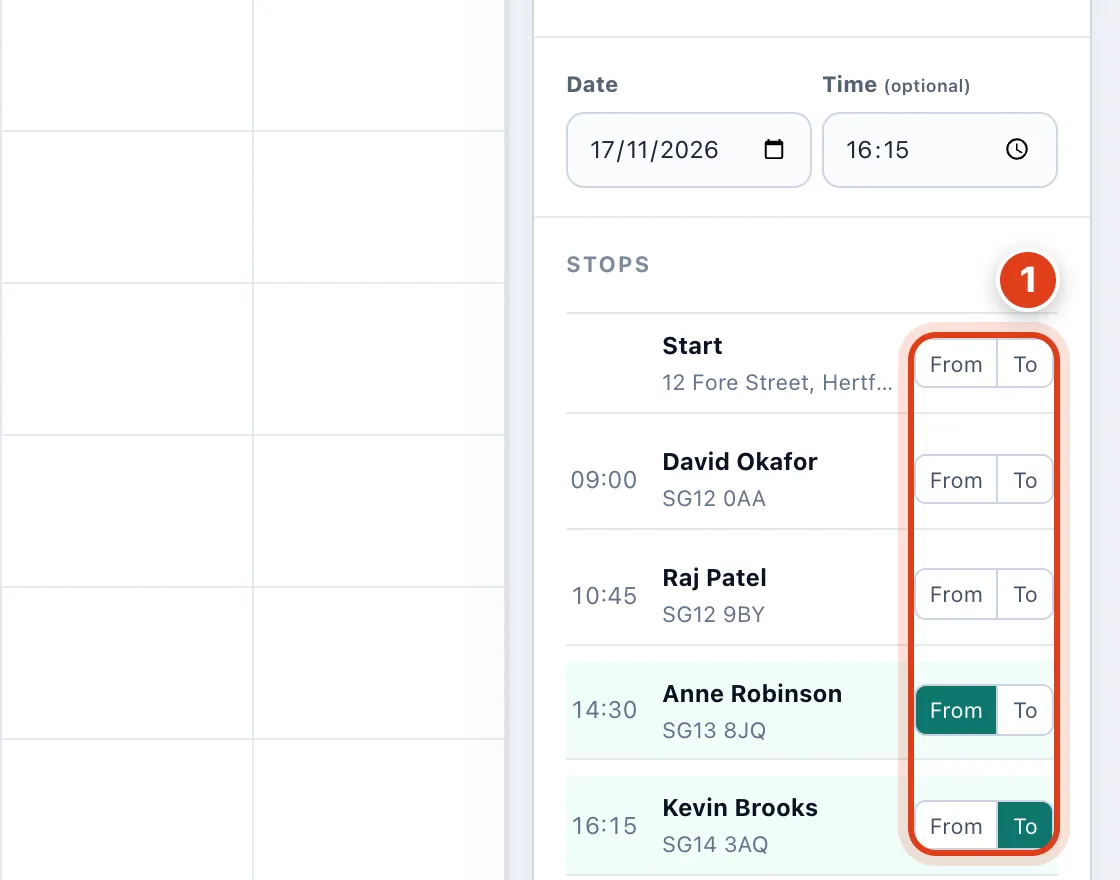
- From and To beside a stop move the journey's ends and work out the miles again: for example, From on Raj Patel makes it Raj Patel to Kevin Brooks.
Step 7 Business or personal, and what it claims
Give a Reason for journey, then Save journey. Enter distance manually takes your own figure, such as from your odometer.
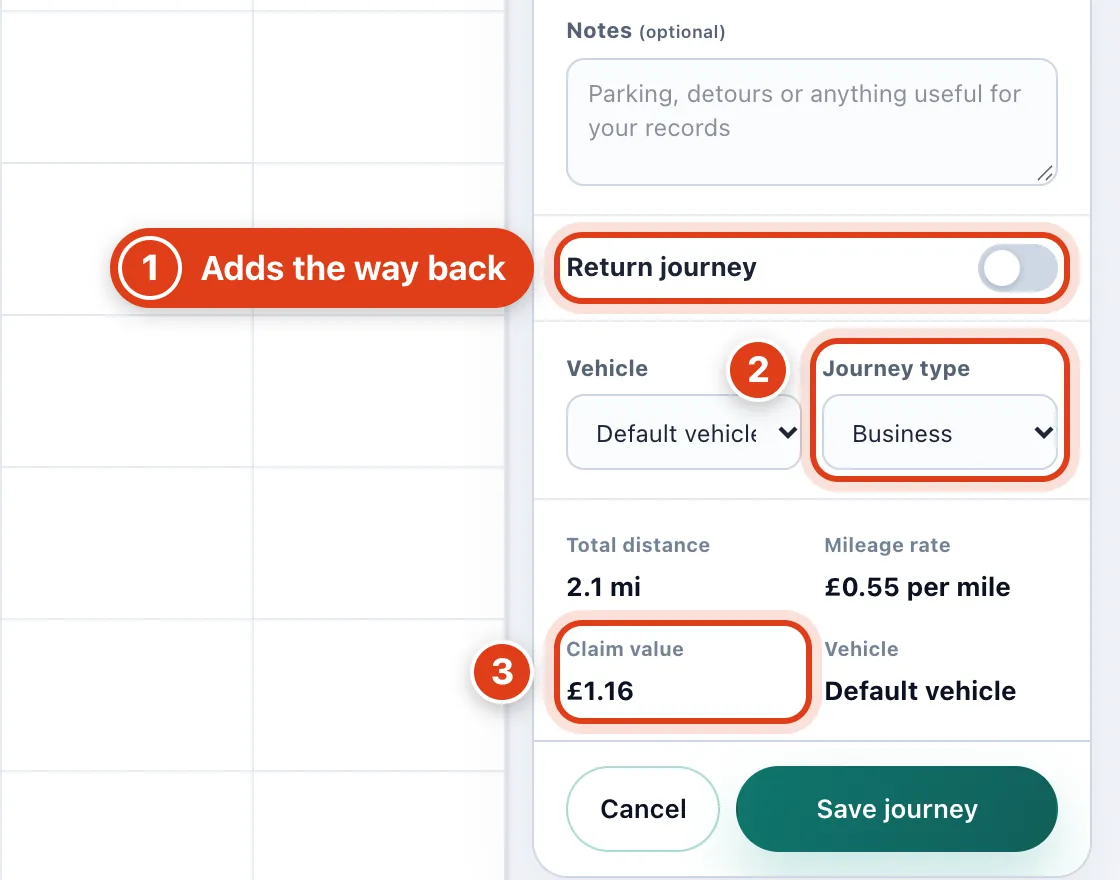
- Return journey saves the way back as a second journey: for example, a trip to the wholesaler and home again makes two.
- Journey type Personal keeps the journey in your log but claims nothing: for example, a detour to the shops shows Not claimed.
- Claim value is the miles times the vehicle's rate, rounded to the penny: for example, 2.1 miles at 55p claims £1.16.
Part 3 Vehicles and exports
Step 8 Add your vehicles
Under Vehicles, fill in the empty row and click Add vehicle. Pick a person in Team member to give them their own.
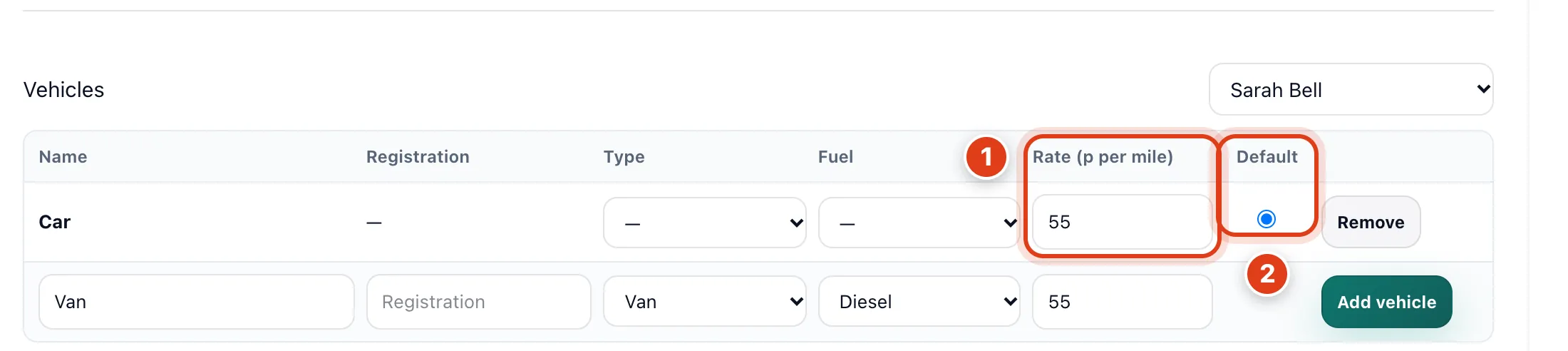
- A vehicle's Rate (p per mile) is used for its journeys instead of your rate: for example, 3 miles on a bicycle at 20p claims 60p.
- Default is the vehicle a person's journeys use unless a journey picks another: for example, choose Default on the van's row and new journeys claim the van's rate.
Step 9 Export your mileage
Click More › Export and choose the dates. Show records in More lists saved journeys, Export pack adds your bank transactions and invoices as three files, and Settings › Exports › Mileage downloads them all.
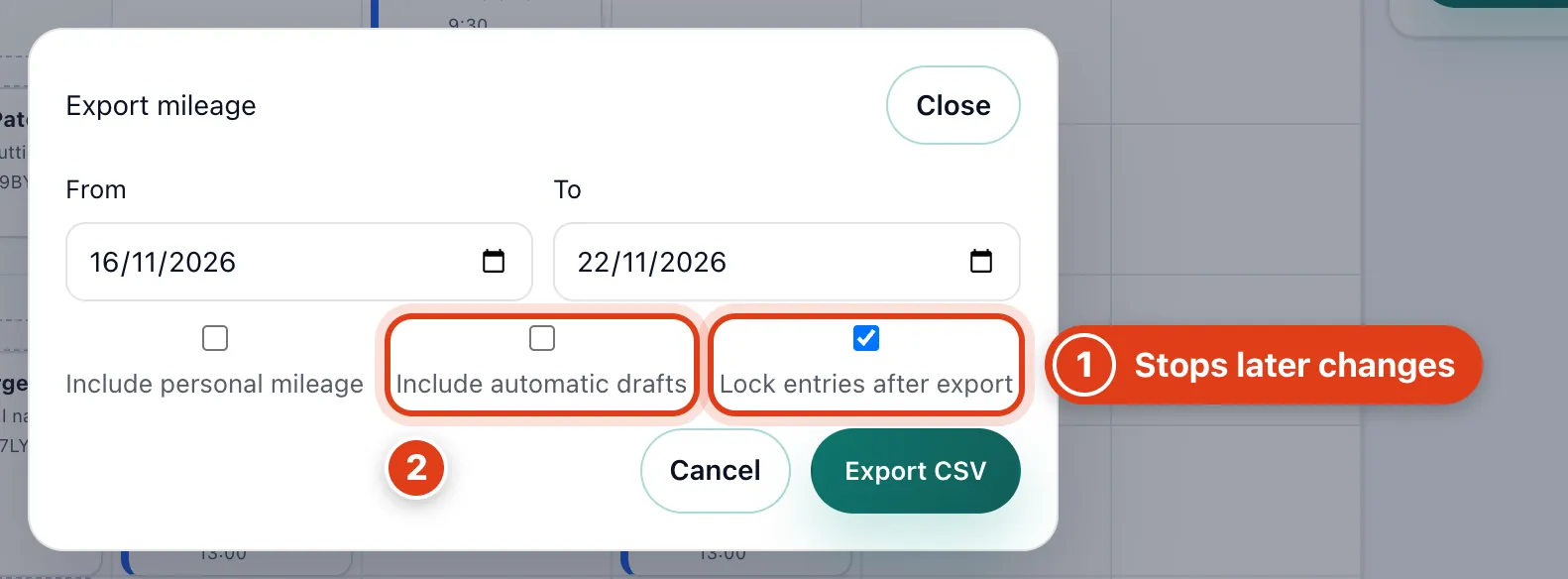
- Lock entries after export (on at first) locks the journeys in the file: changing or deleting one later asks for a reason, kept in the journey's history.
- Include automatic drafts adds journeys Offlico drafted that nobody saved yet; Include personal mileage adds personal ones, for example a detour to the shops at £0.