
How to book an appointment
Book a visit for a client from your calendar.
Updated 16 November 2026
Part 1 Find the best time with Add
Step 1 Click + Add in your calendar
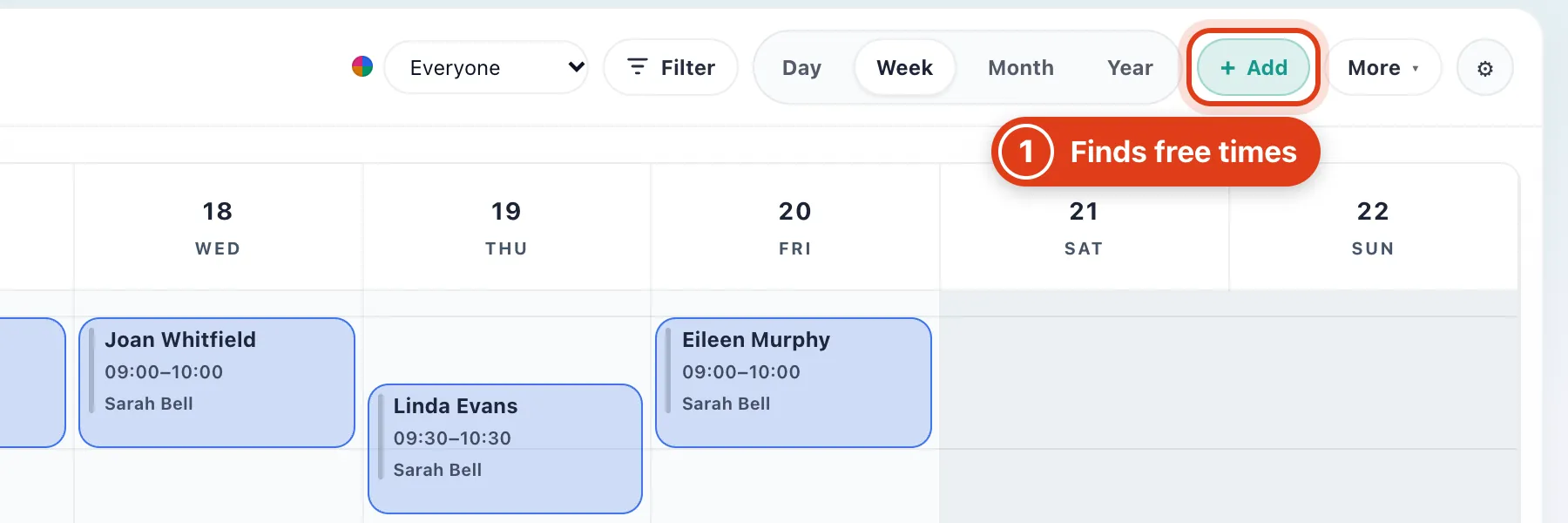
- + Add suggests free times that add the least travel; to book a time you already know, click it in the calendar (Part 2).
Step 2 Choose the client, or only a place
Pick the client from the list, or click Create new client: Offlico saves them and picks them for you.
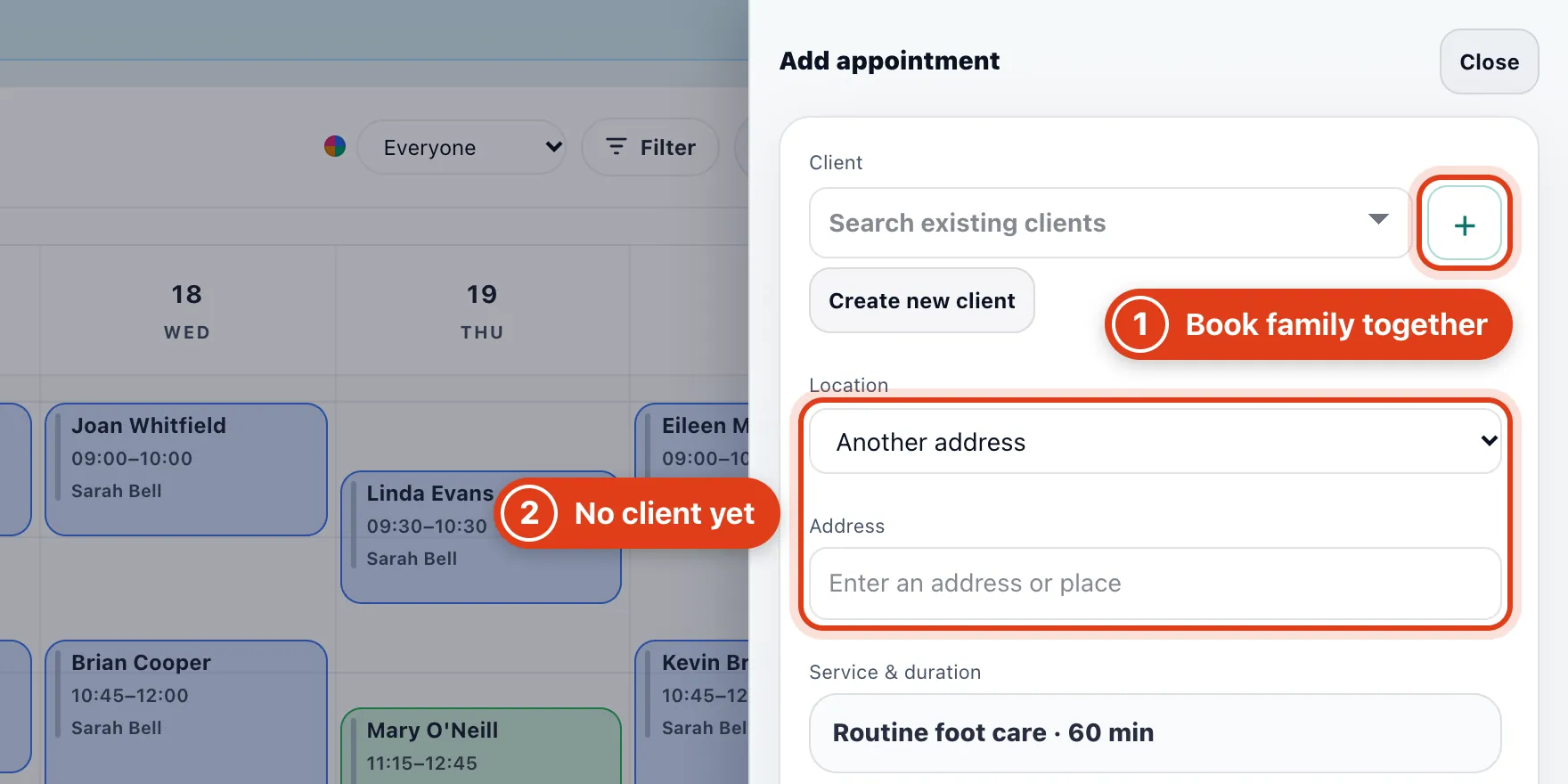
- + adds someone else the client books for, like a family member, to the same visit. For example, two Routine foot care need a free 120 minutes.
- Location and Address find times before you have a client: pick your clinic, or type a postcode, then add the client after Book.
Step 3 Check who does it and how far ahead to look
Offlico plans the travel from the address under Client and looks for a gap as long as Service & duration, here 60 minutes.
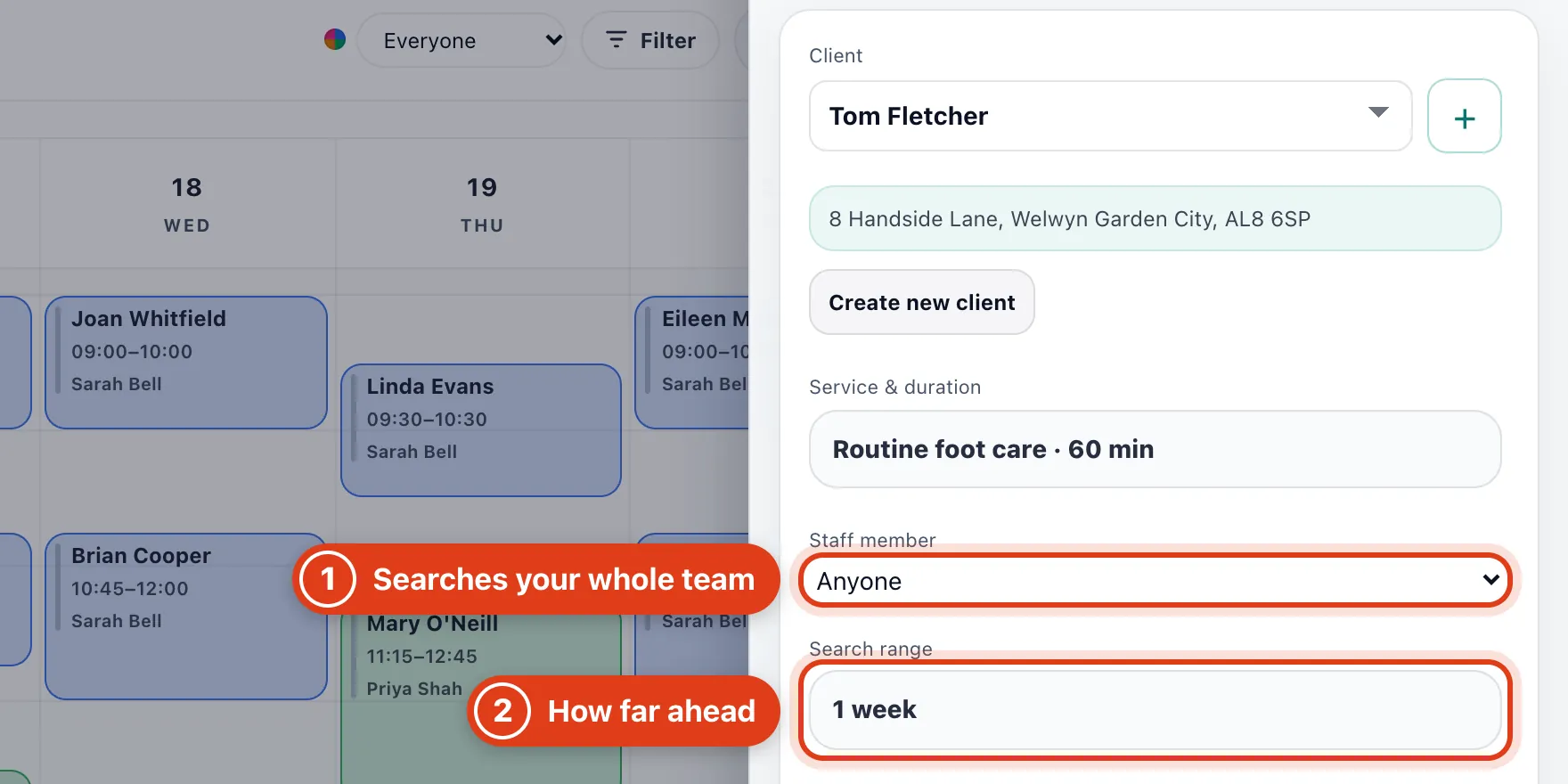
- Staff member: with Anyone, Offlico searches everyone in your team who does this service and names who is free, for example Sarah Bell or Priya Shah.
- Search range: how far ahead Offlico looks, from Rest of week up to 1 month, or Manual dates. For example, 1 week on Monday 16 November looks to Sunday 22 November.
Step 4 Suggest times and book one
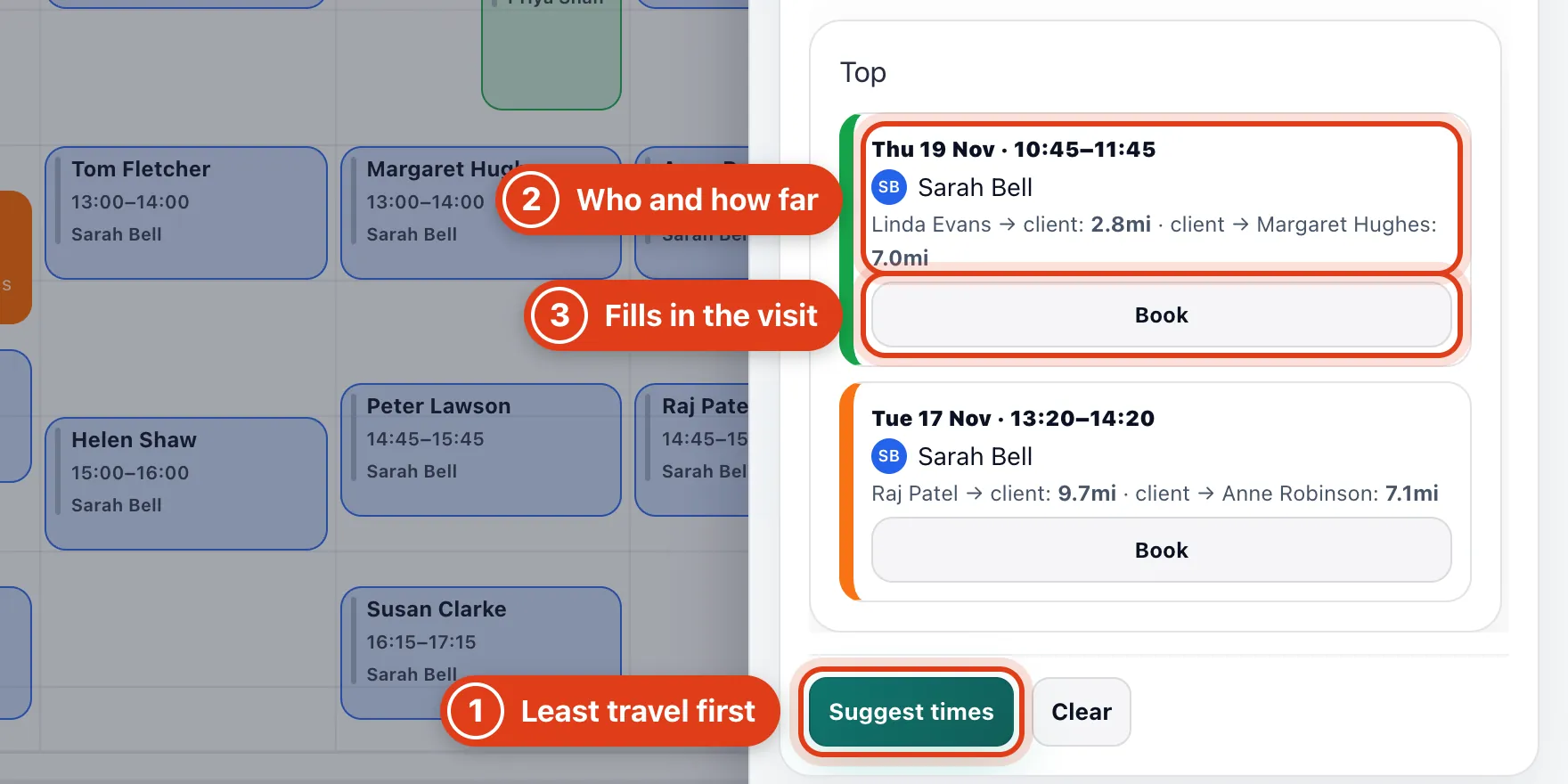
- Suggest times lists free times under Top, the ones that add the least travel first.
- Who does it and the travel either side: for example, Sarah Bell, 2.8mi from Linda Evans and 7.0mi on to Margaret Hughes.
- Book fills in Add new appointment; the visit is booked only when you Save it there (Part 3).
Part 2 Book a free time from the calendar
Step 5 Click a free time in your calendar
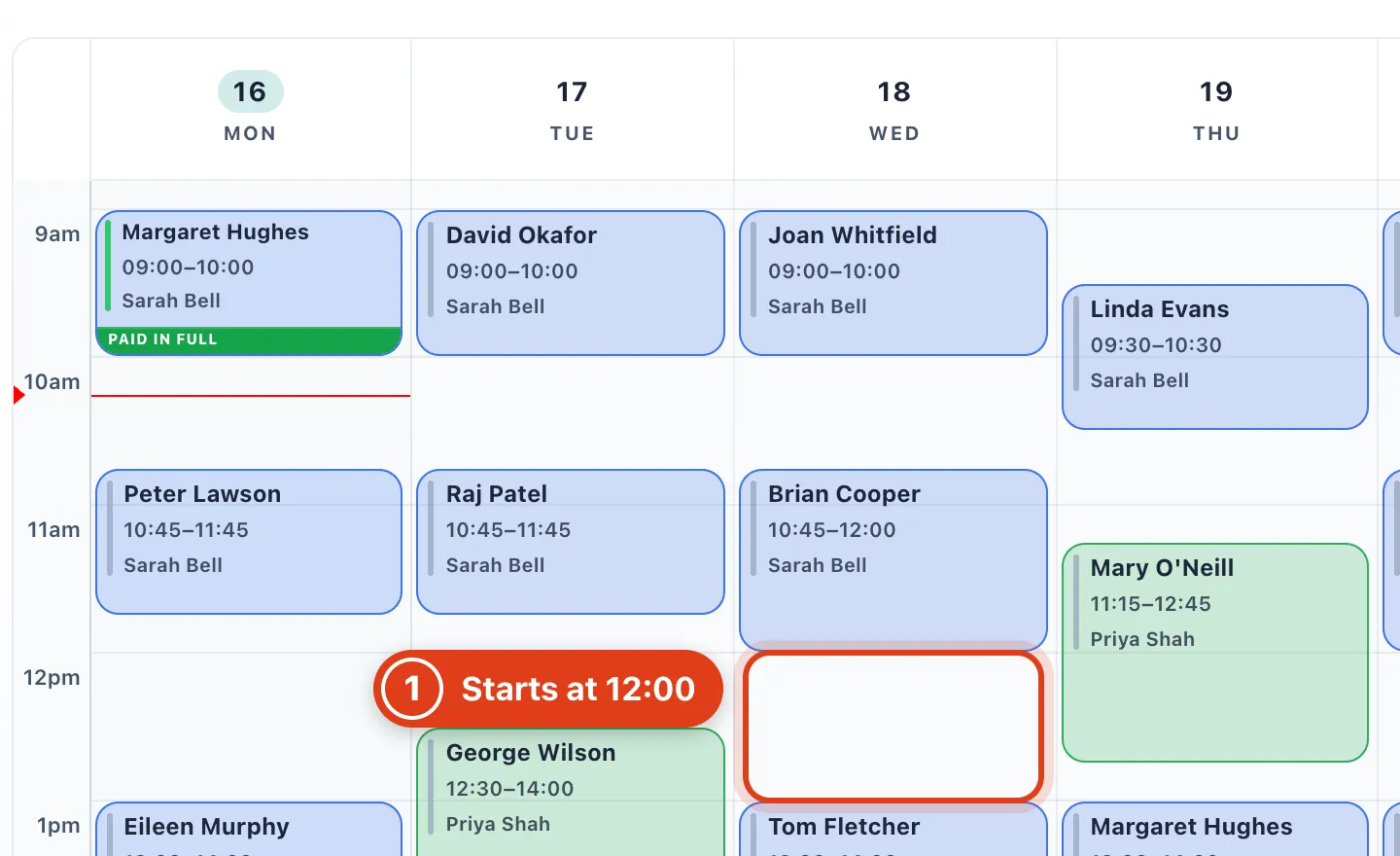
- Add new appointment opens at the top of that hour, or where a visit ends in it, as long as your default service. For example, a click at 12:15 gives 12:00 to 13:00 for Routine foot care.
Part 3 Fill in Add new appointment
Step 6 Pick the client
Personal event, Day off and Break block time from online booking and suggestions instead: see How to add time off, breaks and personal events.
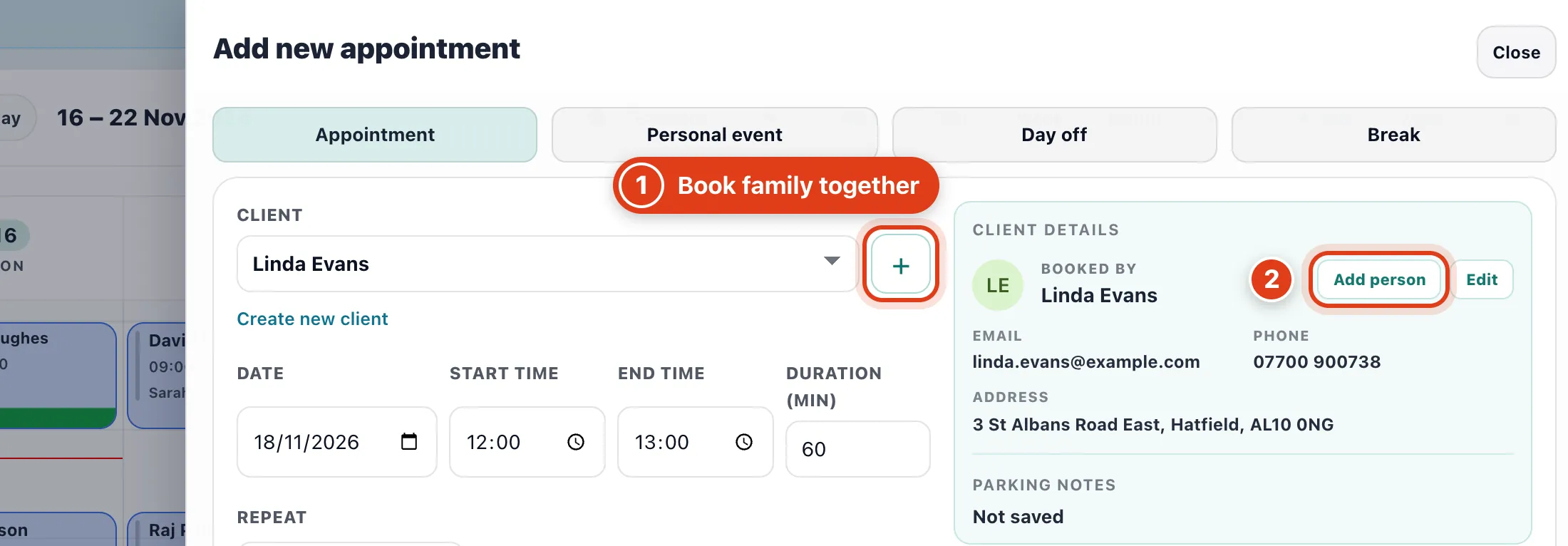
- + works as in step 2: it adds a family member the client books for, with their own services.
- Add person links someone new the client books for, so + can add them; it saves to the client's record straight away.
Step 7 Set repeats, the staff member and the place
End time and Duration (min) follow the services you pick, unless you type your own.
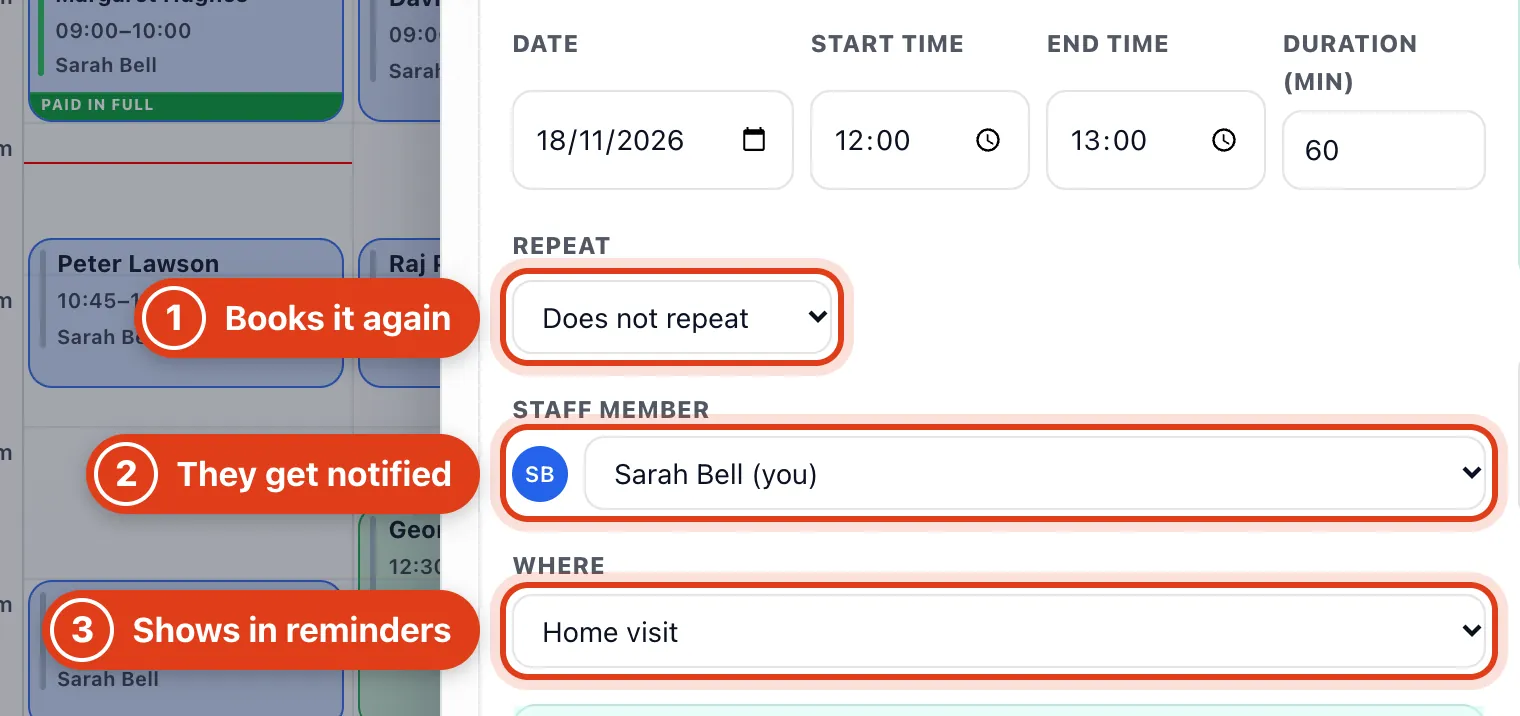
- Repeat books the same visit again, for example Every 4 weeks from 18 November gives 16 December next: see How to set up repeat bookings.
- Staff member starts as the client's Preferred practitioner. For example, book Priya Shah and Priya gets a notice in Offlico, plus an email for a visit within 14 days if Priya turns it on in My notifications.
- Where: Home visit or one of your clinics, shown in the client's reminders and invoice emails. For example, Hertford Clinic tells Linda Evans where to come.
Step 8 Check the services and the price
Total also counts a travel fee or out of hours price when one applies: see How to set your services and prices.
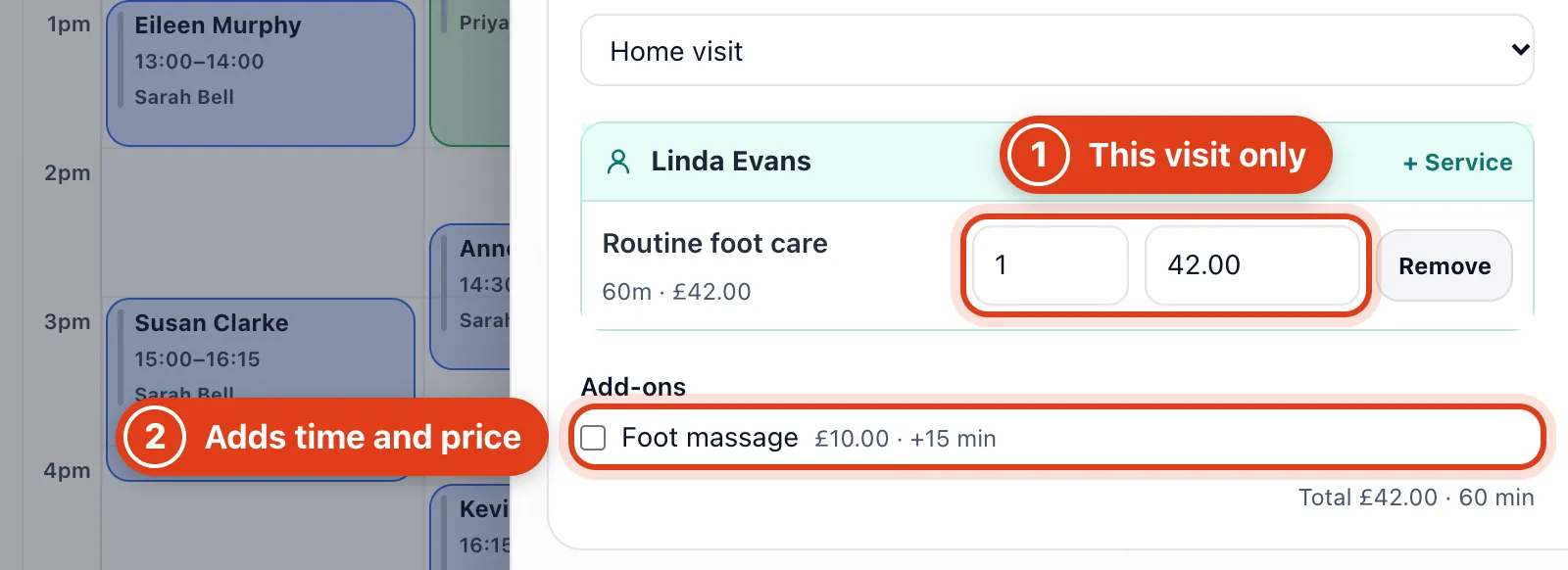
- Quantity and price are for this visit only. For example, 2 x Routine foot care books 120 minutes for £84; your price list stays the same.
- Foot massage is an add on: ticking it adds £10.00 and 15 minutes, so the visit becomes £52 and 75 minutes, ending at 13:15.
Step 9 Add a note and save
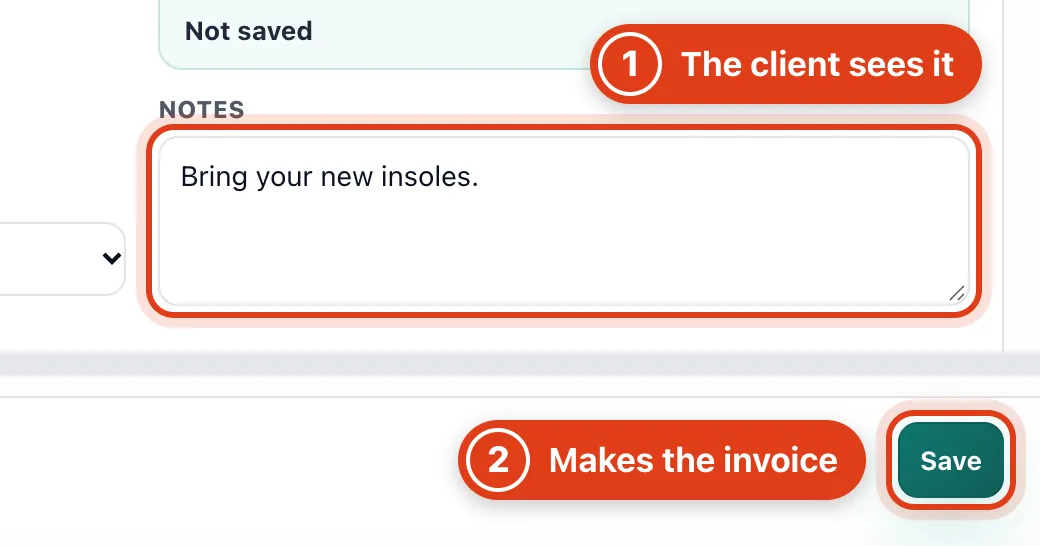
- Notes show to the client as Additional Notes on their page for the visit, for example "Bring your new insoles."; keep private notes on their client page.
- Save books it and makes an unpaid £42 invoice for Linda Evans. Nothing is emailed now unless Send invoice email is When booked (Settings › Payment reminders) or the service sends its form before visits.
Part 4 Find the visit in your calendar
Step 10 Open the visit from your calendar
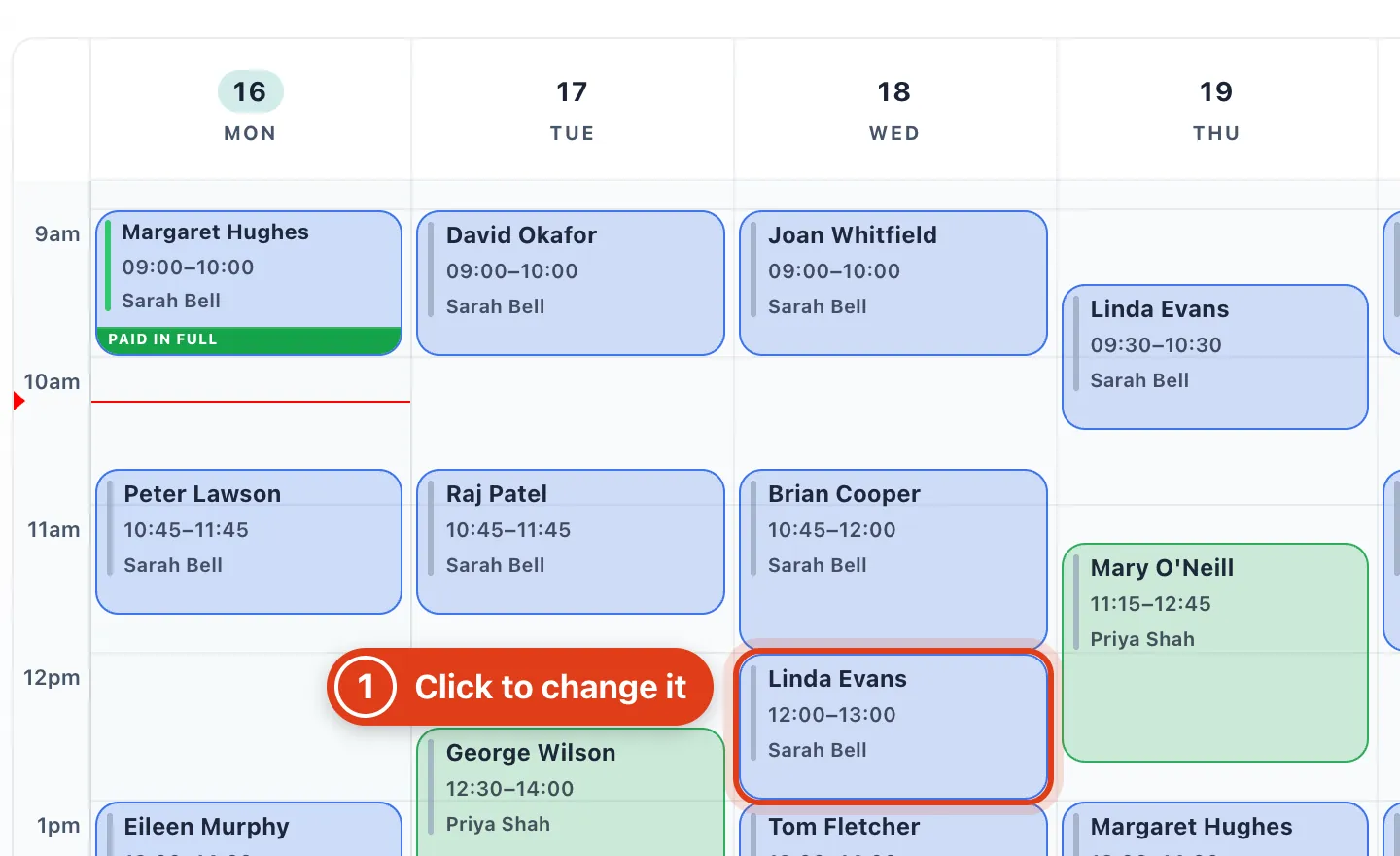
- Click it to change, complete or cancel it: see How to change, complete or cancel an appointment.