
How to choose your plan and top up credits
Choose your plan before your trial ends and keep enough credits for texts and calls.
Updated 17 November 2026
Part 1 Your plan
Step 1 Check your trial
Go to Settings › Subscription and click Choose plan when you're ready. Once you're on a plan, Cancel plan is here too: a paid plan runs to the end of the period you paid for, then your data stays open to view and export.
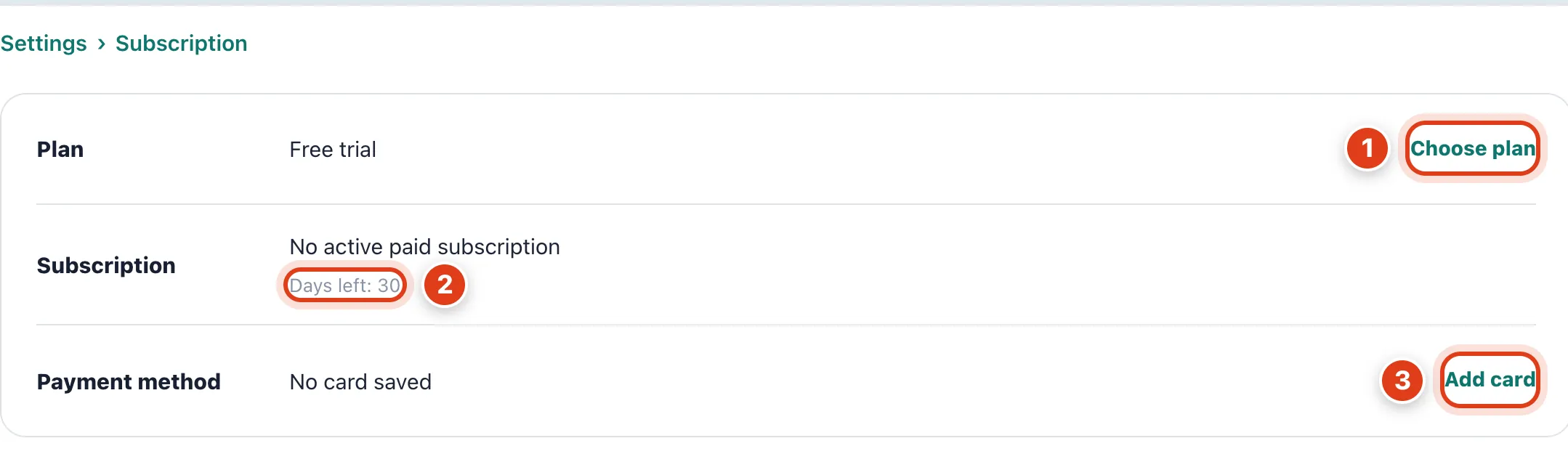
- Choose plan during your trial charges nothing until the trial ends. For example, with 30 days left on 17 November, Sarah's first payment is on 16 December.
- Days left counts down your 30 day trial. For example, with no plan by 16 December, Sarah can still open and export everything, but can only change her plan, card, team and account; bookings and reminders pause.
- Add card saves the one card that pays your plan and your automatic top ups. For example, with No card saved, auto top up never charges anything.
Step 2 Choose monthly or annual billing
Pick Pay annually or Pay monthly, fill in your Billing Address, then click Choose plan and add your card on the secure payment page.
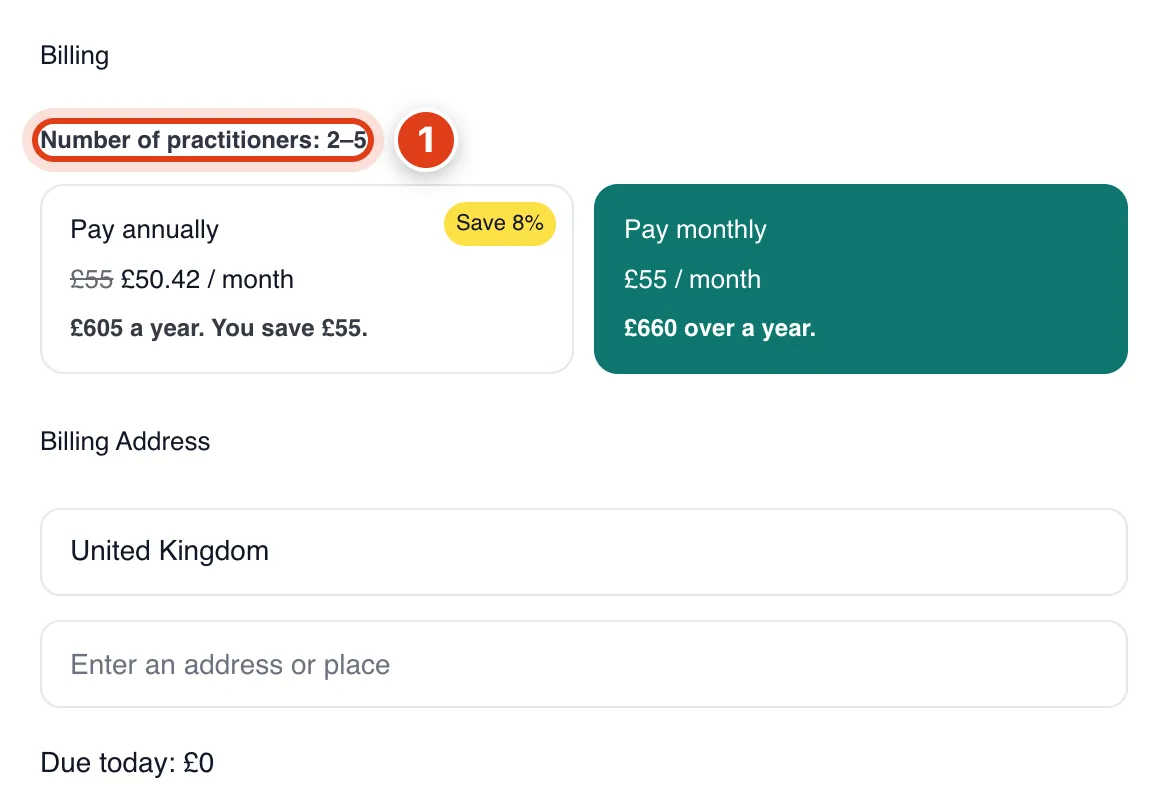
- Number of practitioners counts team members who take appointments, you included; the rest are free. For example, Sarah and Priya make 2; on a chosen plan, a 6th raises it to £85 a month at once, pro rata.
Part 2 Credits
Step 3 Top up your credits
Go to Settings › Credits, click an amount under Top up and pay on the secure payment page; the credits are added once it's paid.
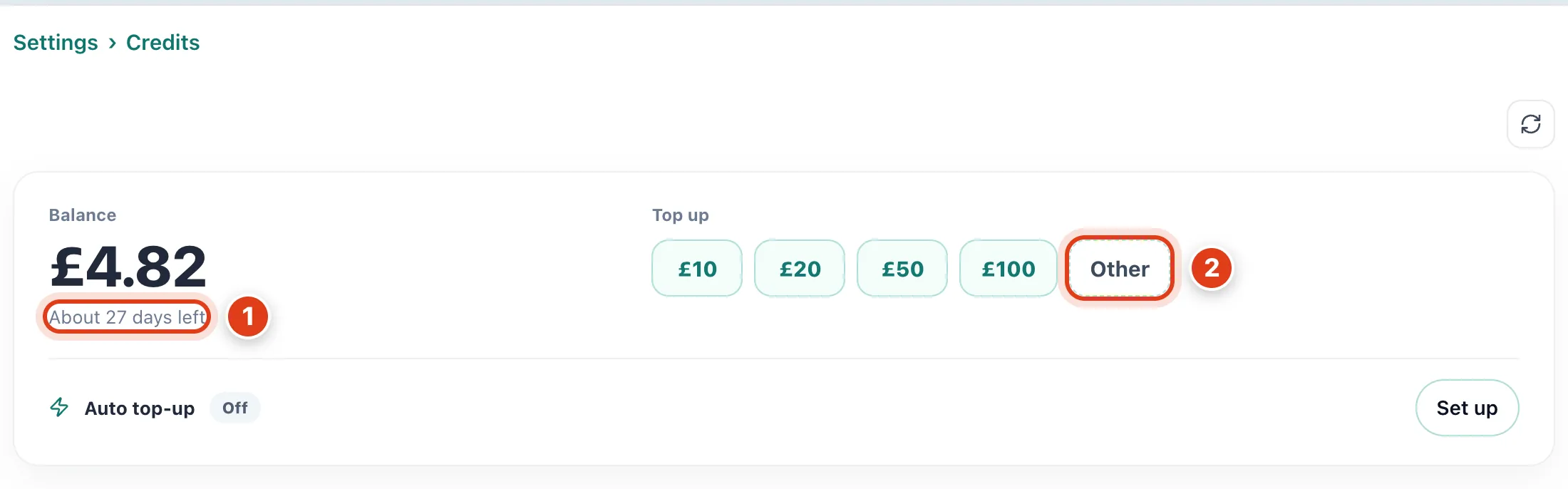
- About 27 days left is your balance divided by your average daily spend over the last 30 days. For example, £4.82 left after spending £5.18 in 30 days lasts about 27 more days.
- Other tops up any amount from £1 to £1,000. For example, £15 pays for 166 text reminders at 9p each.
Step 4 Top up automatically
Click Set up beside Auto top up, switch on Auto top up, pick the amounts, then Save.
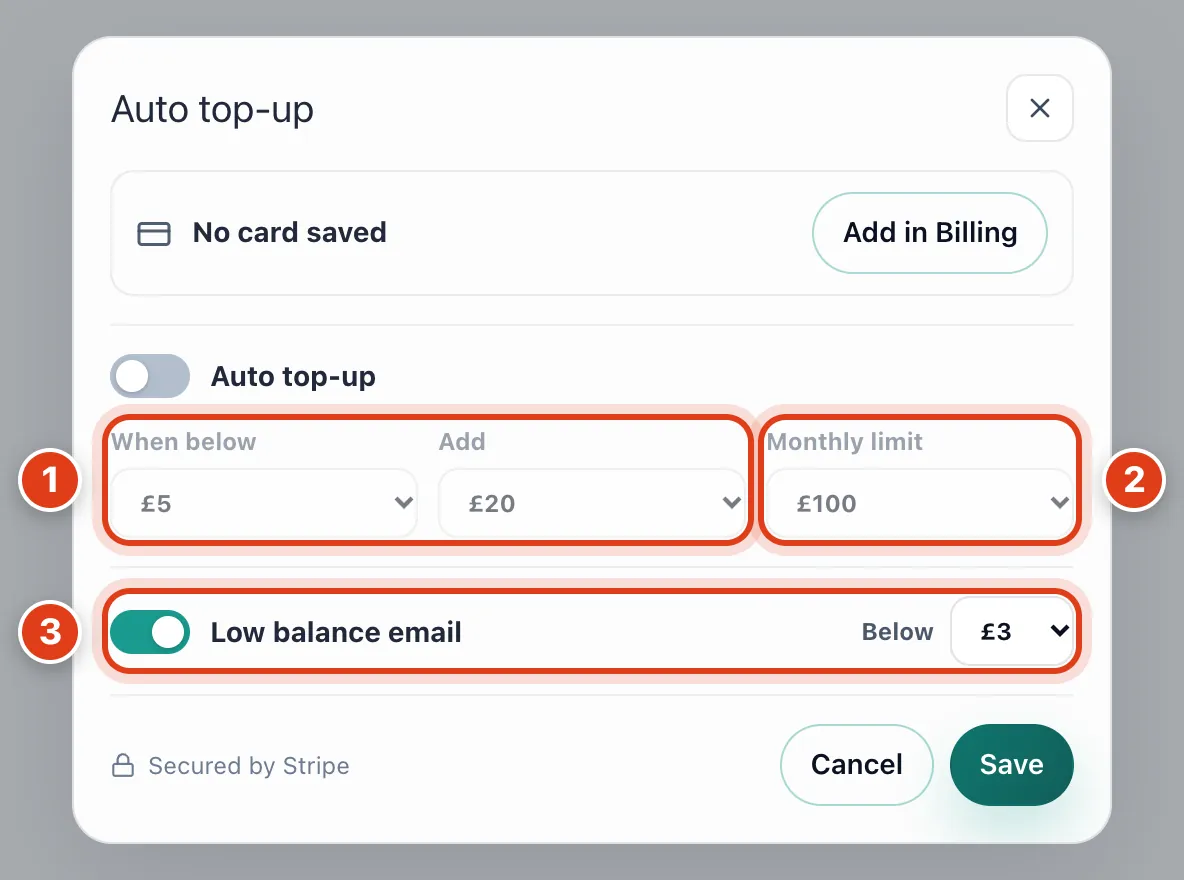
- When below and Add charge your saved card within about a minute of a spend. For example, at £5 and £20, a text that leaves £4.91 tops you up to £24.91.
- Monthly limit caps auto top ups in a calendar month, with at most 3 in 24 hours. For example, at £100 with Add at £20, a sixth top up waits for the 1st of next month.
- Low balance email emails you once when your balance drops below Below, with auto top up on or off. For example, at £3 you get one email at £2.91, and the next only after you're back at £3.
Step 5 See what credits pay for
Open Prices at the bottom of Credits to see what each thing costs; for leads, see How to get new customers from LocalPickr.

- SMS reminder is charged for each text sent; emails to clients are free, so they aren't listed. For example, 40 text reminders in a week use £3.60.
- AI Receptionist call is charged by the second. For example, a call of 2 minutes 30 seconds uses 75p.
Step 6 See where your credits went
Under Usage, pick a Period to see what you spent and what it brought in; History below lists every charge and top up, and Export CSV downloads up to 5,000 of them.

- Bookings won counts appointments the AI Receptionist booked and leads that became a booking. For example, Joan Price's first visit, booked from her lead, makes 1, so £5.18 spent shows £5.18 per booking.
- Time saved is an estimate: 2 minutes for each reminder text sent for you and 3 for each payment reminder or request by text. For example, Sarah's 2 reminder texts show 4 min.