How to sign up and find your way around
Create your account, then find where everything is in Offlico.
Updated 17 November 2026
Part 1 Create your account
Step 1 Sign up
Go to www.offlico.com/signup and click Continue with Google, or fill in your details and click Continue. Your account opens straight away, with no code to type.
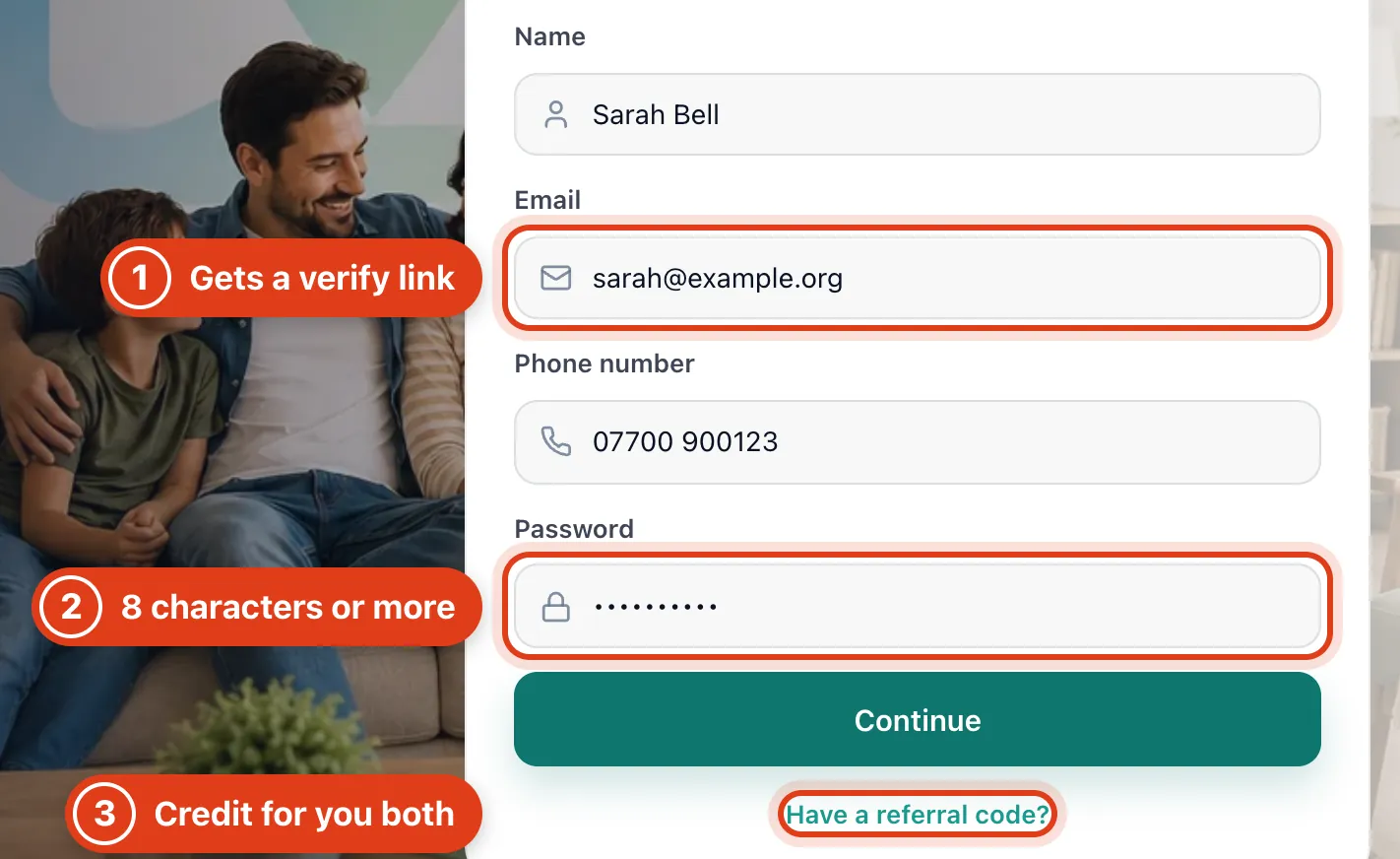
- Offlico emails this address a Verify email link that works for 7 days; you can use Offlico before you click it.
- Your Password needs at least 8 characters.
- A referral code from another Offlico user can earn you both £10 of Offlico credit once you first pay for a plan.
Part 2 Where you start
Step 2 See what a new account has
A new account opens on an empty Calendar, with no services and no booking page yet. Start with How to set up your business details.
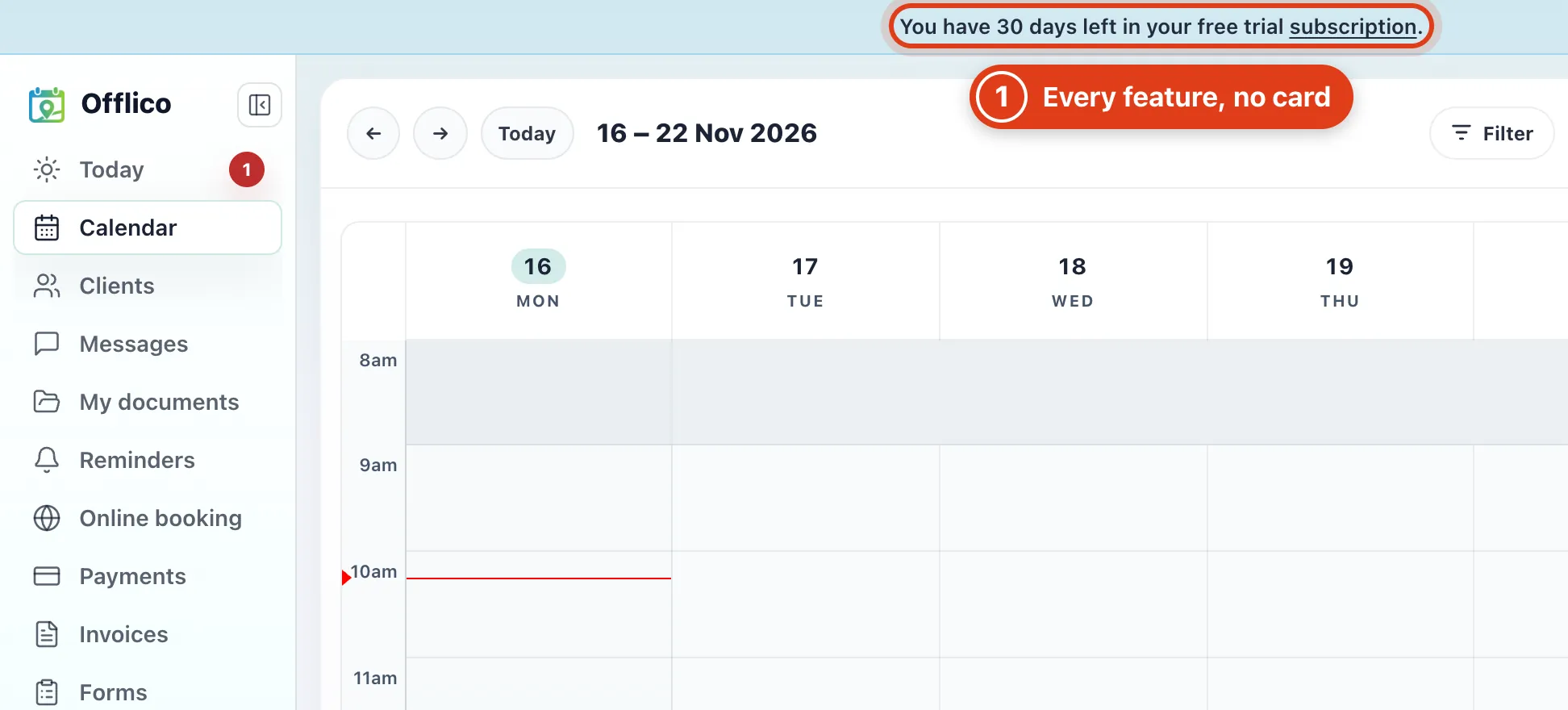
- Your free trial has every feature and needs no card. For example, sign up on 16 November and, with no plan chosen by 16 December, you can then only view and export your data.
Part 3 Find your way around
Step 3 Find treatment notes, leads and more tools
Most of the menu says what it holds. These three hold more:
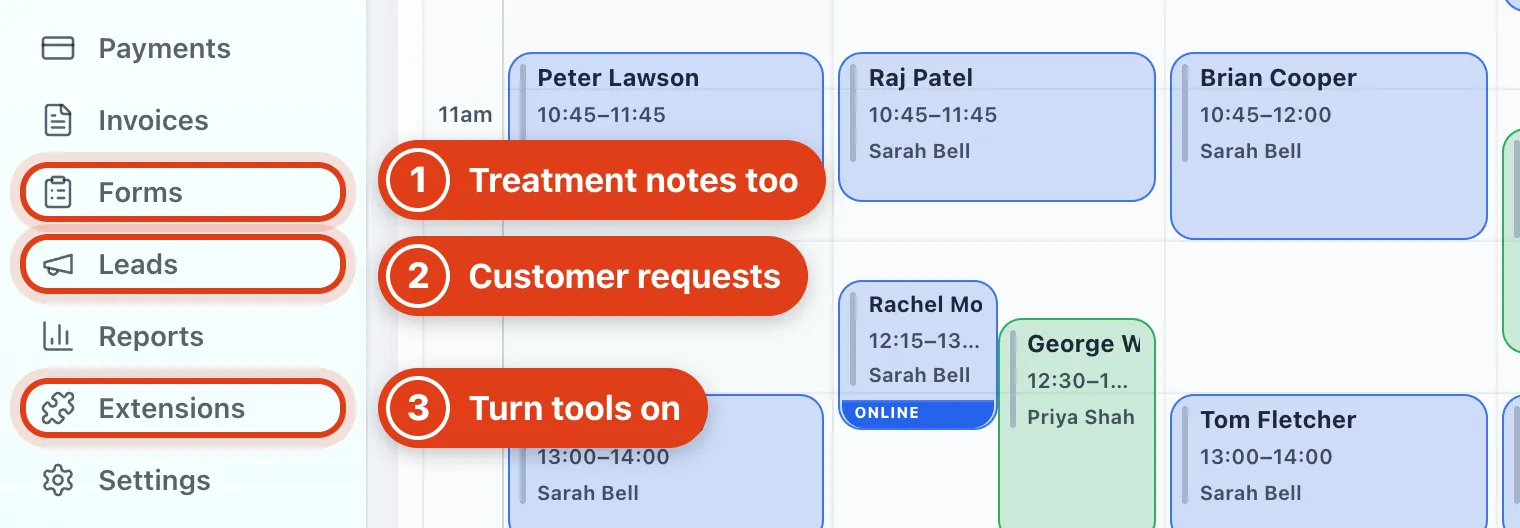
- Forms holds your client forms, their answers and your treatment notes.
- Leads lists requests from customers looking for your service, which you take with credits (UK only).
- Extensions is where you install tools such as Mileage and Route optimiser; each one you install gets its own menu item.
Step 4 Get help
Click Help at the bottom of the menu.
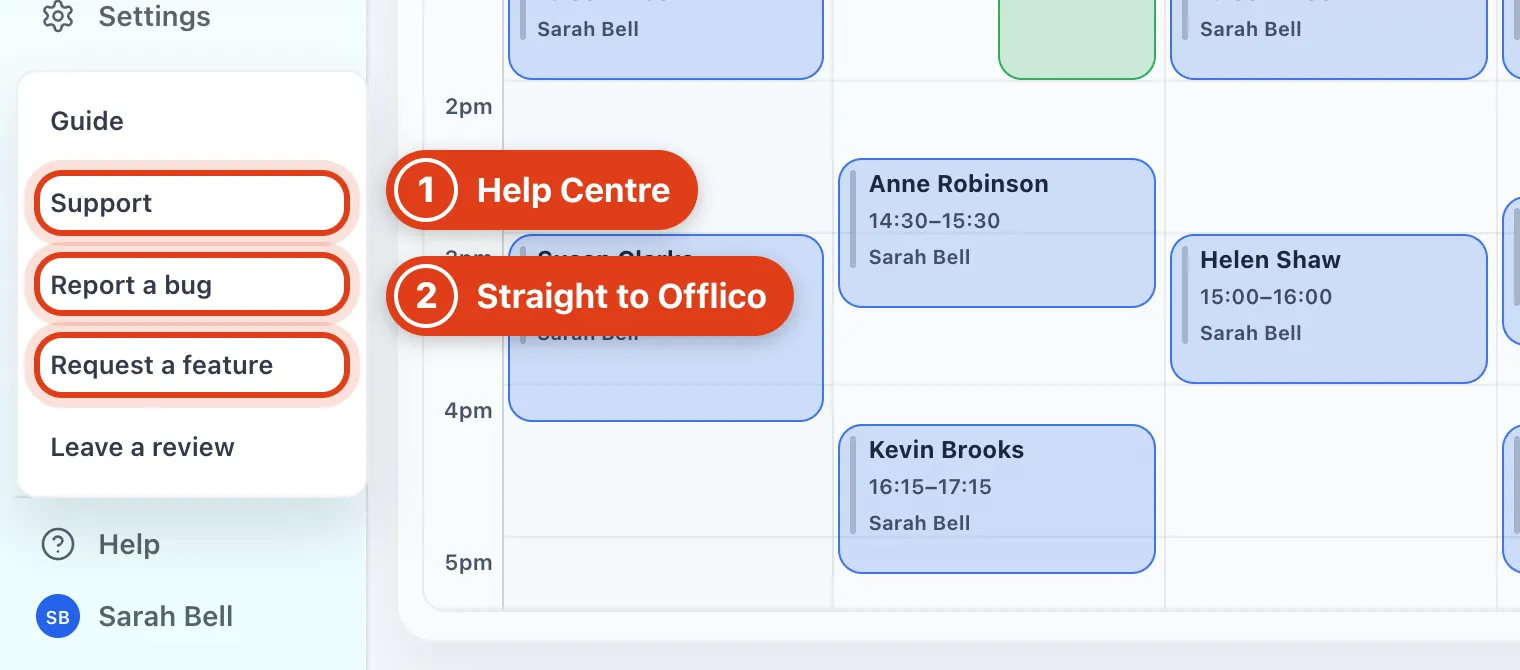
- Support opens the Help Centre, with help articles and a form to message the Offlico team.
- Report a bug and Request a feature go straight to the Offlico team, and any reply comes to your email.
Step 5 Find your details and your plan
Click your name at the bottom of the menu.
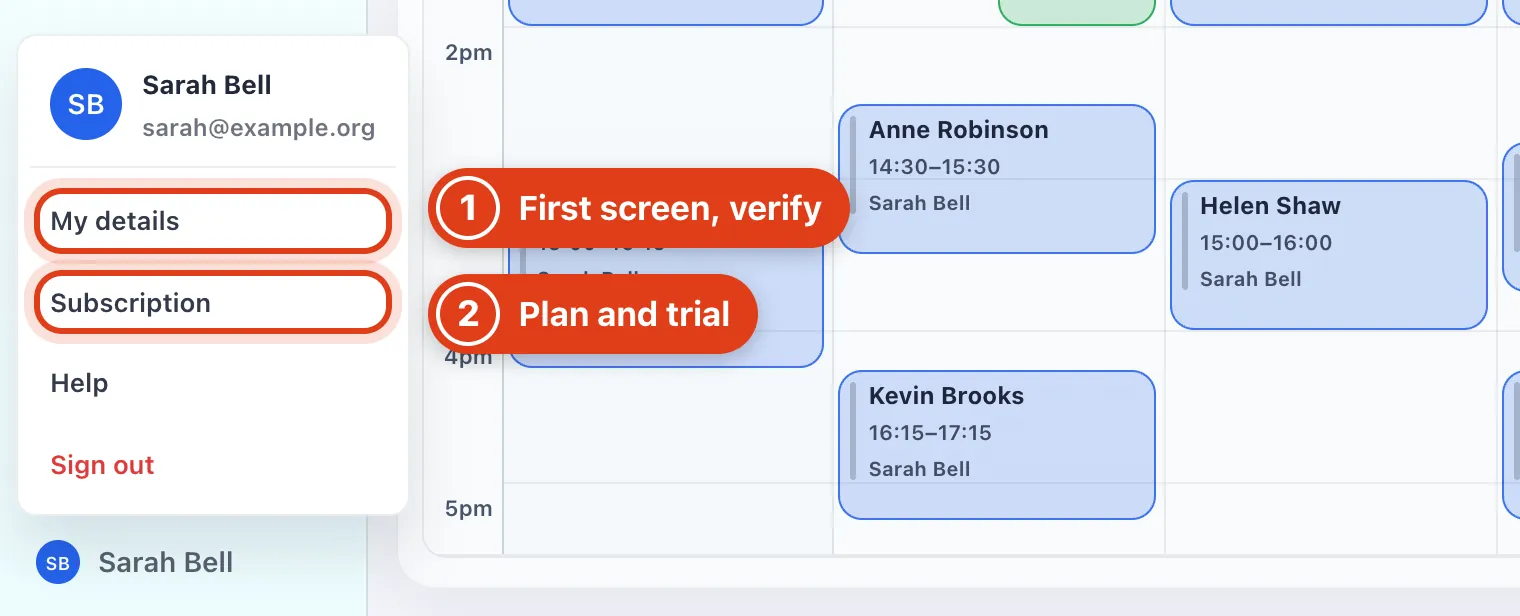
- In My details, Open on starts Offlico on Today instead of Calendar, and Verify confirms your email.
- Choose a plan in Subscription: pick one on 20 November after a 16 November sign up and you first pay on 16 December.
Part 4 Sign in next time
Step 6 Sign in next time
Go to www.offlico.com/signin.
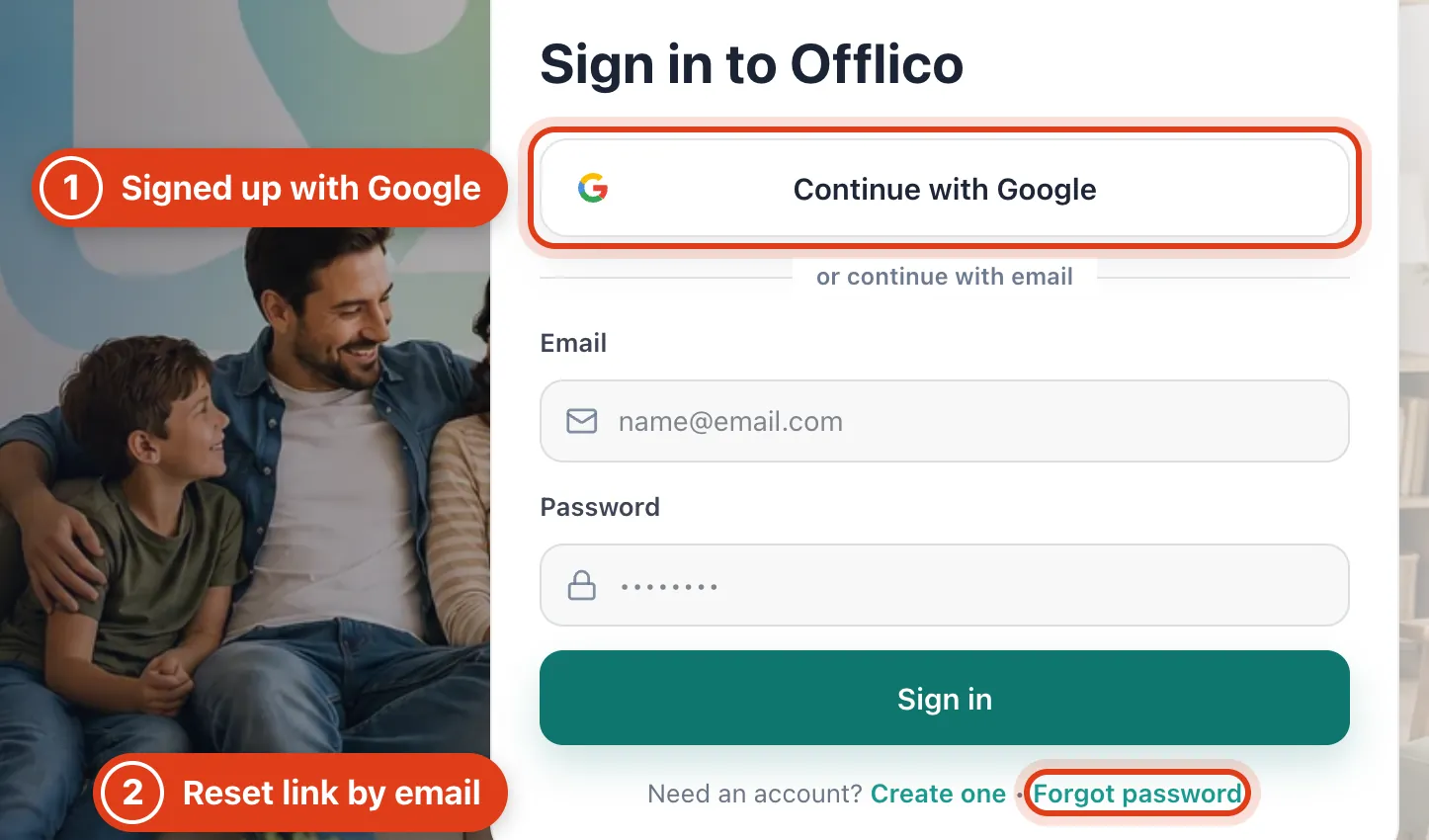
- A Google sign up has no password until you set one with Forgot password, so use Continue with Google.
- The link Forgot password emails you works for one hour.