How to get new customers from LocalPickr
List your business on LocalPickr and unlock requests from customers who need you.
Updated 20 November 2026
Part 1 Your LocalPickr listing
Step 1 List your business
Go to Settings › Directory profile and click Listed. Change what you do sets the professions you're listed under and the requests you get.
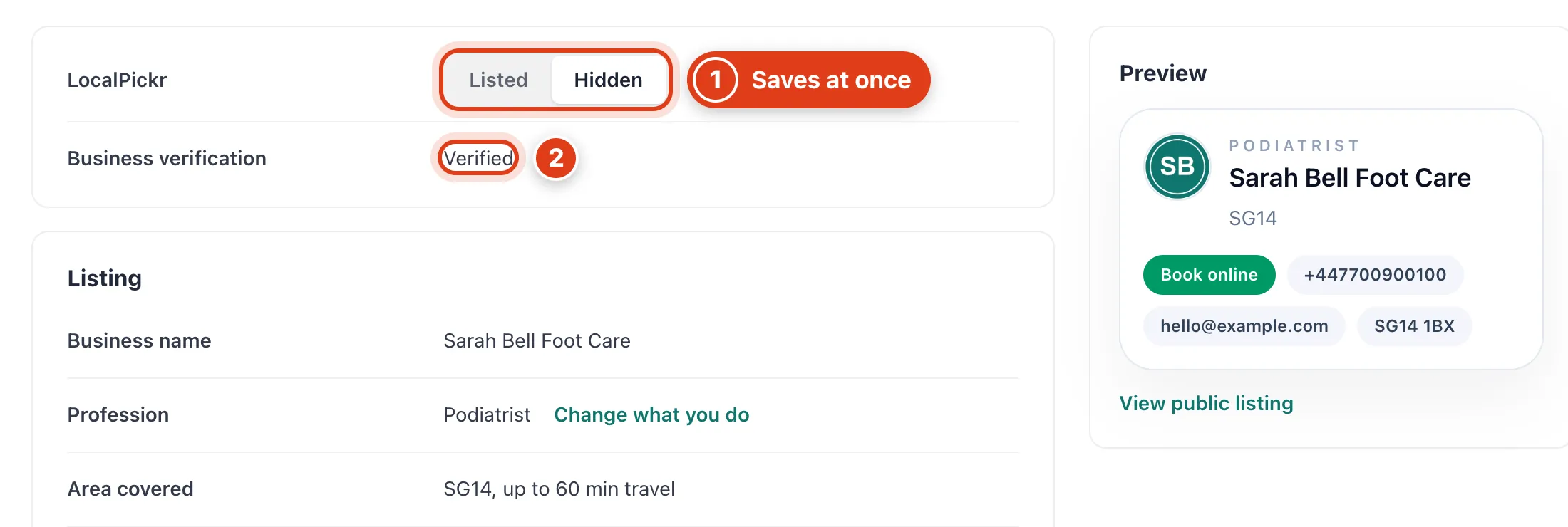
- Listed saves as soon as you click it and puts your business on LocalPickr; Hidden takes it off again.
- Business verification must say Verified before LocalPickr lists you; Unlock asks for it if you haven't sent it. For example, while it says Pending, every lead says Pending verification.
Step 2 Write your listing
Write a Short bio, choose which Contact details customers see, then Save. View public listing under Preview shows your LocalPickr page.
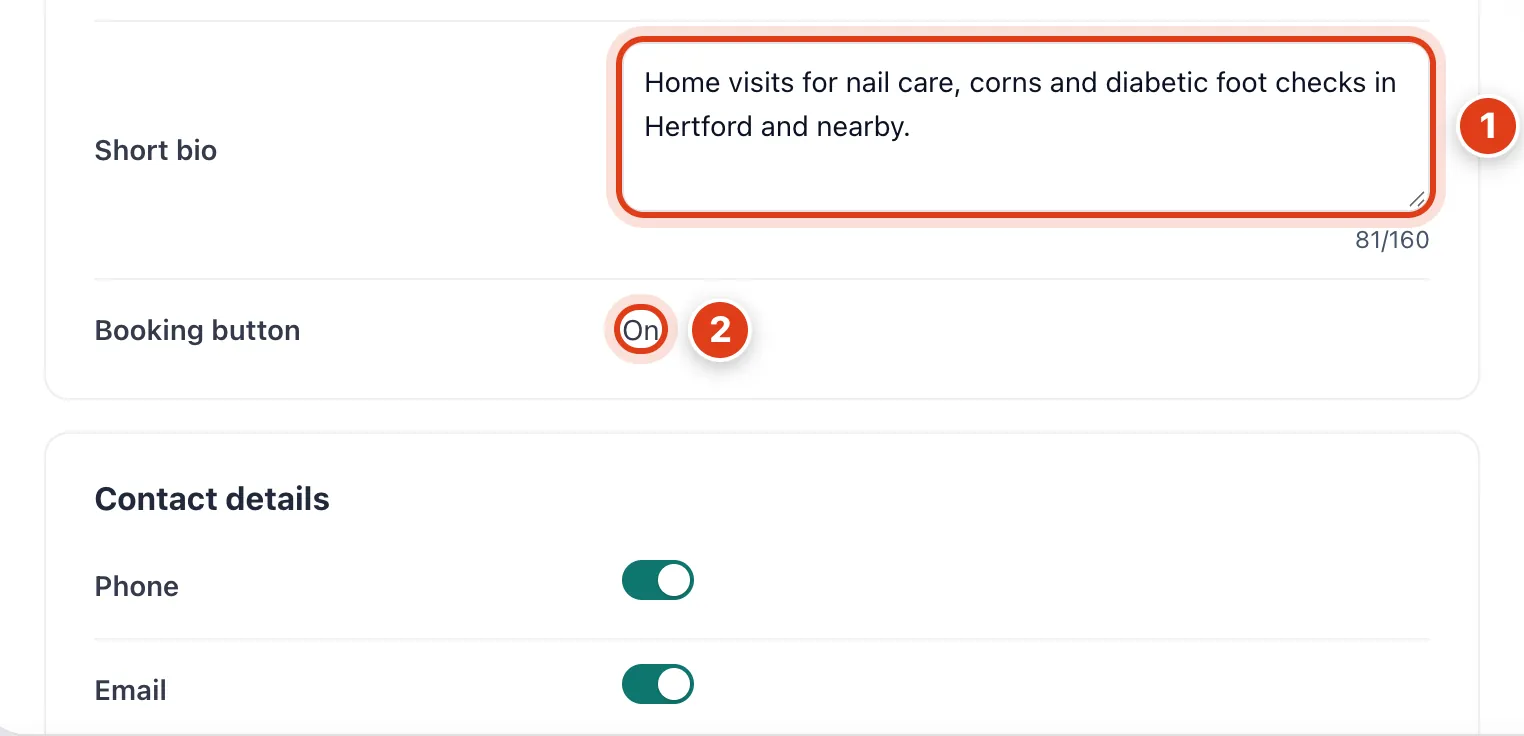
- Short bio (up to 160 characters) is the description on your listing card, in Preview and on your public listing. For example, "Home visits for nail care, corns and diabetic foot checks in Hertford and nearby."
- Booking button follows your online booking page and can't be changed here: while bookings are on, your listing has Book online, which opens your booking page.
Part 2 Leads
Step 3 Choose where leads come from
Go to Settings › Leads and choose Leads search address and Within. Without a base address, Leads lists requests from anywhere in the UK, newest first.
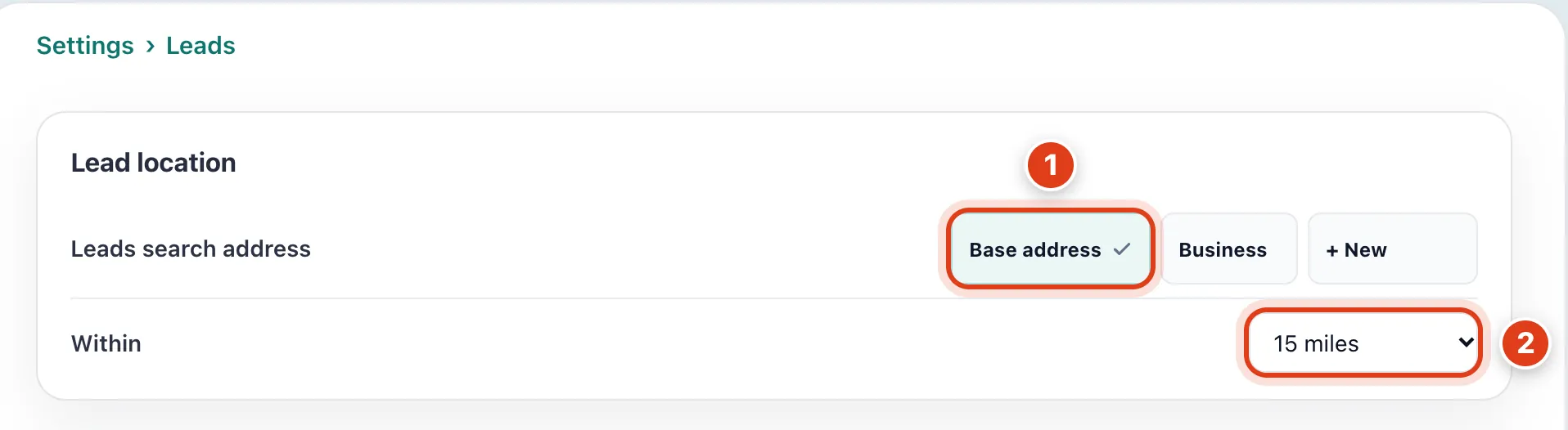
- Base address measures from your travel base, so moving your base moves your leads. Pick Business, Home or a saved address instead. For example, with your base in Hitchin, leads are measured from Hitchin.
- Within hides requests further away; your own customers' requests always come through. For example, at 15 miles Joan Price's request in Letchworth, 20.6 miles away, stays hidden.
Step 4 Bid on new leads
Switch on Bid on new leads, set Max bid per lead and Weekly budget, then Save. Which leads sets the requests you bid on.
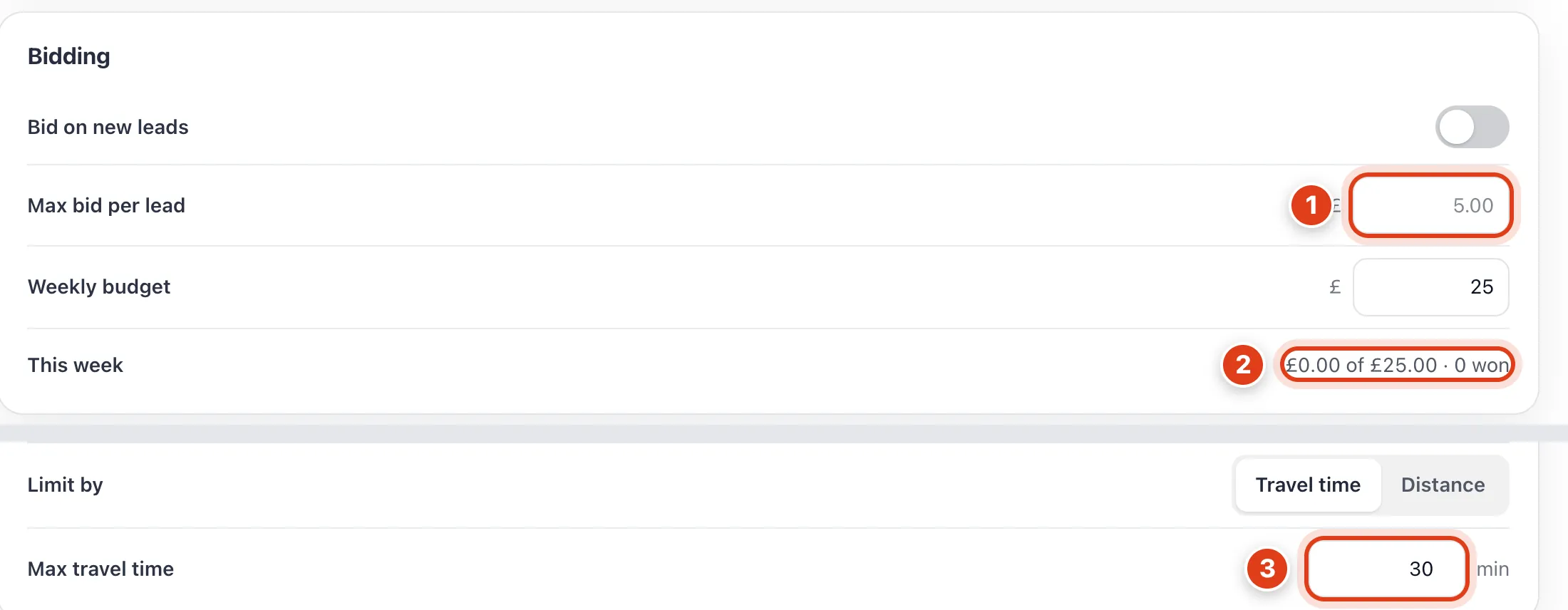
- Max bid per lead is the most you'll pay, from £5.00 to £50.00. The highest bid wins and pays 1p more than the next bid. For example, your £8.00 against another business's £6.50 wins the lead for £6.51.
- This week is what bidding has spent since Monday against Weekly budget, and your bid never goes over what's left. For example, with £20.00 of £25.00 spent, you bid at most £5.00.
- Max travel time skips requests further than this from your nearest team member; Distance does it in miles. For example, at 30 min a request 40 minutes away waits in Leads for you.
Step 5 Unlock a request
Click Leads: Available lists new requests for what you do, closest first. No credits yet? Click Top up and pay by card.
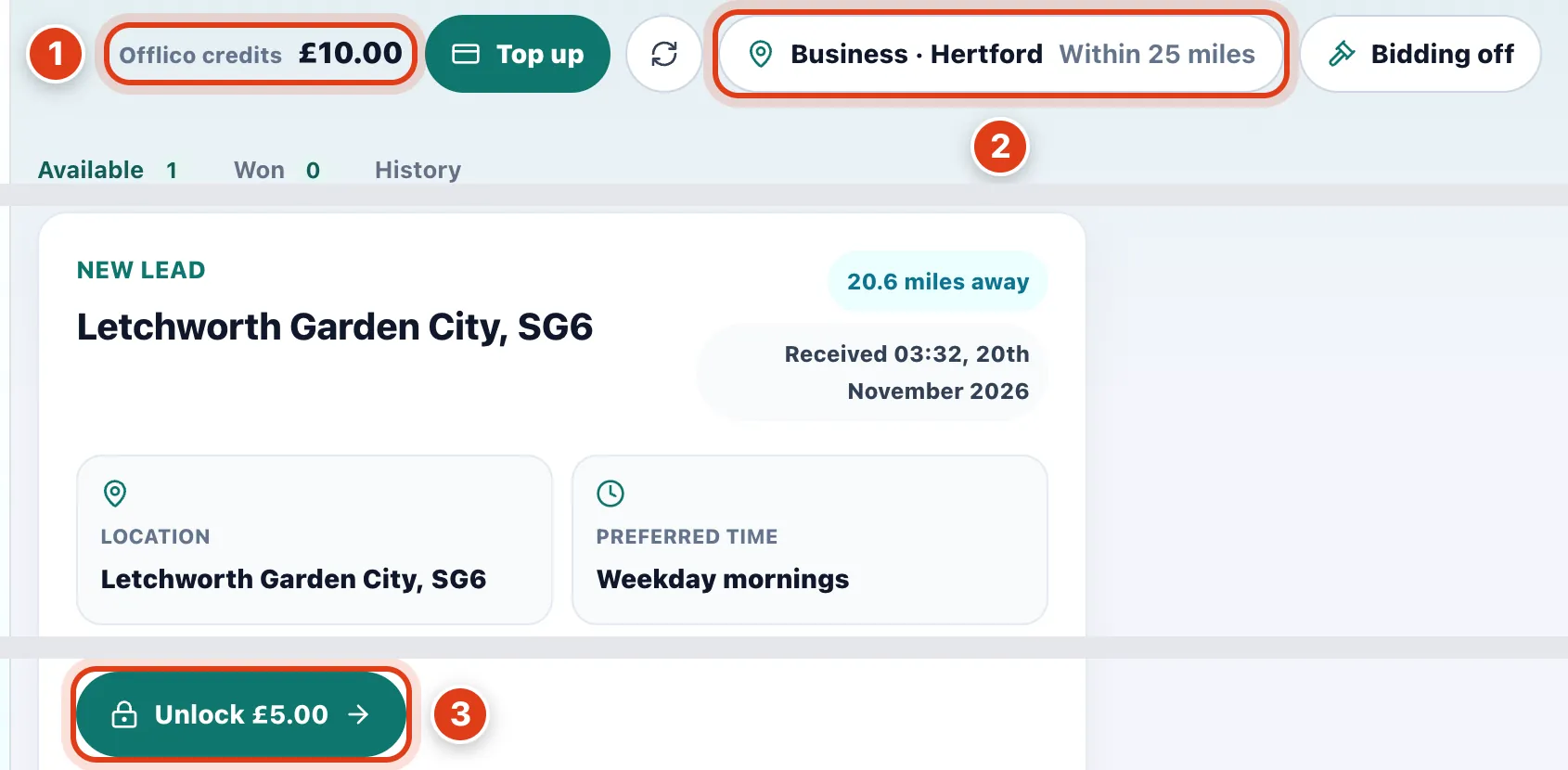
- Offlico credits pay for leads and text reminders alike. For example, after a £10 top up, unlocking a £5 lead leaves £5 for texts.
- Business · Hertford shows where leads are measured from and how far; click it to change them. For example, Within 25 miles brings in Joan Price, 20.6 miles away.
- Unlock £5.00 shows the customer's name, phone, email and address, moves the lead to Won, yours alone, and makes them a client or links the one you have. For example, Joan Price joins your Clients.
Step 6 Answer your own customer's request
When one of your clients sends you a request on LocalPickr, it comes straight to Online booking › Enquiries, free. While your booking page is off, it goes to Won in Leads.
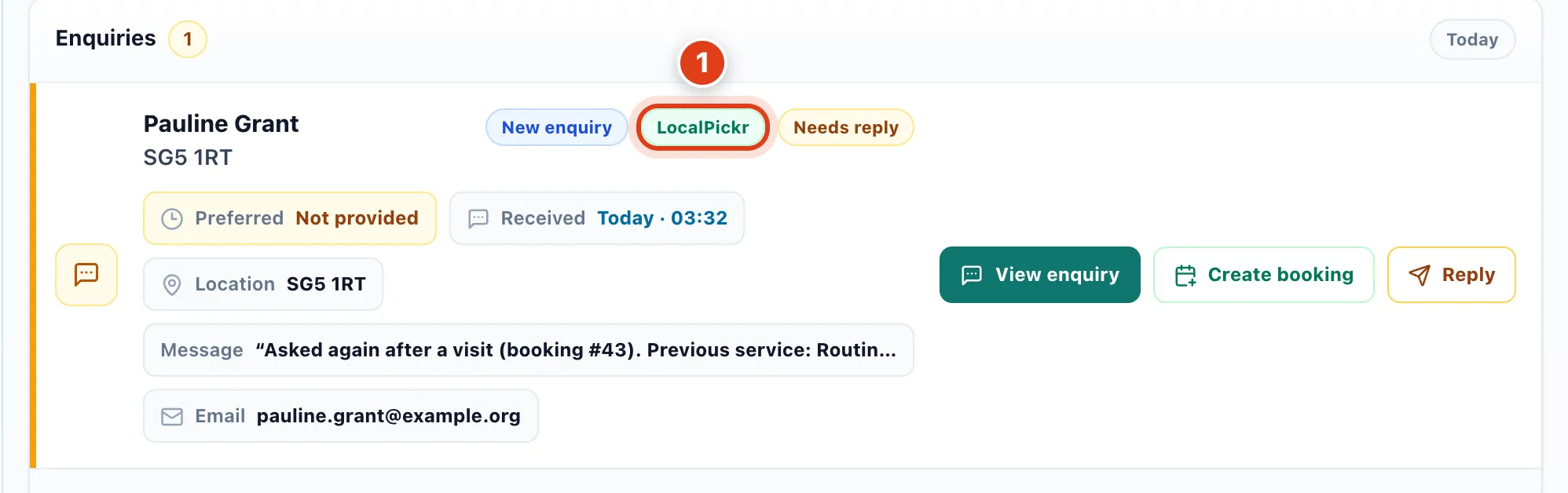
- LocalPickr marks a request sent to you by name: no other business sees it, it's free and bidding leaves it alone. For example, Pauline Grant asked you again after last Tuesday's visit.
Step 7 Contact your new customer
Won has each customer's phone, email and address; set Status as you go.
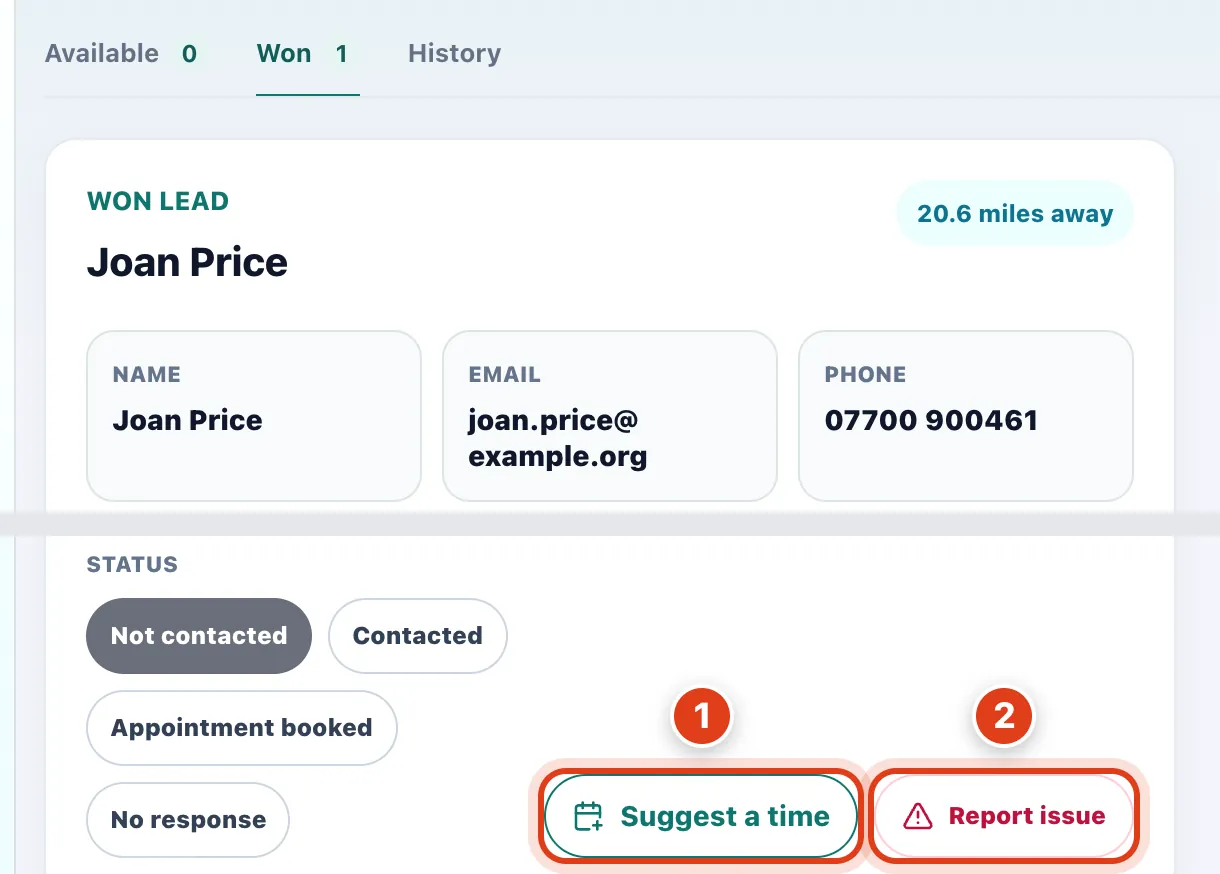
- Suggest a time opens Suggest for this customer with their address and request already filled in.
- Report issue tells Offlico what's wrong, such as a wrong phone number; if Offlico agrees, it refunds what you paid. For example, a lead whose phone number doesn't work gets its £5 back.