
Appointment settings explained
Set how your calendar marks visits and how Offlico finds and moves times.
Updated 17 November 2026
Step 1 Appointment status
Go to Settings › Appointment status and turn Appointment status colours on or off, then Save.
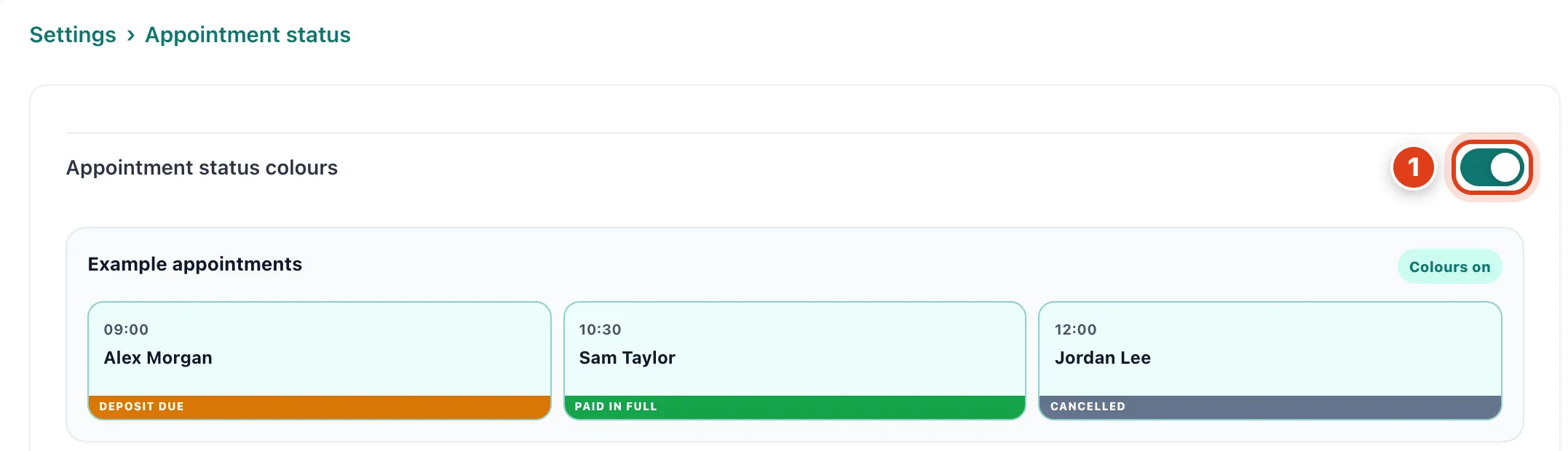
- Appointment status colours (on at first) puts strips such as Deposit due or Paid in full on calendar visits while Show status is on. For example, Raj Patel's unpaid 10 Nov visit shows Balance due.
Step 2 Suggestions
Go to Settings › Suggestions and choose how Suggest times measures and lists free times, then Save. Travel limits: see How to set up your business details.
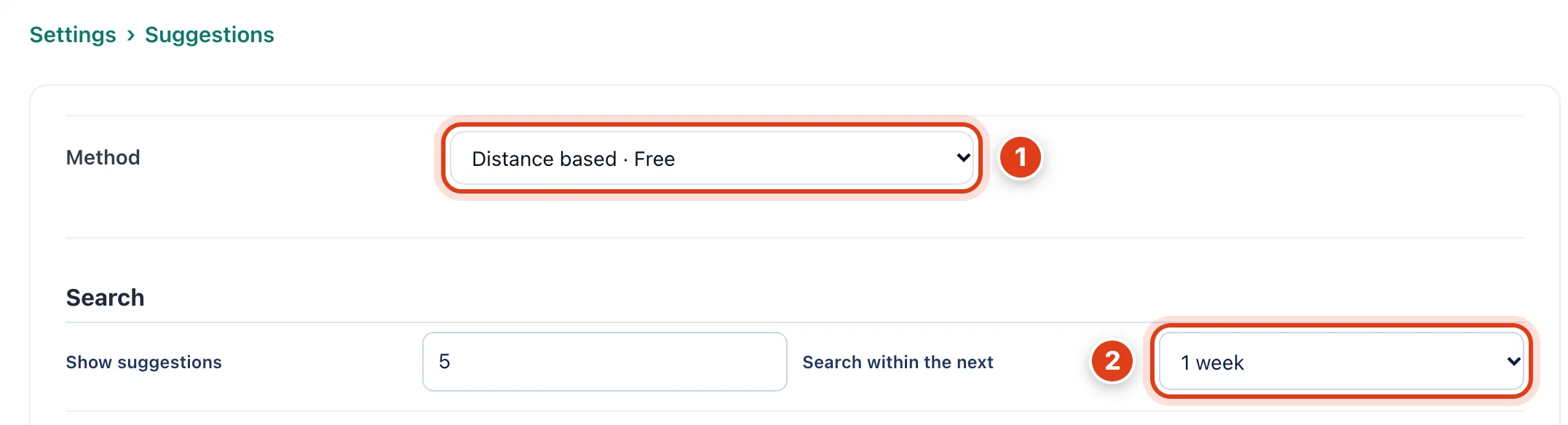
- Method: Distance based ranks times by the miles they add; only Live travel time costs credits. For example, for David Okafor in Ware, 0.5 miles between two Ware visits beats about 5 between two in Hertford.
- Search within the next is how far Suggest times first looks, and Show suggestions how many times it lists. For example, with 1 week and 5, on Tuesday 17 Nov it lists the 5 best up to Monday 23 Nov.
Step 3 Suggestions › Distance grouping and Preferences
Lower on the same page, choose how suggested times are coloured and placed, then Save.
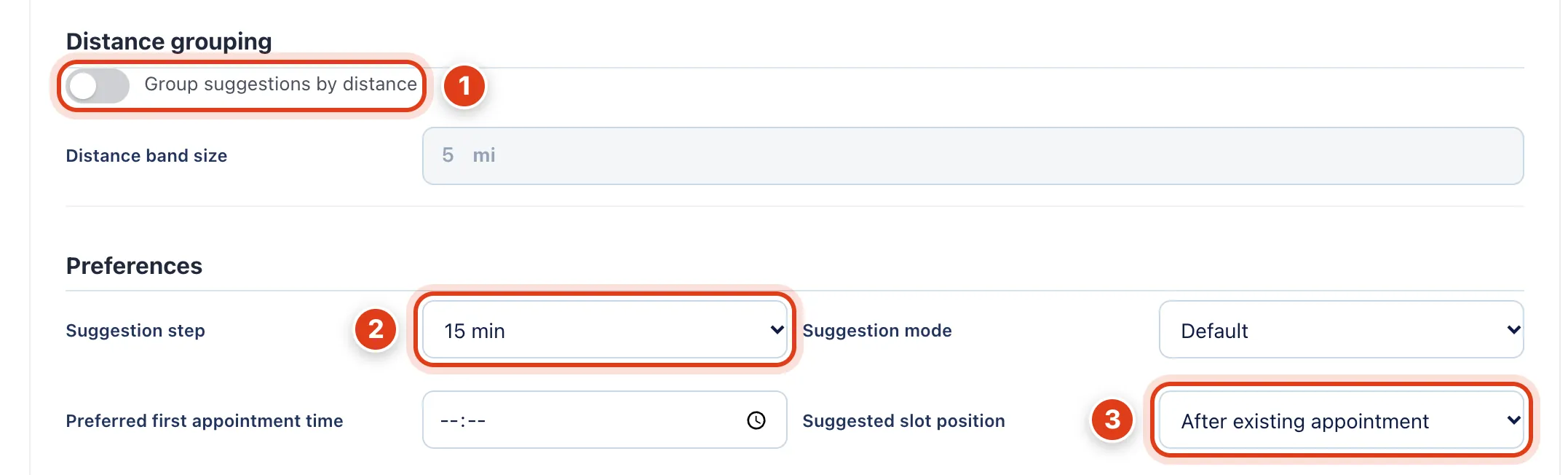
- Group suggestions by distance colours suggested times by the miles to and from the visits either side, not by rank, one colour per Distance band size. For example, with 5, 3 miles is green and 7 orange.
- Suggestion step sets the clock steps suggested times start on. For example, with 15, a time that could start at 10:50, straight after a visit, is offered at 11:00.
- Suggested slot position only settles ties in miles. For example, if a time right after Raj Patel's visit and one right before Kevin Brooks's tie on miles, the Raj Patel one comes first by default.
Step 4 Rescheduling
Go to Settings › Rescheduling and choose where Reschedule looks for new times, then Save.
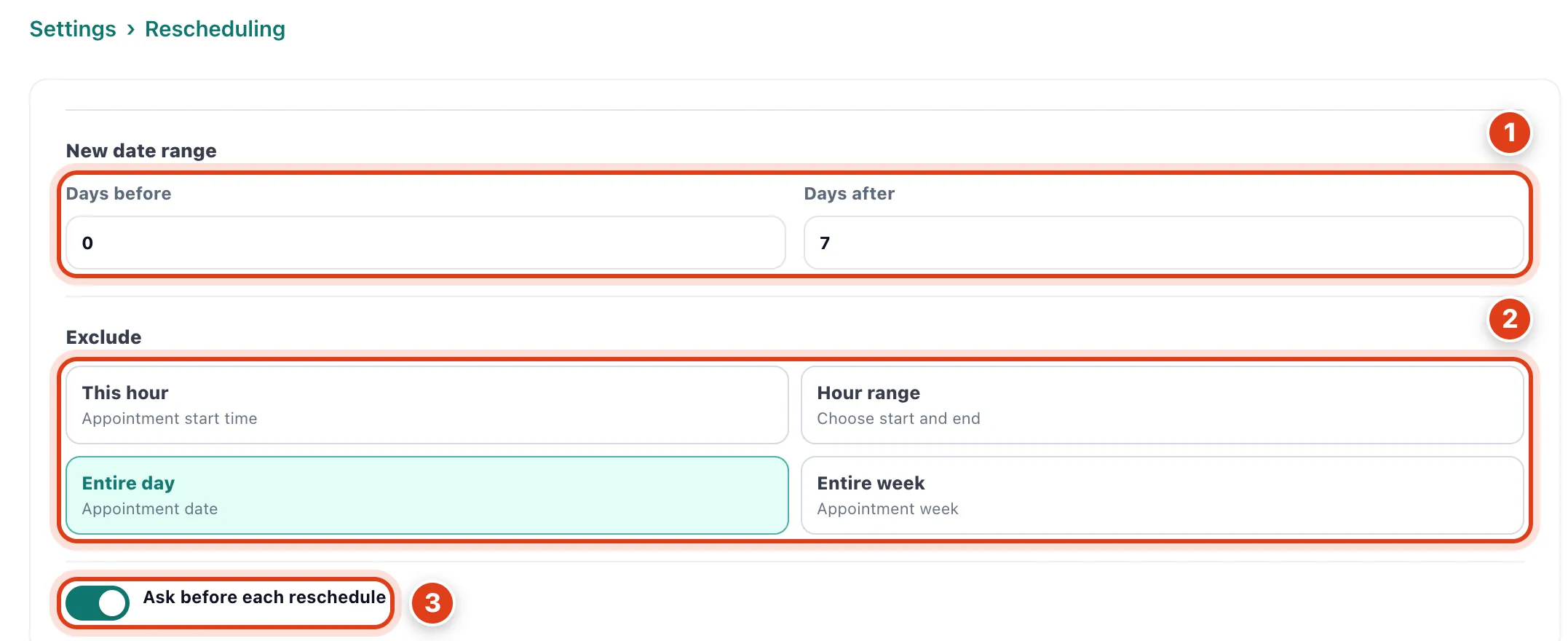
- Days before and Days after set the dates Reschedule searches around the visit, never before today. For example, with 0 and 7, Linda Evans's Thursday 19 Nov visit gets times up to Thursday 26 Nov.
- Exclude leaves out times like the visit's own: its hour each day, a range of hours, its day (the default) or its week. For example, with Entire day, her search skips 19 Nov and starts on Friday 20 Nov.
- Ask before each reschedule on (the default), Reschedule first shows these choices for that one visit; off, it goes straight to times. For example, to move one visit a month ahead, set Days after to 30 there.