

SERVICES AND PRICES
The best service pricing software for mobile professionals
Keep prices, durations and service details ready for bookings, payments and invoices.
BUILT FOR CLEAR SETUP
Your service menu becomes part of the workflow
From booking choices to cleaner invoices and records.Compare plans and pricesTrusted by mobile professionals


★★★★★5 star reviews
Features
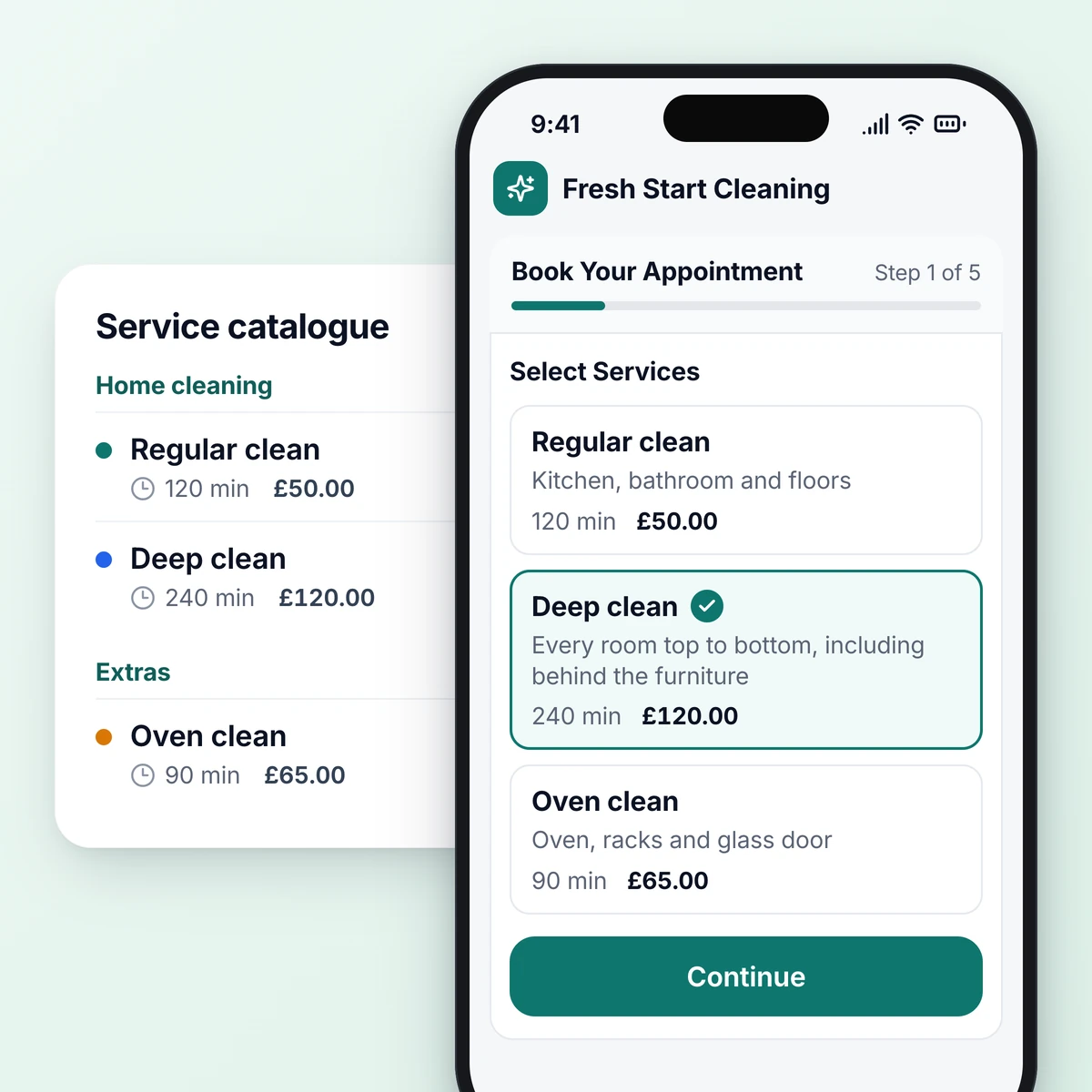
Booking page sync
Use your services on the booking pagePublish the service details already set up inside Offlico.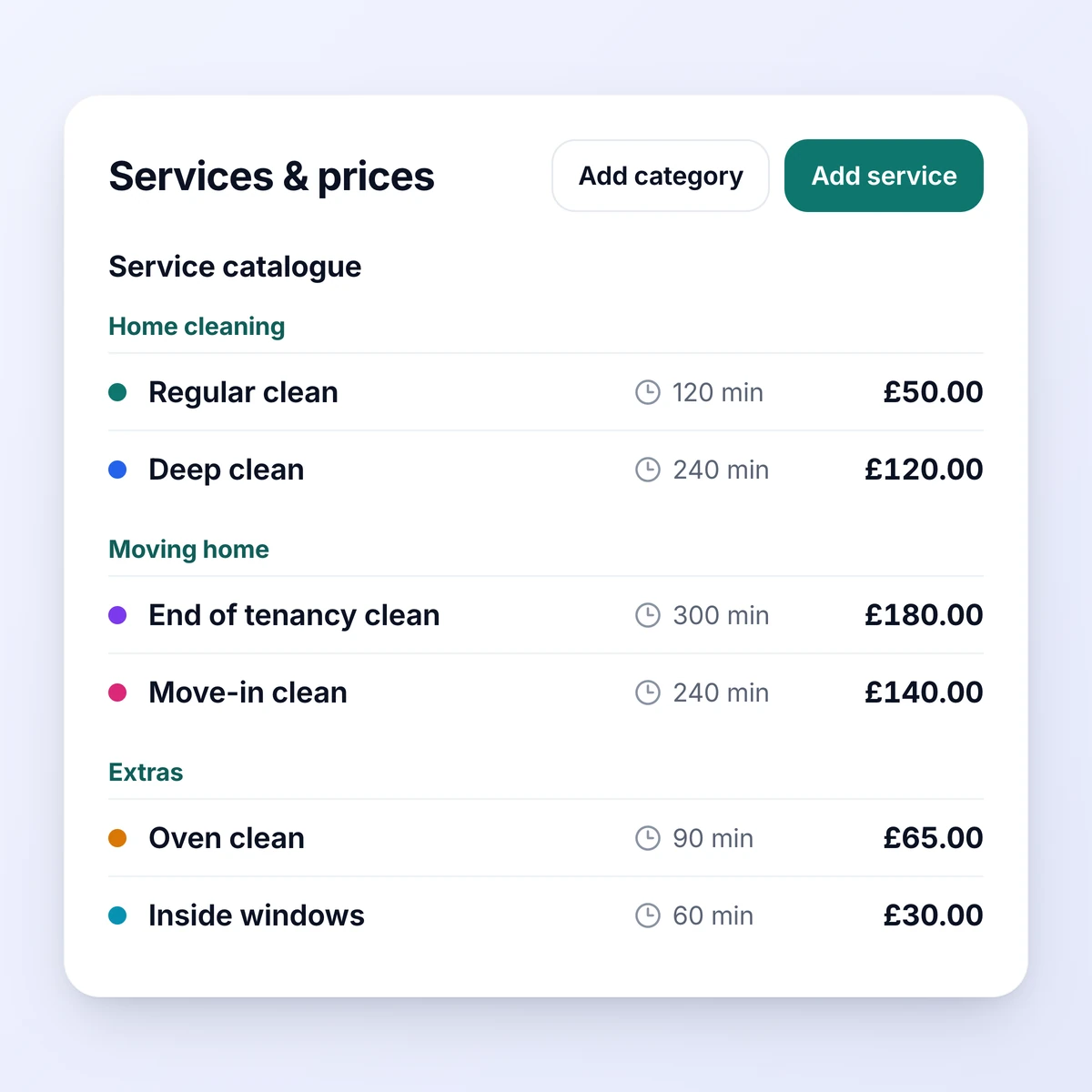
Service categories
Organise services into clear categoriesKeep a longer service menu easy to browse and maintain.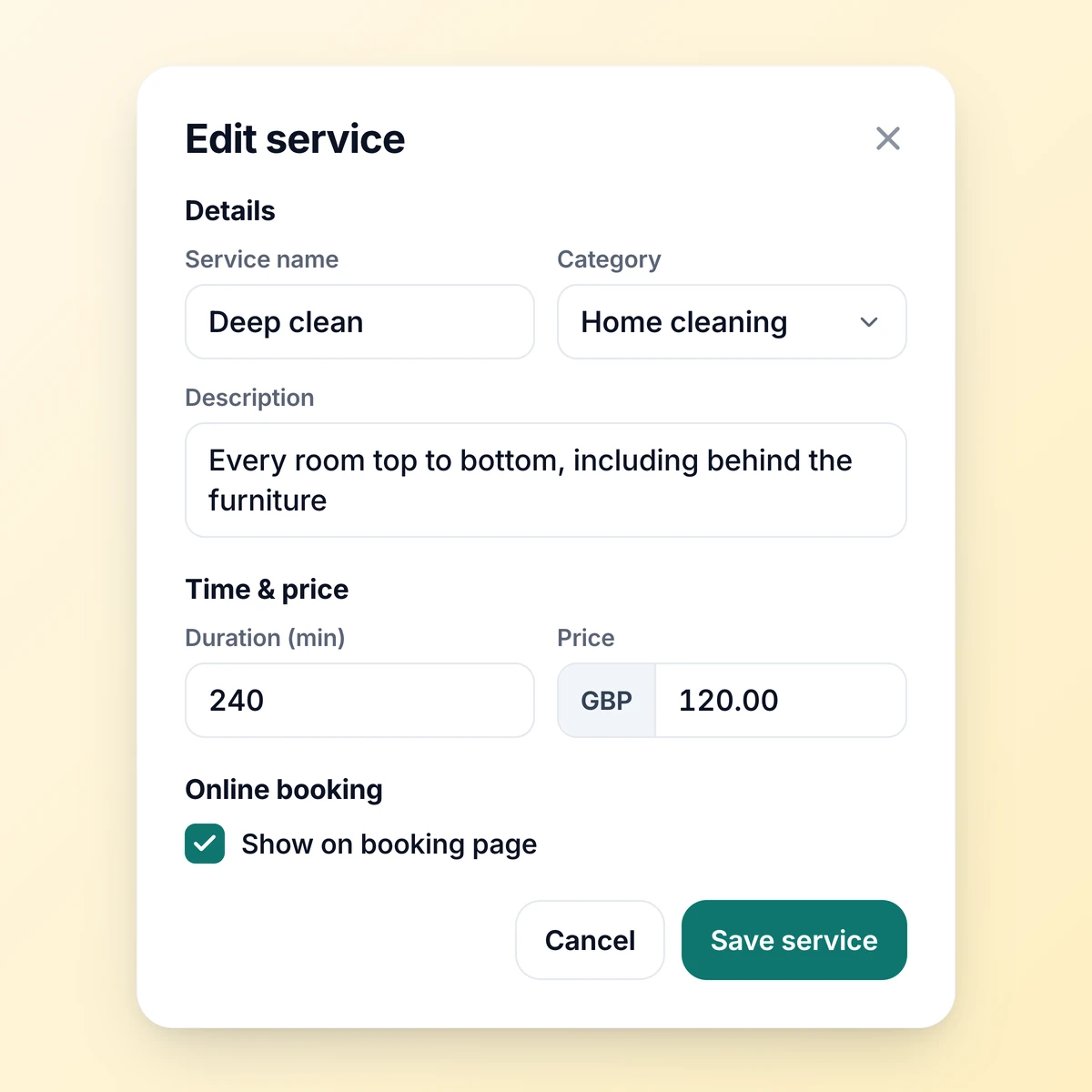
Service details
Add the name, price, duration and descriptionKeep the practical details customers and appointments need in one record.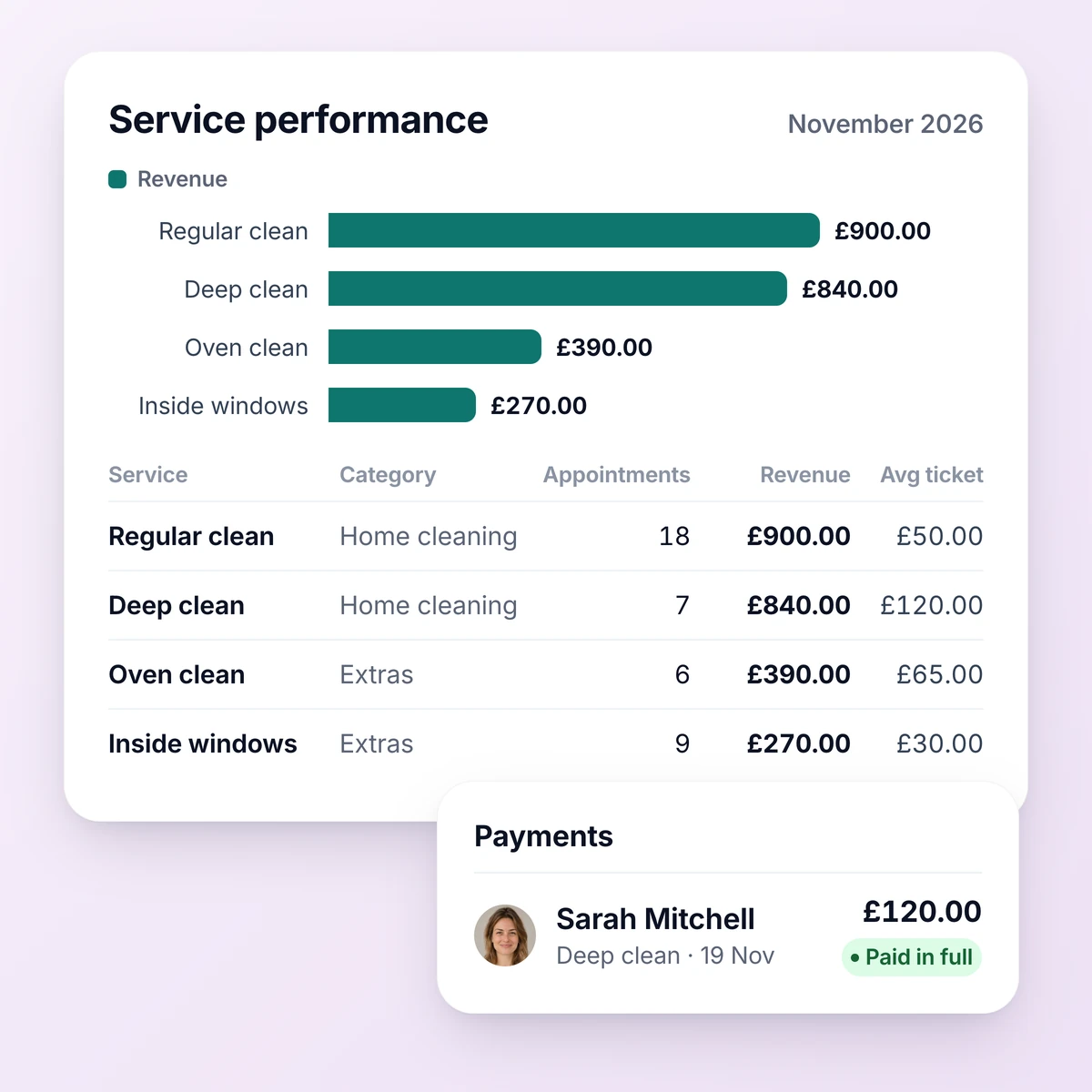
Payment reports
Keep services visible in payments and reportsUse consistent service data when reviewing income and completed work.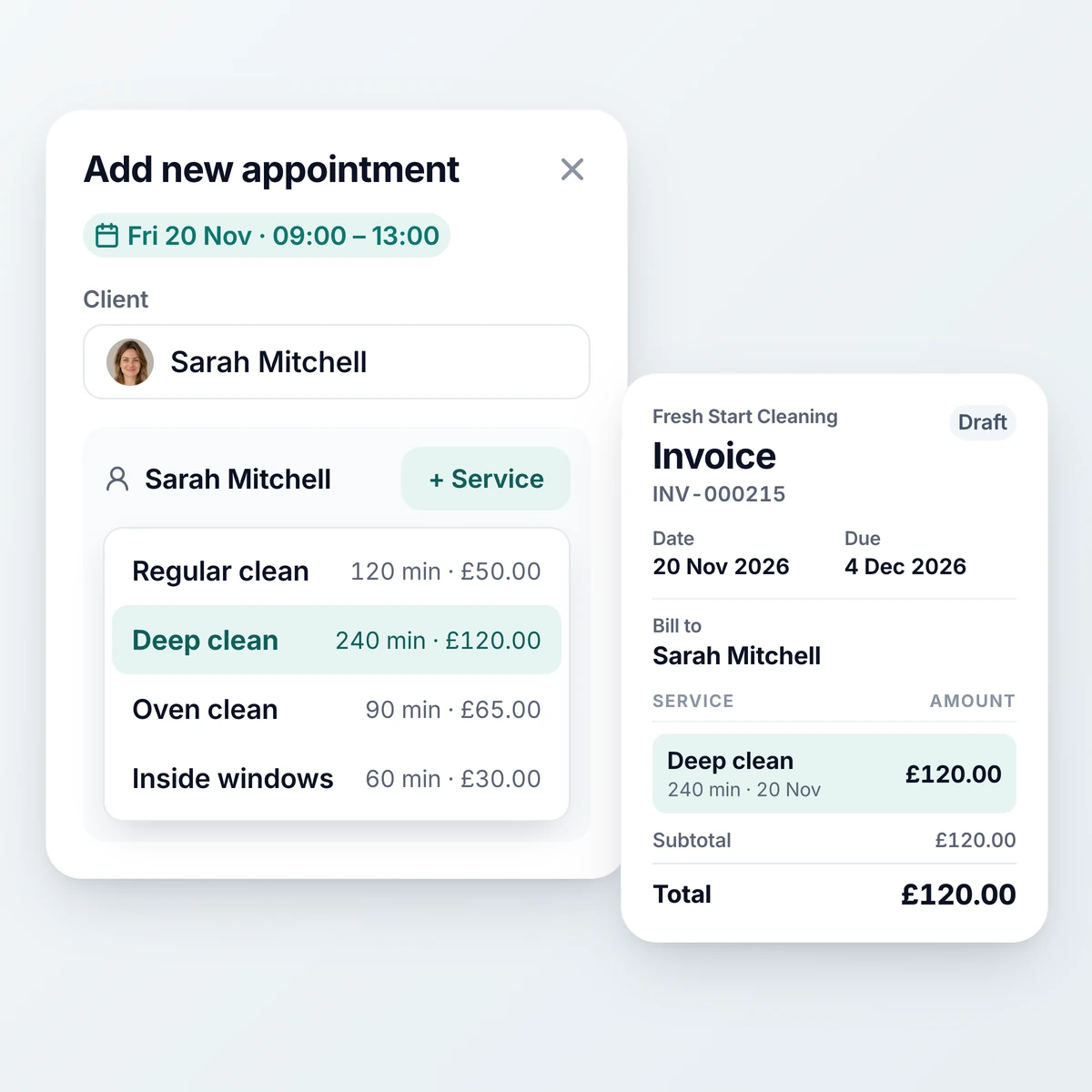
Ready to reuse
Pre fill appointments and invoicesChoose a saved service instead of entering the same details again....or explore everything Offlico can do
Services and prices questions
Frequently asked questions
What does this feature help me manage?
Offlico lets the business build its service menu inside the app. Services can include prices, durations, descriptions, categories, and options. Those services are then used when creating appointments, taking online bookings, tracking payments, creating invoices, and reporting on work.
How does it fit into the working day?
Offlico turns the service menu into reusable business data that can feed bookings, payments, invoices and reports.
Which main capabilities are covered?
The main capabilities include: Add service name, price, duration, and description; Services feed the booking page automatically; Used to pre fill appointments and invoices.
What does the usual workflow look like?
First, add service names, durations, prices, categories and descriptions. Then, select services when creating appointments or publishing the booking page. Finally, use the same service detail for payments, invoices and reporting.
Why is it useful for mobile professionals?
Offlico keeps the business's services and prices in one reusable place, so they feed the rest of the app. The business only needs to set things up once, after that, services appear on the booking page, pre fill invoices, and appear in reports automatically.
Does it connect with the rest of Offlico?
Yes. It sits in the same Offlico workspace as bookings, clients, appointments, payments and day to day admin, so the information stays close to the job instead of becoming a separate record.
Services and prices is included in every plan.
Try Professional free for 30 days.