
OFFLINE MODE
The best offline app for mobile professionals
Complete appointments and mark payments on the phone while offline mode stays clearly visible.
Start freeBUILT FOR REAL VISITS
Keep working when signal drops
From appointment completion to cash, card and bank transfer payment tracking while signal is unreliable.Trusted by mobile professionals

5 star reviews
Features
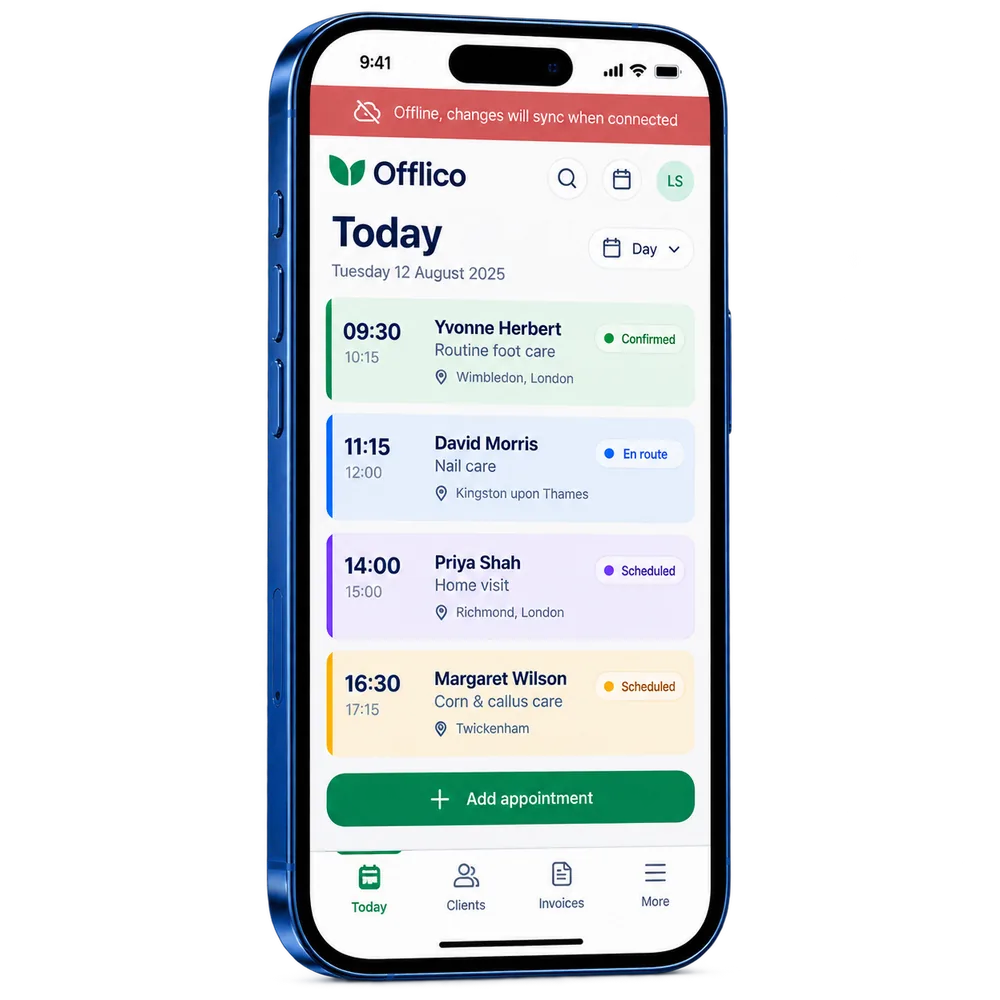
Offline status
See clearly when the app is offline Keep a visible connection status while the normal appointment list remains usable.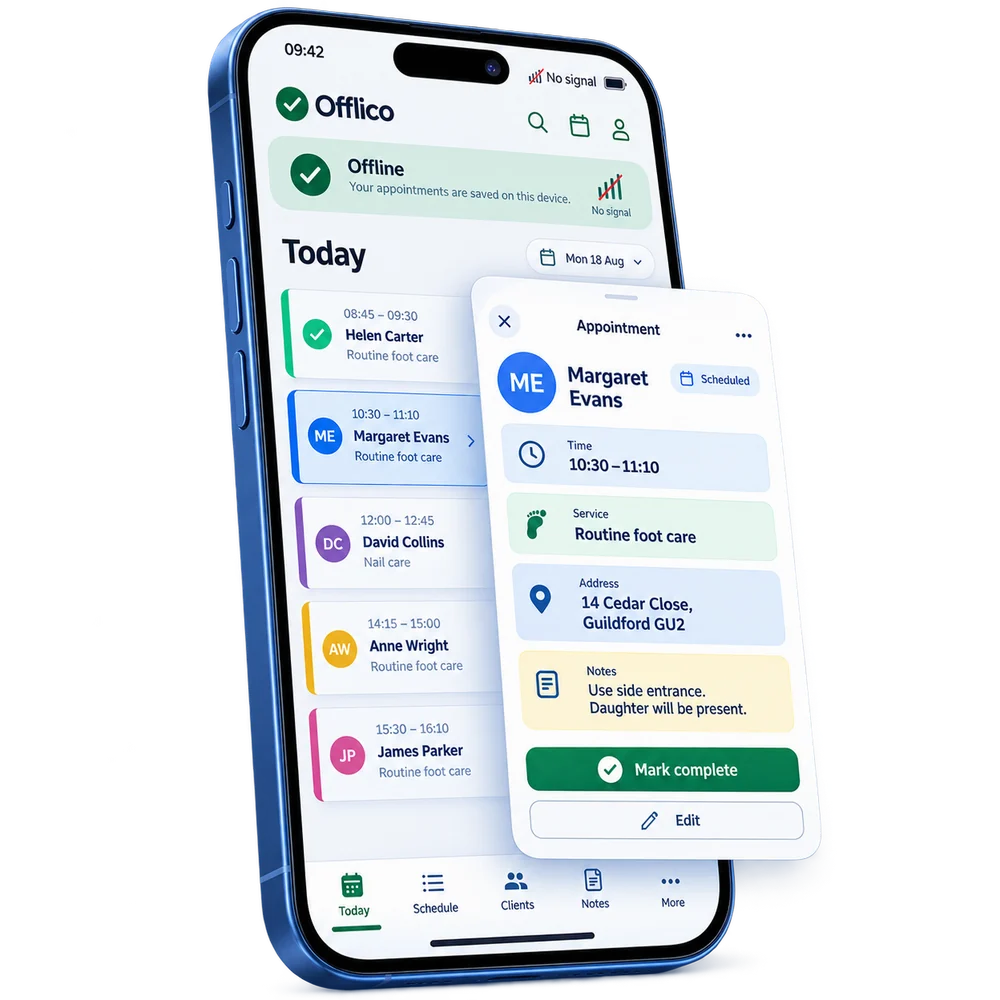
Offline appointments
Open scheduled appointments without a signal Keep the day accessible when mobile coverage is unreliable.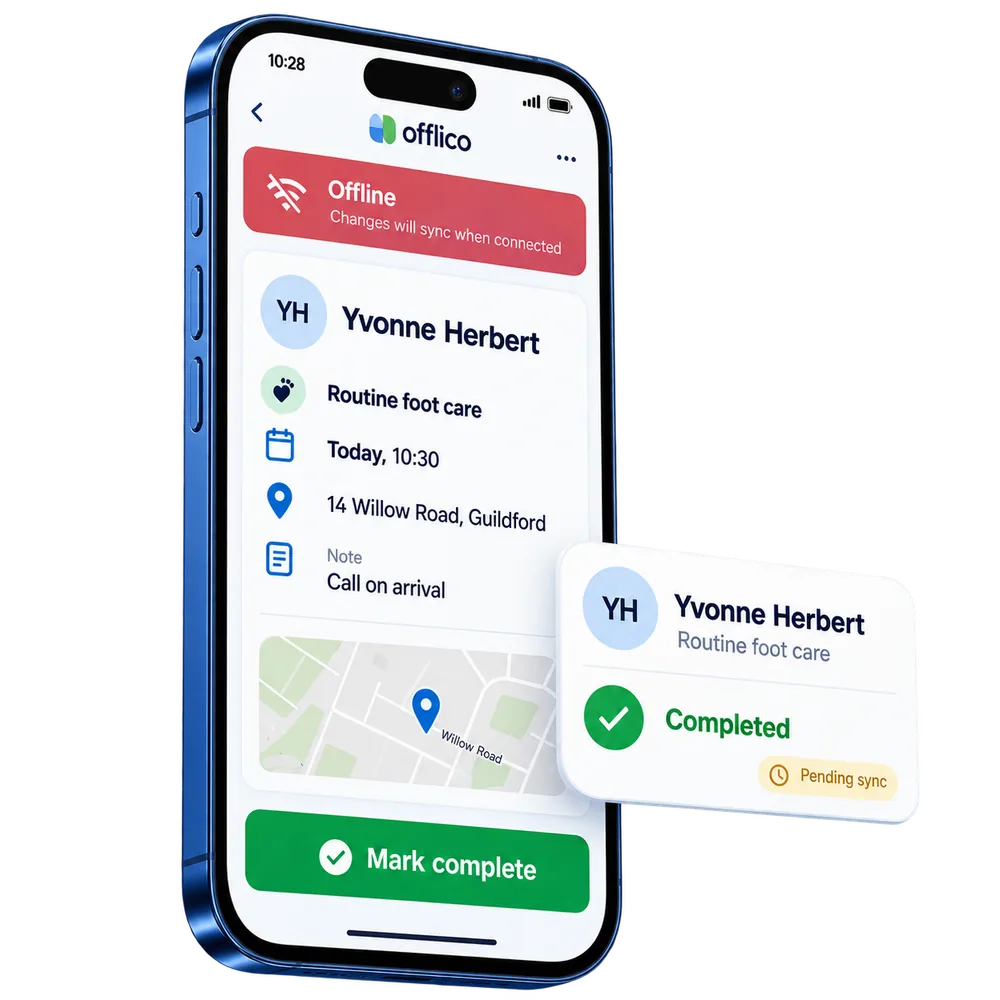
Complete visits
Mark an appointment complete while offline Finish the visit in the app and keep the update ready to sync later.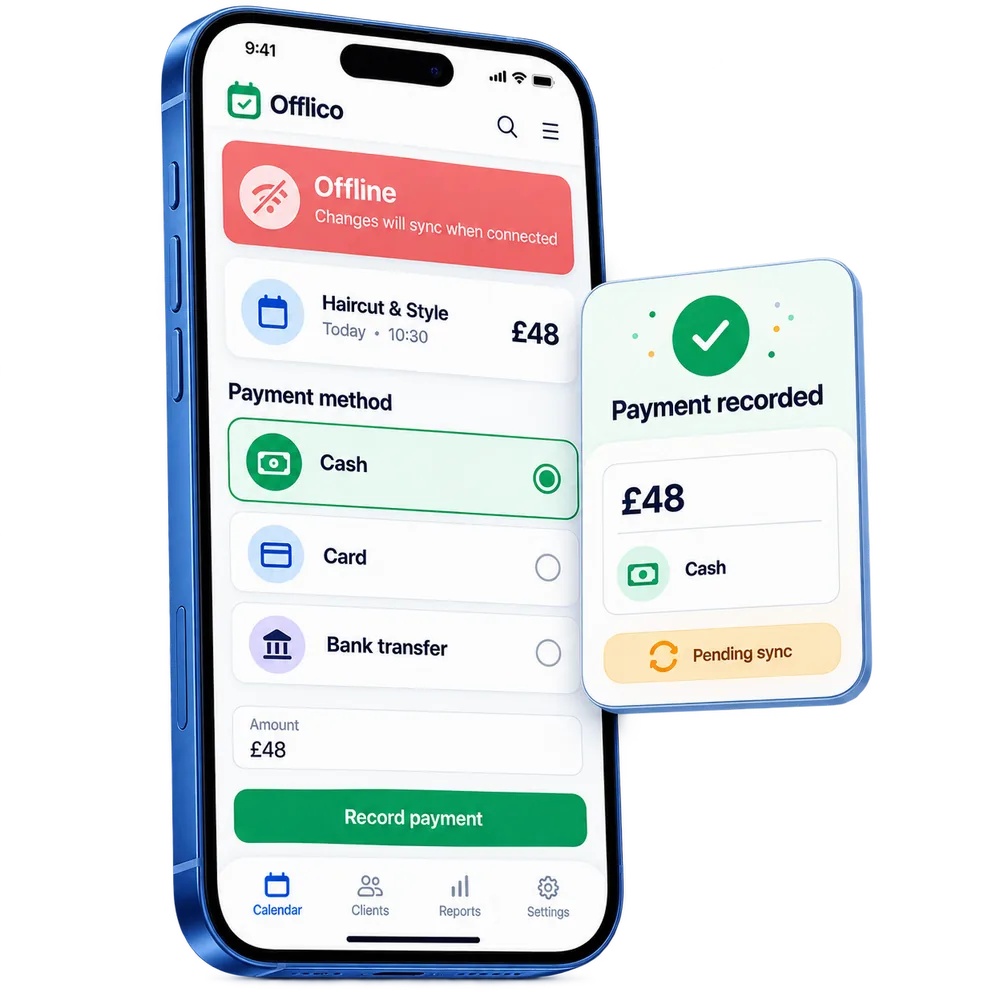
Offline payments
Record how the client paid without a signal Keep cash, card or bank transfer status attached to the appointment.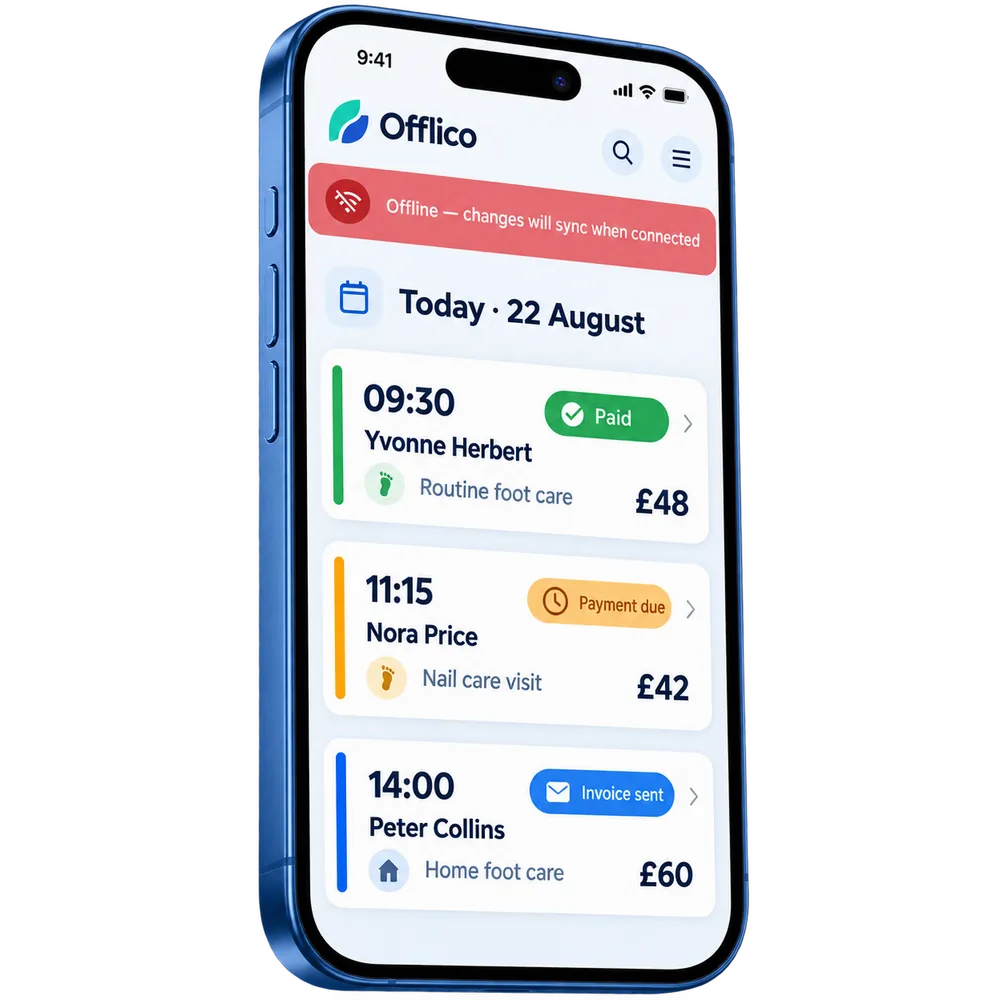
Payment visibility
See which visits were already paid Keep paid, payment due and invoice sent states visible during offline work.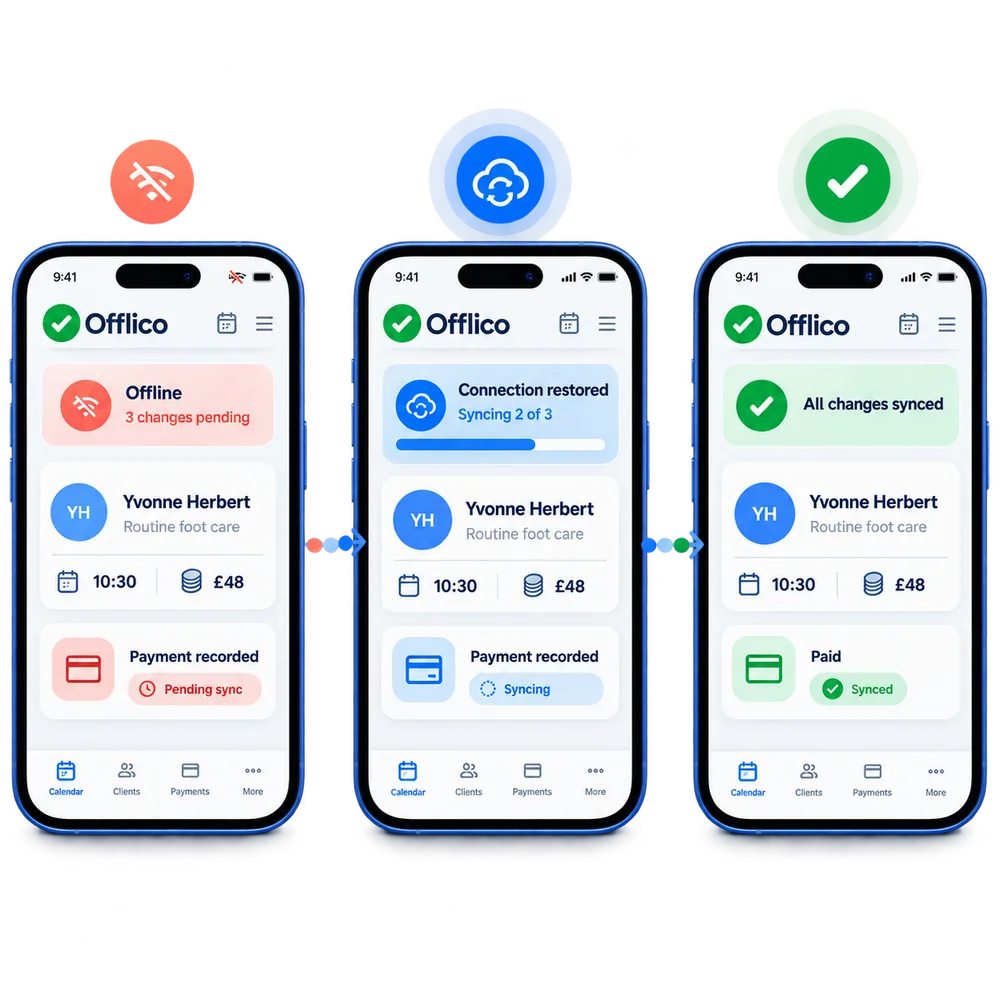
Connection restored
Sync saved changes when the connection returns Move from pending changes to a clear synced state without rebuilding the visit record....or explore everything Offlico can do
Calendar & scheduling Smart routing Online booking AI receptionist Client records Automated reminders Services & prices Invoices Payments Tap to Pay Mileage tracking Bookkeeping Documents & notes Reports & insights Offline mode Stock management Customer leads Booking forms Business dashboard
Offline mode questions
Frequently asked questions
What does this feature help me manage?
Offlico supports mobile work when internet signal is weak or unavailable. Mobile and home visit professionals often work in client homes, rural areas, treatment rooms, or places with unreliable reception. Offline mode keeps the red offline state visible while appointments can be opened, completed, and marked as paid by cash, card or bank transfer until the connection returns.
How does it fit into the working day?
Offlico keeps appointment completion and payment recording usable offline on the phone, with a clear red offline banner while changes are saved locally.
Which main capabilities are covered?
The main capabilities include: Red offline mode banner stays visible at the top; Open appointments without signal; Select complete from the appointment.
What does the usual workflow look like?
First, tap the visit from the phone calendar while the red offline mode bar stays visible. Then, select complete, then choose whether the payment was cash, card or bank transfer. Finally, keep paid appointments visible in the same list until changes sync.
Why is it useful for mobile professionals?
Offlico helps professionals keep working when signal is patchy, so mobile service days are less dependent on perfect internet. The business can open the appointment, complete the visit, record how it was paid, and still see which other appointments have already been marked.
Does it connect with the rest of Offlico?
Yes. It sits in the same Offlico workspace as bookings, clients, appointments, payments and day to day admin, so the information stays close to the job instead of becoming a separate record.
Offline mode is included in every plan.
Choose free Starter and start taking bookings.
Start free ← All features