
ONLINE BOOKING
The best online booking software for mobile professionals
Let clients book online with the service, time and details you need already captured.
Start freeThe Offlico App
Let clients book while you are busy
Trusted by mobile professionals

5 star reviews
Features
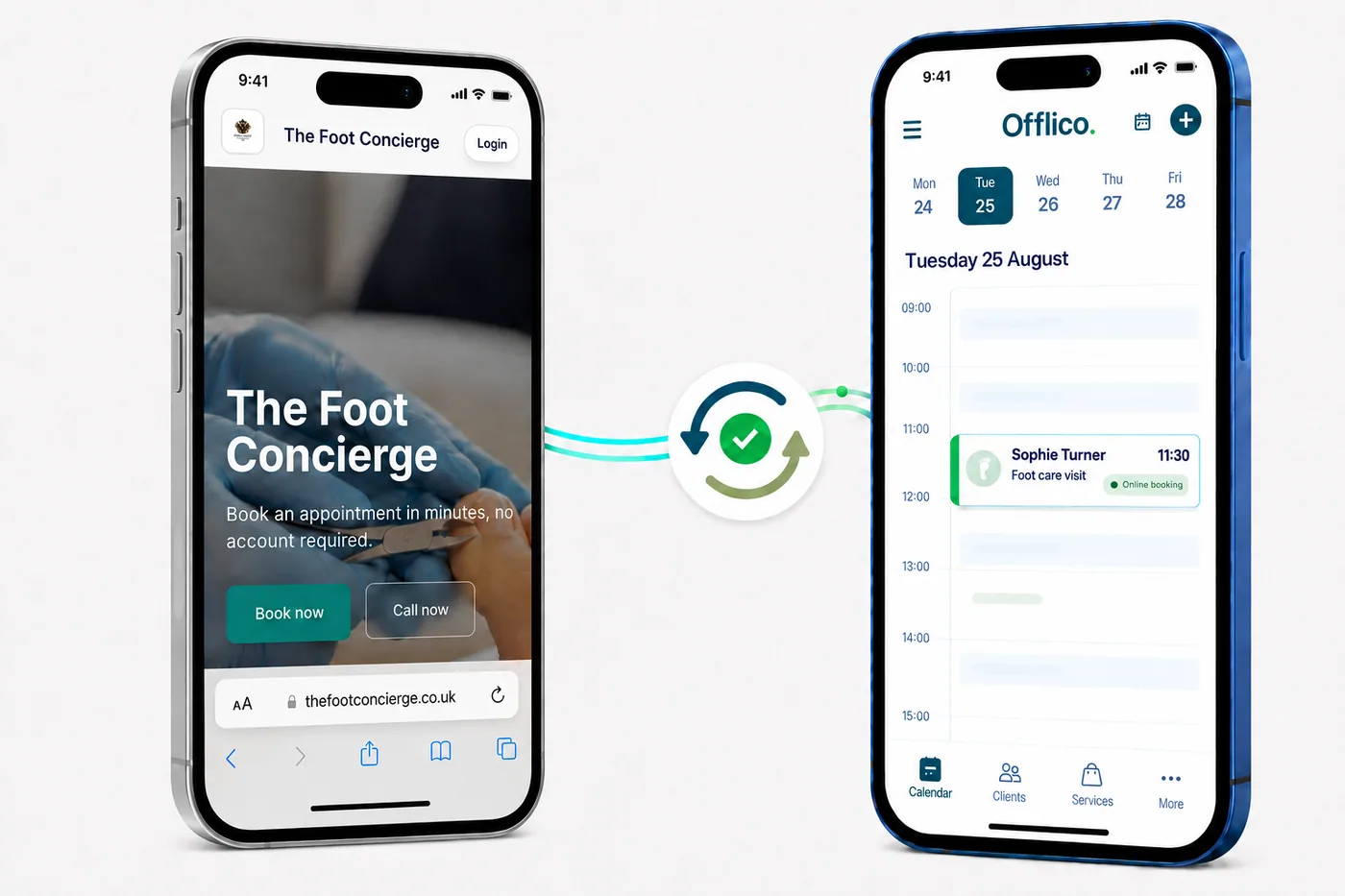
Online Booking Sync
Your booking page and calendar stay in sync When a client books through your online booking page, the appointment appears in your Offlico calendar with the service, time and client details ready to go.Online booking settings Travel limits
Travel limits enabled
Only allow nearby bookings Hide times that fall outside your travel limits.
Base location Home
Base postcode GU1 4AB
Maximum from base 30 min
Between appointments 20 min
Show the closest travel time band Keep the shortest practical journeys visible first.
10 minClients only see slots that fit these rules.
Travel Settings
Keep online bookings within range Set one way limits from your base and between appointments, then only show times that fit the travel range you choose.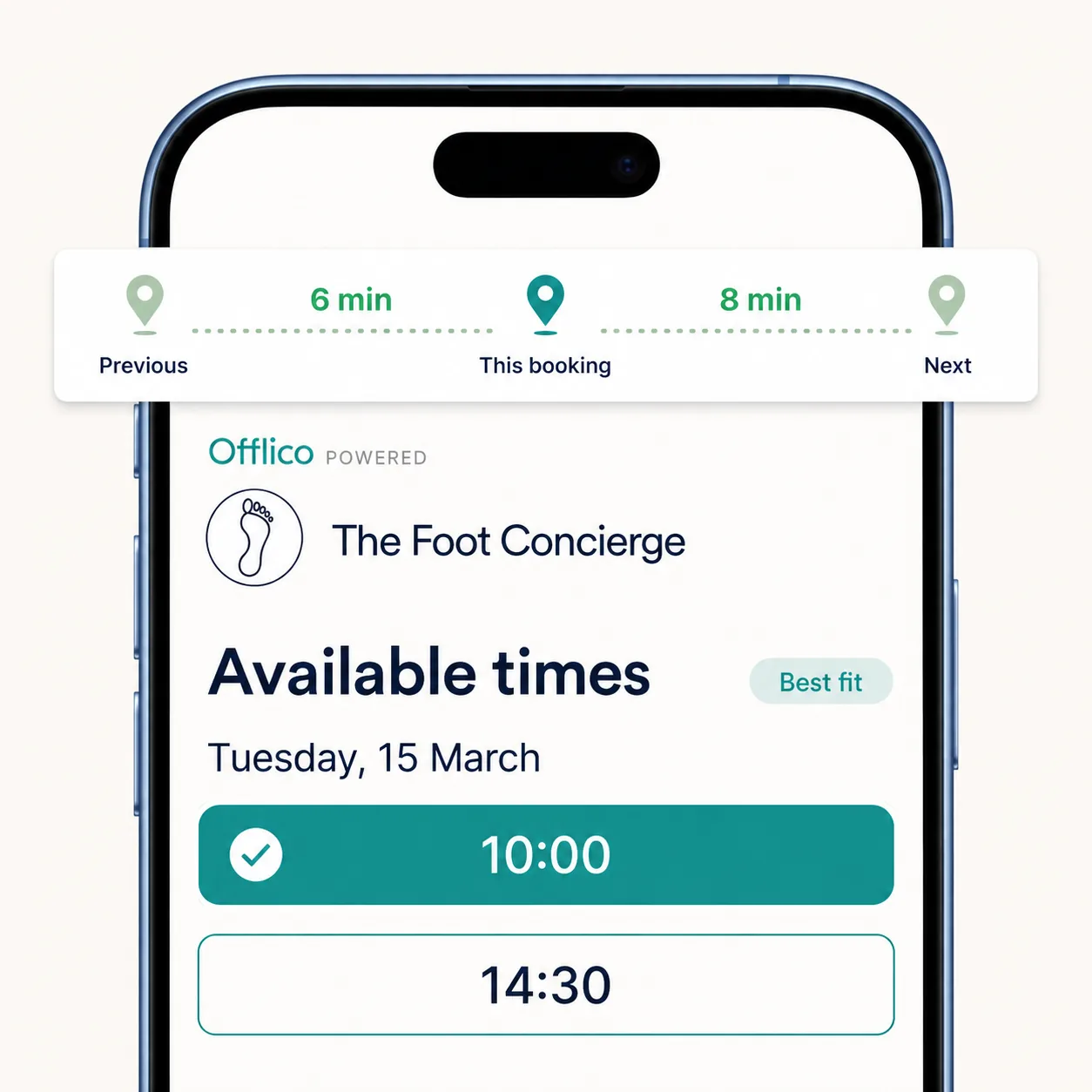
Shortest Travel Times
Only show the shortest travel times Choose to show clients only the appointment times that keep travel shortest between their booking and the visits before and after it.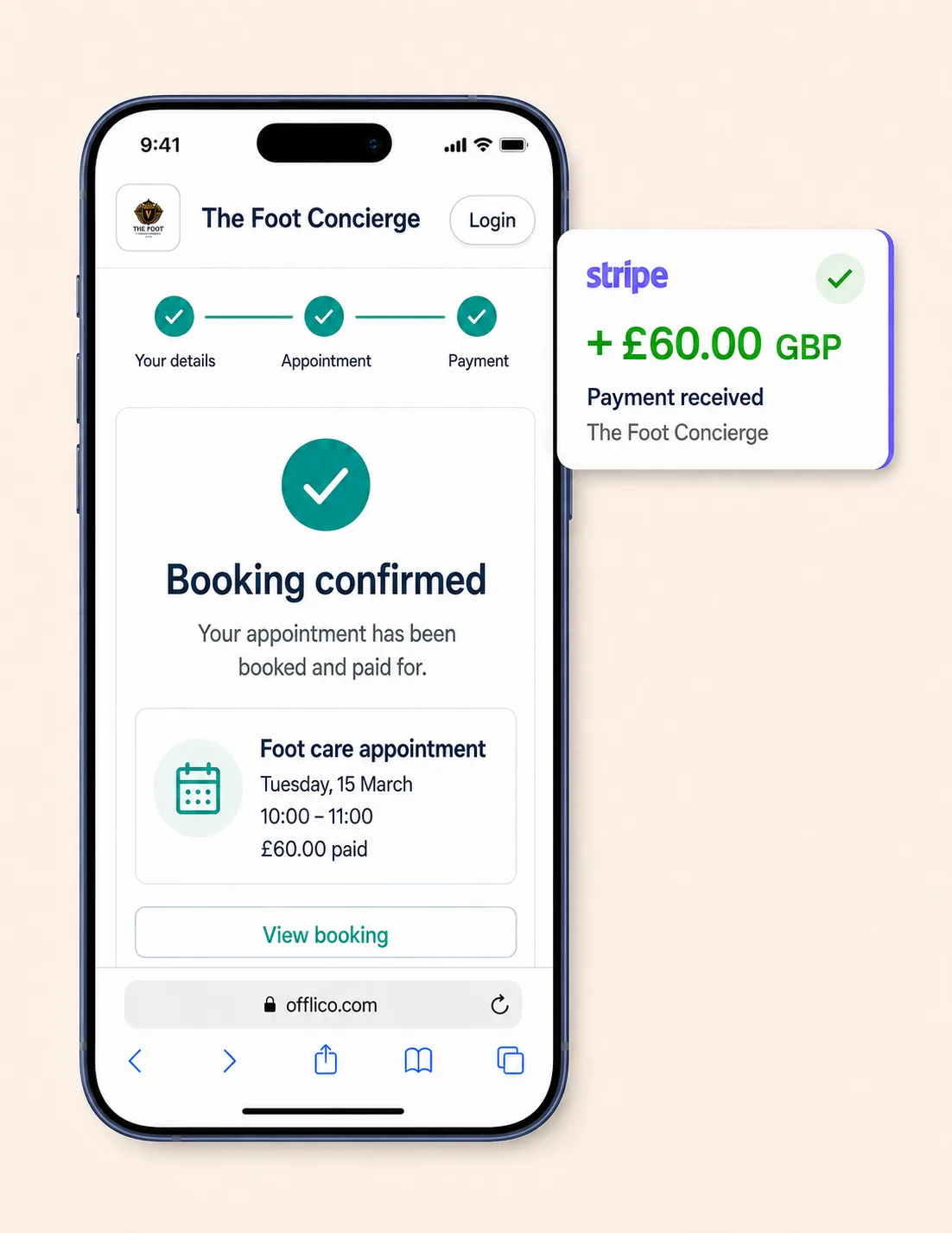
Booking Payments
Take full payment or a deposit online Choose whether clients pay the full amount or a deposit when they book, so the appointment can arrive confirmed and paid for.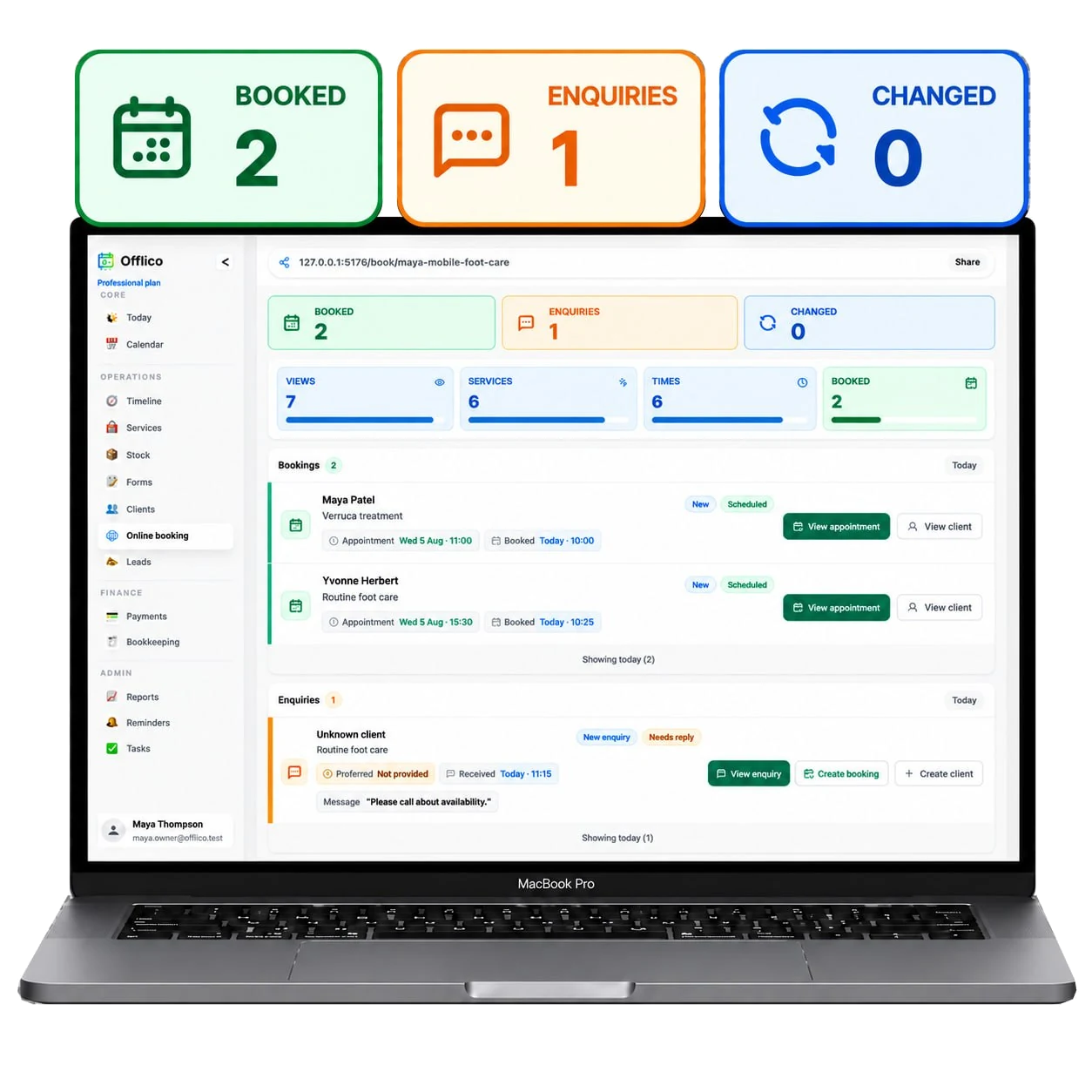
Booking Activity
See every booking and enquiry clearly See how many bookings, enquiries and changed appointments you have at a glance, then open the details you need from the same dashboard.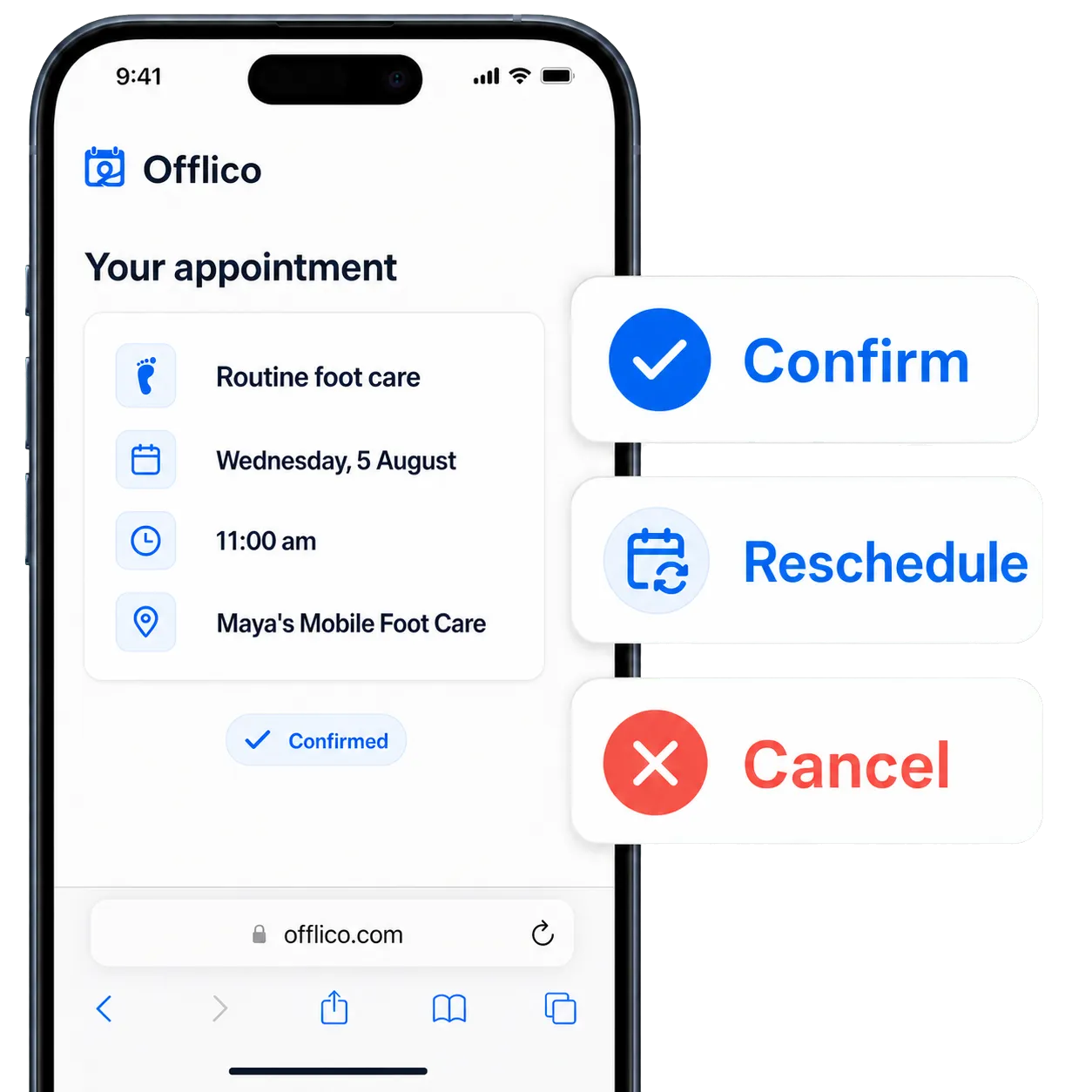
Manage Bookings
Let clients confirm, reschedule or cancel Give clients a simple online page to manage their appointment, while every booking, enquiry and change stays tracked in Offlico.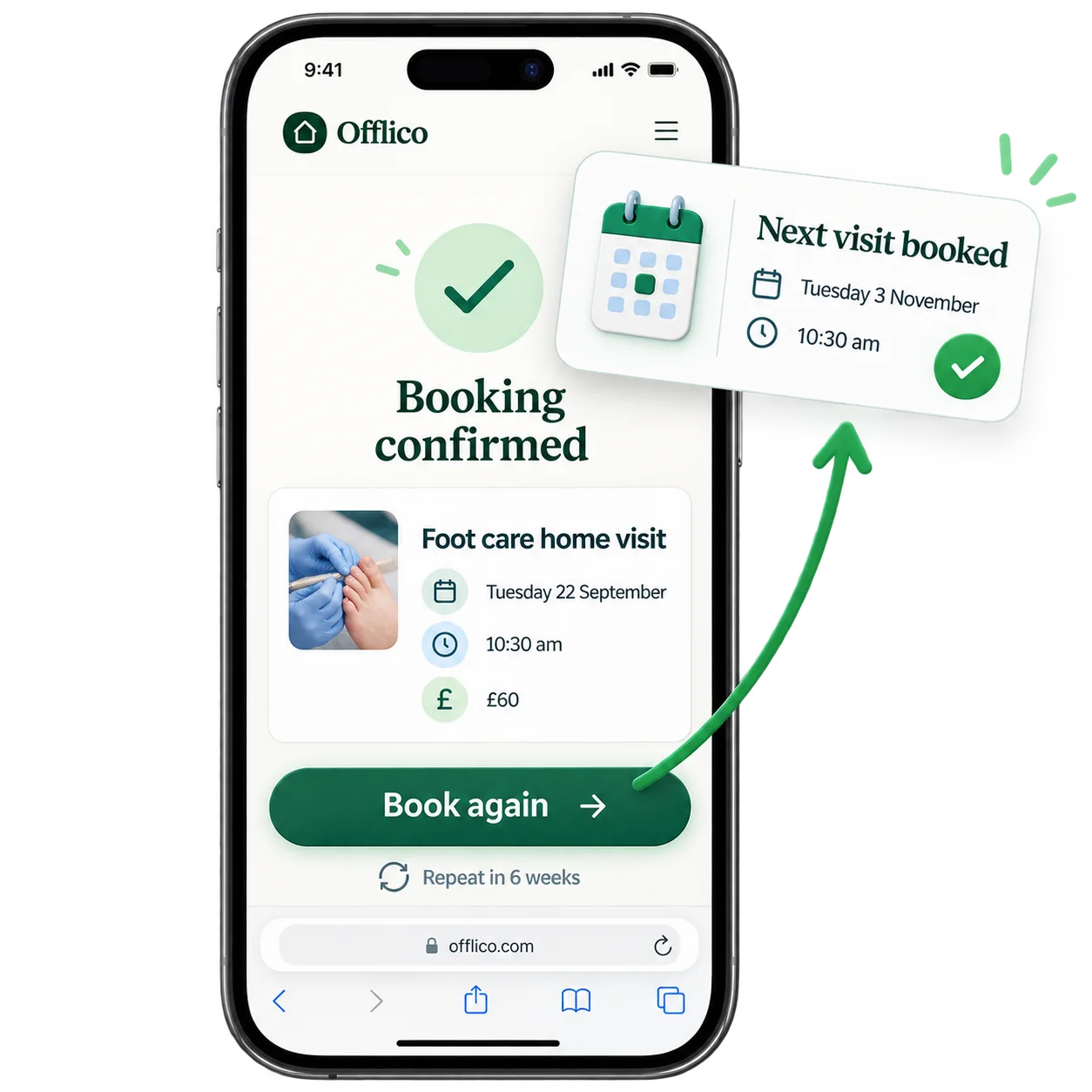
Book Again
Make repeat bookings effortless Customers can use Book again to repeat the service and arrange their next visit without starting the booking process from scratch.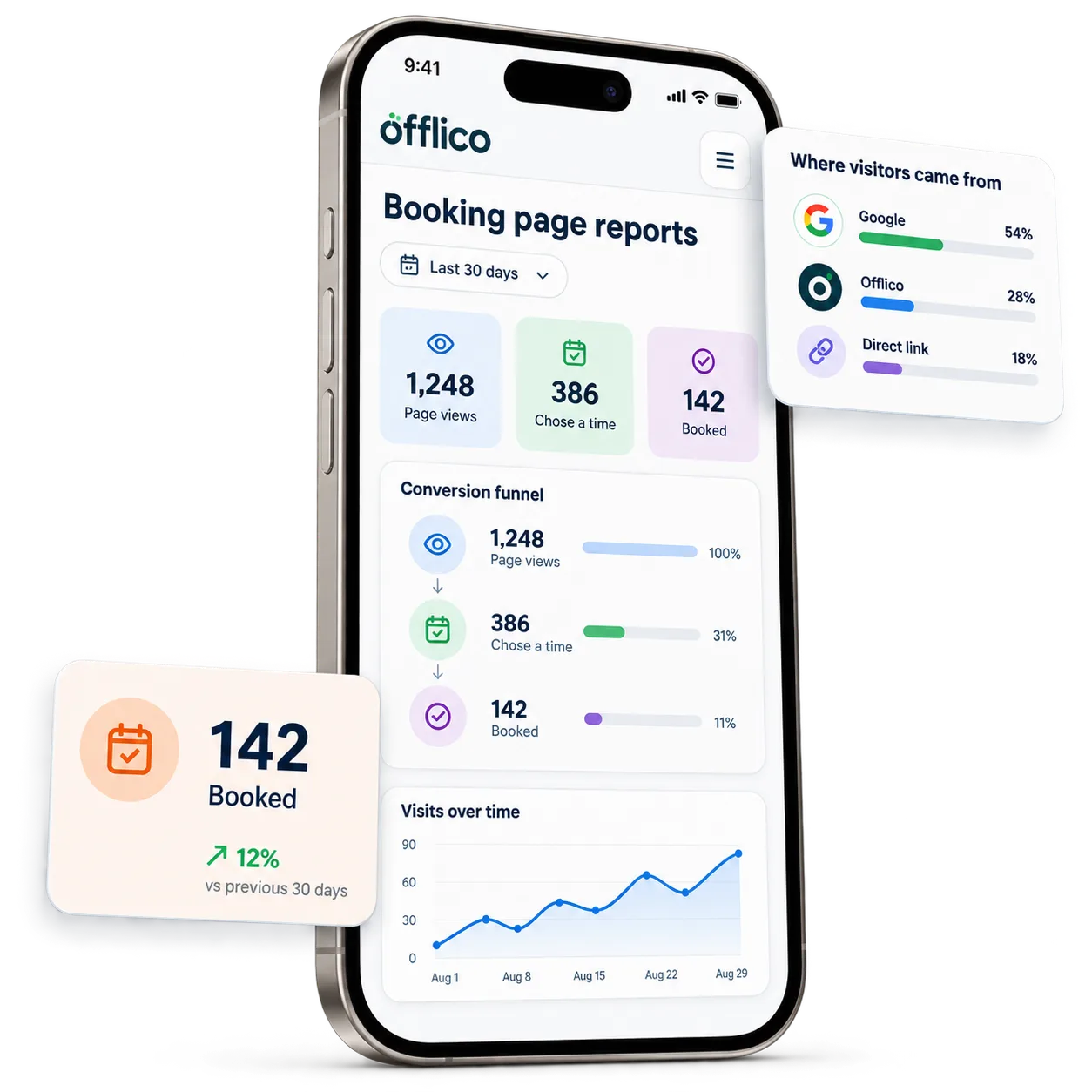
Booking Page Reports
See what turns visits into bookings Track page visits, booking clicks and where visitors came from, then see how many chose a time or completed a booking....or explore everything Offlico can do
Calendar & scheduling Smart routing Online booking AI receptionist Client records Automated reminders Services & prices Invoices Payments Tap to Pay Mileage tracking Bookkeeping Documents & notes Reports & insights Offline mode Stock management Customer leads Booking forms Business dashboard
Online booking questions
Frequently asked questions
How do clients book through my online booking page?
Share your booking page link so clients can choose a service and available time, add their details and complete the booking online.
Will online bookings appear in my Offlico calendar?
Yes. A confirmed online booking joins the same Offlico calendar workflow, with the service, time and client details ready to review.
Can I see how my booking page is performing?
Booking page reports show page views, where visitors came from and how many people chose a time or completed a booking.
Can I take payment when a client books?
Yes. You can choose to collect the full amount or a deposit as part of the online booking process.
Can I review new enquiries and changed bookings?
Yes. The online booking dashboard keeps booked appointments, enquiries and changed bookings visible with their useful next actions.
Can clients book from a phone or computer?
Yes. Your public booking page is designed to give clients a clear booking path on both mobile and desktop devices.
Online booking page is included in every plan.
Choose free Starter and start taking bookings.
Start free ← All features