Why Instagram bookings break for service businesses
A booking page for Instagram business is not just a nicer link in your bio. For a mobile or home visit operator, it is the difference between social interest and a visit that can actually be delivered.
The practical search query this article answers is booking page for Instagram business. The operator problem is simple: Instagram creates enquiries, but DMs often leave the owner chasing service choice, address, travel fit, access notes, payment, reminders, and the final appointment record.
That matters commercially for Offlico because the searcher is already trying to turn social demand into organised bookings. A cleaner booking page connects directly to online booking, route aware scheduling, reminders, payments, invoices, records, and bookkeeping.
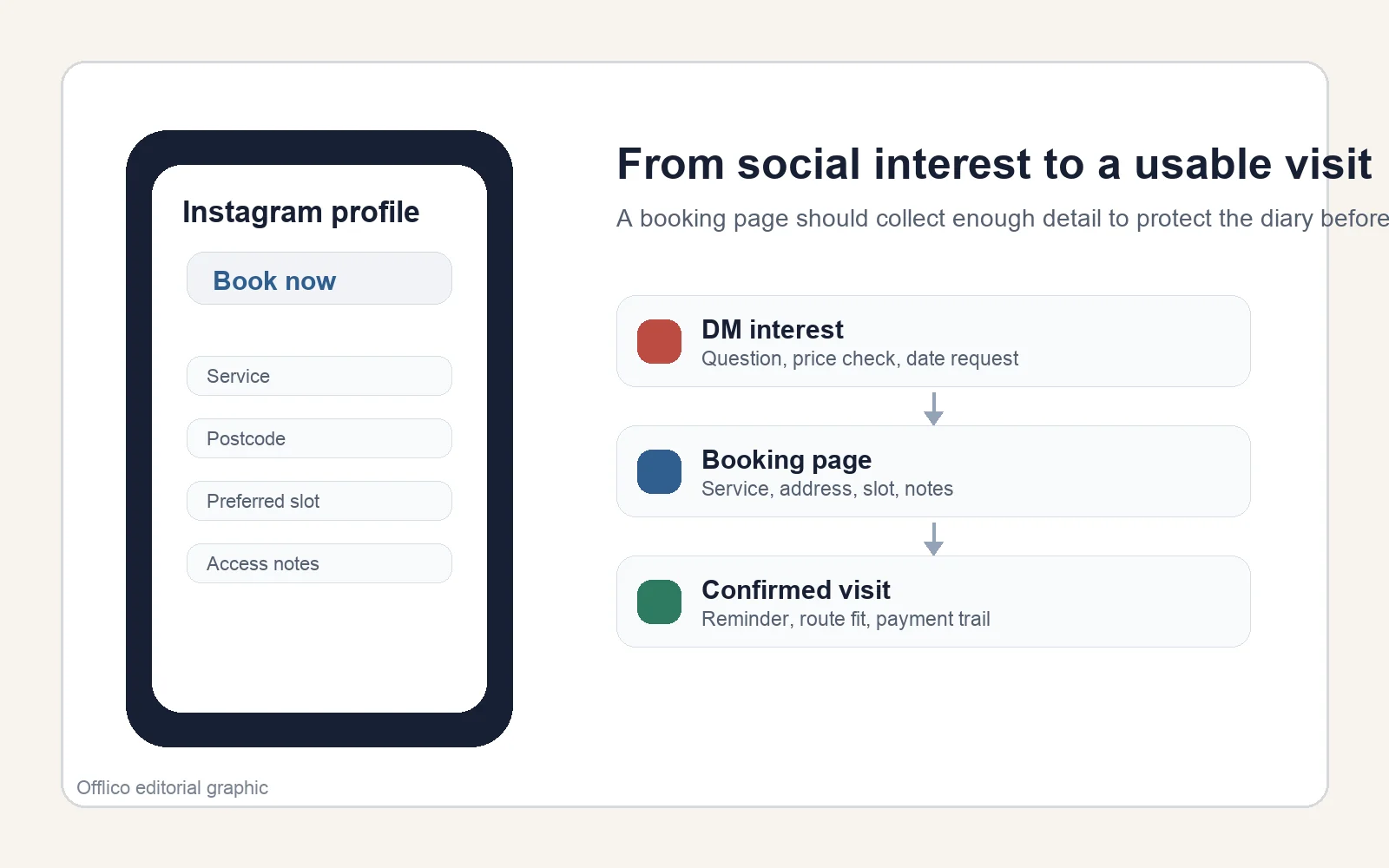
What Instagram can and cannot do
Instagram lets business profiles use action buttons, including a Book now option for appointments. Meta also describes appointment tools that can turn conversations on Instagram and Facebook into appointments. That confirms the search intent: people do use Instagram as an appointment entry point.
But an Instagram button only gets the customer to the next step. It does not decide which services are available, whether the address fits the day, whether the customer has supplied access details, or whether the appointment should trigger reminders and payment follow up.
For mobile services, the booking page behind the button matters more than the button itself. If the page is just a calendar link, the owner still has to clean up the booking afterwards.
The same link can work beyond Instagram. Google Calendar describes a shareable booking page for appointments, and Google Business Profile guidance explains how local profiles can carry booking or ordering links for customers. That matters because most service owners do not get demand from one channel only.
Before you put a booking link on Instagram, check that it can handle
- Service choice and realistic duration
- Customer name, phone number, and email
- Full visit address or postcode
- Access, parking, pets, stairs, or site notes
- Deposit, cancellation, or payment rules if you use them
- Reminder consent and communication preference
- A clean confirmation message the customer can trust
Move the job out of the DM thread
Instagram DMs are useful for quick questions, reassurance, and relationship building. UK small business guidance on direct messages describes them as a way to connect with clients and grow a business relationship, while broader Instagram business advice explains how businesses use Instagram to connect with customers and support conversations.
That does not make DMs a reliable diary. A DM thread can hide the final agreed time, lose the address, skip the service duration, or leave the deposit conversation separate from the actual visit.
The cleaner pattern is to let Instagram start the conversation, then move the customer into a booking page once they are ready to act. That page should capture the operational details once, in a structure you can use.
That is why DM advice should stop before it becomes diary advice. Messaging can increase conversations, and practical guides describe how direct messages can support business conversations and customer relationships, but the final appointment still needs structure.
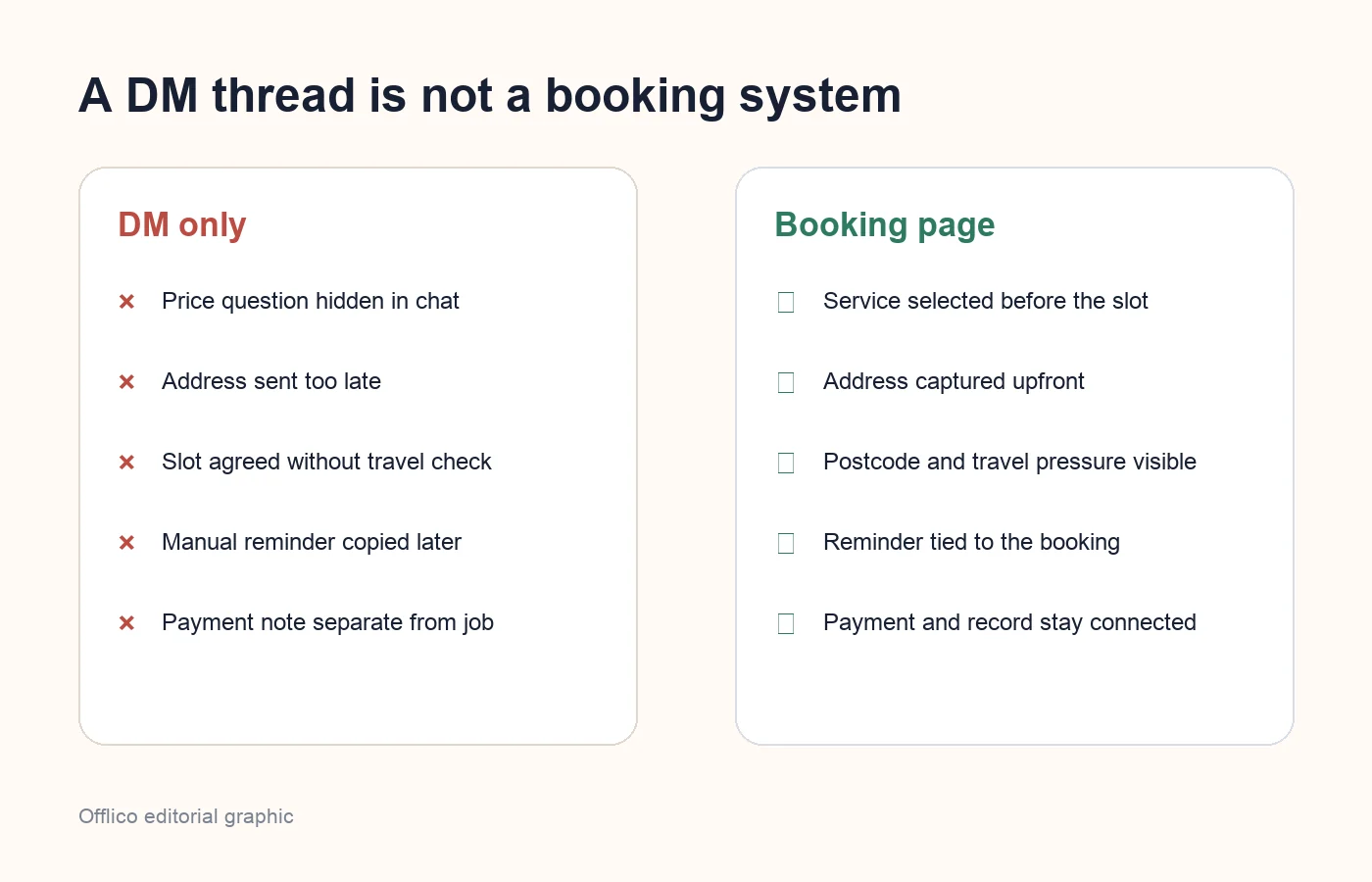
| DM only | Structured booking page |
|---|---|
| When are you free? | Customer chooses from available slots |
| Where are you based? | Postcode or address is captured upfront |
| What did you want done? | Service and duration are selected before confirmation |
| Can you send that again? | Access notes stay with the appointment record |
| I will text you later | Confirmation and reminders are triggered from the booking |
Design the booking page for mobile customers
Most Instagram visitors arrive from a phone, so the booking flow must be easy on a small screen. Usability research keeps coming back to the same practical points: keep forms clear, use sensible labels, and avoid making people work harder than the booking is worth.
For example, Nielsen Norman Group recommends web form patterns such as clear labels and a simple path through the task, while Baymard highlights form design issues such as layout, field clarity, and reducing unnecessary friction. Mobile form guidance from Smashing Magazine also stresses the importance of field size, clear labels, and not overwhelming the user.
For a service business, that means the page should not ask every possible question before the customer can see whether a visit is available. Ask enough to qualify the booking, then save extra detail for notes, follow up, or client records.
- Use a single clear path through the form so the customer knows what happens next.
- Keep field labels visible and specific, especially for address, postcode, and service choice.
- Design for mobile input first because Instagram traffic is phone heavy.
- Avoid asking for non essential information before the booking feels worth completing.
- Use clear field formats and helpful explanation text when customers need to enter postcodes, access notes, or service details.
- Match input fields to the information you expect so the page feels built for the task rather than copied from a generic contact form.
Fields that protect mobile work
A fixed location appointment can often be booked with name, service, and time. A mobile appointment needs more context because the address affects the whole day.
General form guidance is useful, but mobile service forms need a tighter operational layer. Contensis gives practical form principles around clear labels and field format, while B13 highlights label clarity, input fields, and explanation text. For mobile visits, those principles should be applied to the details that stop the wrong appointment getting accepted.
The goal is not a long form. It is a form that gathers the small amount of detail that protects the route, the service, and the client experience.
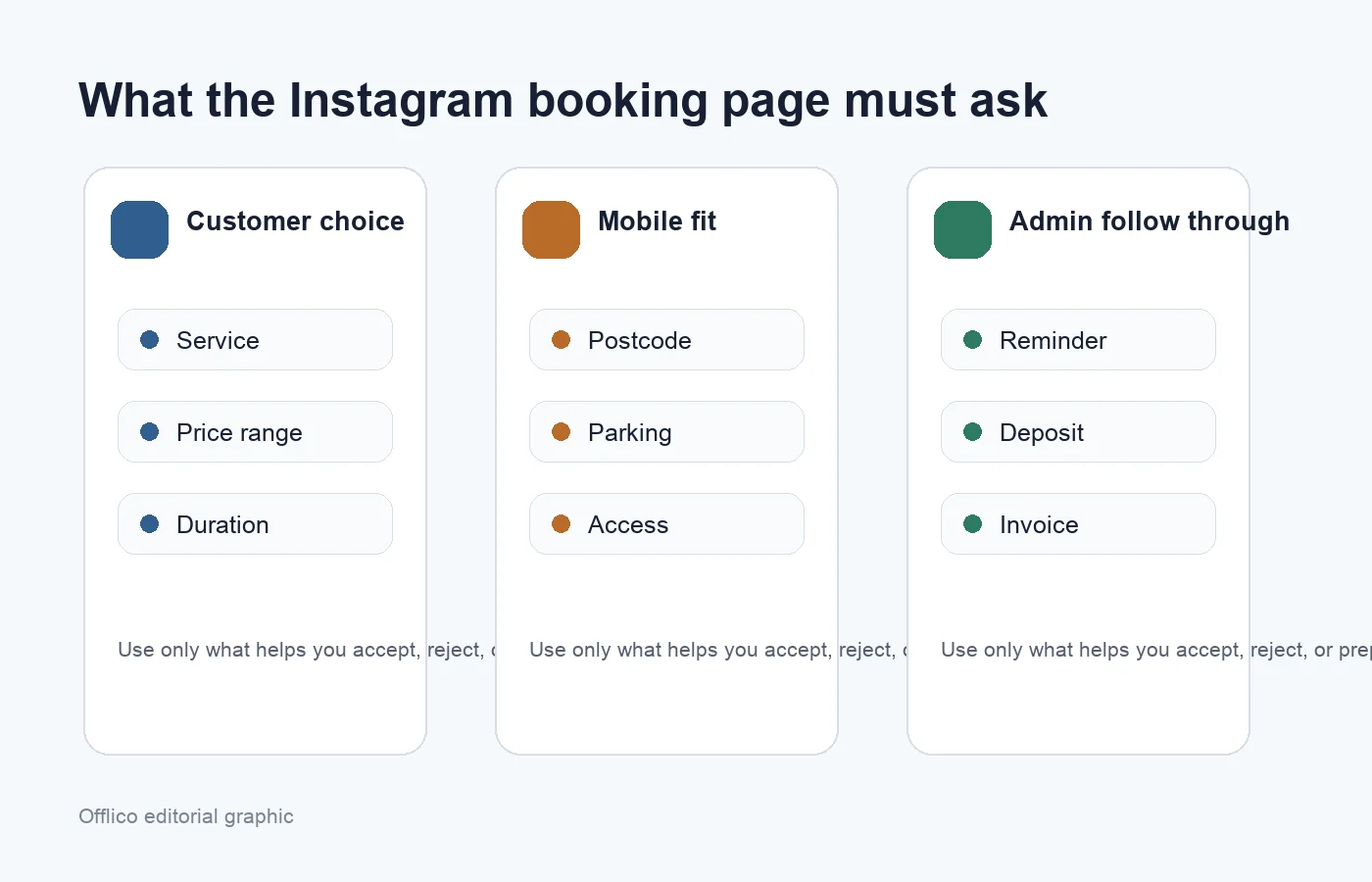
| Field | Why it matters for mobile service businesses |
|---|---|
| Service or package | Controls duration, price, preparation, and whether the job can be accepted online. |
| Postcode or full address | Shows whether the appointment fits the day and service area. |
| Access and parking notes | Prevents wasted time at flats, gated properties, busy streets, and shared sites. |
| Preferred contact method | Keeps confirmation and reminders where the customer will notice them. |
| Deposit or payment status | Reduces casual bookings and gives the owner a cleaner payment trail. |
| Client or job notes | Connects the booking to repeat work, records, aftercare, and future follow up. |
For businesses that also appear outside Instagram, the same booking link should work across the website, email signature, and Google Business Profile. Google’s appointment scheduling guidance explains how a shareable booking page can let people book time directly, and local profile guidance shows how booking links can become part of local discovery.
Connect the booking to the workflow after it
The best booking page is not finished when the customer taps submit. For a mobile operator, that is when the workflow begins: confirmation, route planning, reminder, visit note, payment, invoice, mileage, receipt, and repeat booking.
This is where generic social booking advice often stops too early. Instagram and marketing content can help generate demand, but the appointment still has to become a reliable job record. Zendesk’s Instagram business guide talks about using Instagram for customer connection and support, while Partoo discusses direct messages as a way to increase business conversations. Offlico’s angle is the next operational step: turn that conversation into a booking you can run from.
A good booking page should pass details into the calendar without forcing you to rebuild the job by hand.
The connected flow
Customer taps the Instagram link
They see one clear booking page, not a list of disconnected ways to contact you.
The page qualifies the visit
Service, address, duration, access, and notes are captured before the slot is confirmed.
The appointment lands in the diary
The booking is ready for route planning, reminders, payment tracking, and the client record.
The visit creates the admin trail
Invoice, mileage, notes, and follow up can stay connected to the original booking context.
If you are building this inside Offlico, start with online booking, keep the diary realistic with smart scheduling, and connect the admin after the visit with bookkeeping.
Common questions
These are the questions that usually come up when a service business moves from Instagram messages to a proper booking page.
Do I need an Instagram Book now button or just a link in bio?
Either can work. The important part is the booking page behind it. If your action button is available and fits your account setup, use it. If not, a clear bio link can still work well.
Should I let customers book instantly from Instagram?
Only if the booking page collects enough detail for you to trust the slot. If address, service, duration, access, or deposit details are missing, use a request to book flow instead.
What is the biggest mistake with Instagram booking pages?
Treating the page like a simple contact form. A mobile service booking page should help you decide whether the visit fits the day, then create a usable appointment record.
Can I keep using DMs as well?
Yes. Use DMs for questions and reassurance, then move ready customers to the booking page so the final details are structured and easier to run from.