What this searcher actually needs
The practical search query this article answers is booking confirmation message template. Live autocomplete also showed booking confirmation message sample, booking confirmation text message, appointment confirmation message template, booking confirmation email template, and booking confirmation SMS template.
The operator behind that search is not looking for pretty wording alone. They need a message that makes the appointment safe enough to deliver. The customer should know what is booked, whether it is confirmed, what to prepare, how to change it, and what reminder messages will arrive next.
That matters commercially for Offlico because a confirmation is the first reminder workflow. If it is vague, the business still has to chase address details, access notes, payment questions, late changes, and missed preparation manually.
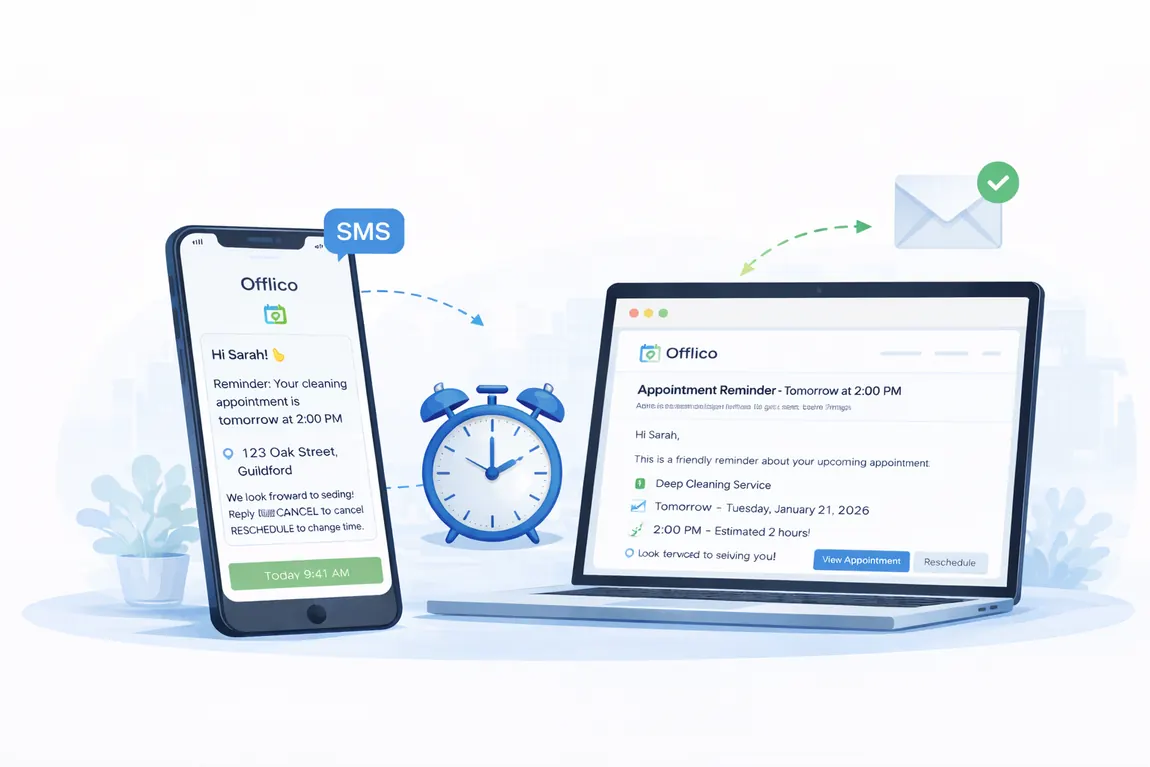
Start with the booking status
The most common confirmation mistake is hiding the status. Customers need to know whether the appointment is confirmed now, requested but waiting for approval, or held until a deposit, form, address, or quote is complete.
| Status | Use when | Example wording |
|---|---|---|
| Confirmed | The slot is accepted | You are booked for Tuesday 14 July at 10:00. |
| Requested | The business must review fit | We have received your request and will confirm once we check route and service fit. |
| Action needed | A form, deposit, or detail is missing | Your appointment will be confirmed once we receive the access note and deposit. |
Public service guidance from GOV.UK on sending emails and text messages is a useful reminder that messages should be clear, timely, and suitable for the channel. A confirmation should not make the client work out the status from context.
Use templates for real appointment moments
A single booking confirmation template is rarely enough. Mobile and appointment based service businesses need wording for confirmed bookings, requests, deposits, home visits, preparation notes, and reschedules.
Copy ready confirmation templates
Adapt the wording to your service, policy, and client expectation.
Confirmed appointment
When the appointment is accepted and no extra action is needed.
Hi [name], your [service] is confirmed for [date] at [time]. We will visit [address]. Please reply or use [link] if anything needs to change.
Booking request received
When route, availability, or service fit needs a quick review.
Hi [name], we have received your request for [service] on [date]. We will check route and availability, then send a confirmed time shortly.
Preparation needed
When the client must prepare access, documents, space, pets, or equipment.
Hi [name], your appointment is confirmed for [date]. Before we arrive, please [prep note]. If access or parking changes, update us here: [link].
Deposit or payment needed
When a deposit or payment action protects the slot.
Hi [name], we have reserved [date] at [time]. Please complete the [deposit/payment] by [deadline] to confirm the appointment: [link].
Template libraries from Mailchimp, Brevo, and Twilio show why examples are popular, but the better template is the one that matches your real booking status and next action.
Add the details mobile services lose
A salon chair, online call, home visit, dog groom, boiler check, tutoring session, massage, or cleaning job can all be appointments, but the confirmation details are different. Mobile services need more context because travel and access can break the day.
Details worth confirming
- service or visit type
- date, time, and expected duration
- address, postcode, or online meeting link
- access, parking, pets, children, documents, or equipment notes
- preparation steps the client must complete
- deposit, balance, invoice, or payment link expectations
- how to change or cancel before the slot is wasted

Make the next action obvious
If the client needs to confirm, pay, reschedule, cancel, upload a form, or add an access note, the message should make that action easy. Asking people to reply with anything you need turns every exception into manual admin.
Good action paths borrow from good form design. W3C form instructions, WebAIM form guidance, and Nielsen Norman Group confirmation dialog guidance all point toward clarity: label the action, explain what happens, and do not make the user guess.
Confirm
Make yes simple
Use a confirmation link or clear reply option only when you need a response.
- clear status
- one action
- no guesswork
Change
Route changes safely
Send clients to a reschedule or cancellation path instead of an open message chain.
- new slot
- policy
- reason
Prepare
Ask before the visit day
Collect access, address, or preparation notes while there is still time to act.
- access
- parking
- forms
Choose SMS or email with care
SMS is useful for short operational reminders. Email is better for longer instructions, attachments, policies, and detail. Many businesses need both, but each channel should carry the right amount of information.
The ICO direct marketing and PECR guidance is a useful starting point when operational appointment messages sit close to marketing. Keep promotional consent separate, avoid sensitive details in SMS, and make message expectations clear when the booking is made.
| Channel | Best for | Avoid |
|---|---|---|
| SMS | short confirmation, reminder, arrival, or change link | sensitive details or long policy text |
| receipts, forms, preparation lists, terms, and longer notes | urgent changes the client may miss | |
| In app or portal | secure updates and repeat client history | forcing one off clients through too much setup |
Compare examples by workflow
Market examples show that booking confirmations are not isolated copy. They are part of the appointment workflow around booking, payment, reminders, and change handling.
Appointment tools such as Square Appointments, Calendly workflows, and Acuity Scheduling reminders show that confirmations, reminders, and changes are normally connected. Shopify booking confirmation examples are useful for ecommerce style wording, but service operators should still adapt the message around location, prep, and appointment risk.
The same pattern appears across practical service guidance: Twilio appointment reminder examples, Mailchimp booking confirmation guidance, Brevo booking confirmation examples, Nielsen Norman Group confirmation guidance, W3C form instructions, WebAIM form guidance, FSB online business guidance, and Simply Business appointment reminder advice all point to the same operational lesson: confirmations work when the next action is visible, trusted, and easy to complete.



Judge each example by asking
- Does the customer know whether the appointment is confirmed?
- Can the customer see the date, time, service, and location without scrolling through noise?
- Does the message reduce the next manual reply?
- Does it explain how to change the appointment safely?
- Does it support the reminder sequence that follows?
Where Offlico fits
Offlico is strongest when the confirmation message is not a separate note copied from a template library. The booking, client record, address, travel context, payment status, preparation notes, reminders, and follow up tasks should be close enough that the message can use the right information.
Final takeaway
A booking confirmation message should do more than say thanks. It should make the appointment safe enough to deliver and simple enough to change before the slot is wasted.
Start with the status, then add the details that reduce follow up: service, date, time, location, preparation, payment expectations, and change options. If the message does that, the reminder workflow that follows has a much better chance of working.
What should a booking confirmation message include?
It should include booking status, customer name, service, date, time, location, preparation notes, payment or deposit expectations where relevant, and how the customer can change or cancel.
Should a confirmation be sent by SMS or email?
Use SMS for short operational confirmations and reminders. Use email for longer preparation notes, forms, policy details, receipts, and anything the client may need to refer back to.
What is the difference between a confirmation and a reminder?
The confirmation tells the customer what has been booked and what happens next. The reminder arrives closer to the appointment to reduce forgetfulness, missed preparation, late changes, and no shows.