What this searcher actually needs
The practical search query for this article is online booking system for mobile service business. The operator behind it does not only want a calendar link. They want clients to book without turning the day into postcode zigzags, vague addresses, missing access notes, and reminder admin.
This matters commercially for Offlico because online booking demand sits close to buying intent. A business looking for a booking system is often ready to fix a real workflow: booking page, route aware diary, reminders, client records, payments, invoices, and mileage need to work together.
Why generic booking breaks for mobile work
A fixed location business can usually treat an empty slot as available. A mobile business cannot. The gap between two bookings might be useless if one is north of town, the next is south, and the client has only entered a partial address.
A recent service area booking discussion from a UK small business owner captures the real pain: the owner wants to group appointments by location instead of calling clients manually to build the week.
Warning signs your current booking flow is too generic
- clients can book any open time without postcode or area rules
- travel time is checked manually after the booking arrives
- you still message clients for address, access, parking, or prep details
- short jobs land between two distant visits and damage the day
- reminders repeat the time but not the details needed for the visit to run
Route focused guidance on field appointment scheduling with location, availability, travel time, and territory alignment makes the same operational point from a dispatch angle. The booking is only useful if it respects the geography of the day.
Fields your booking flow should collect
The answer is not to make the booking form huge. The answer is to collect the few details that decide whether the appointment can be confirmed, routed, prepared, and reminded properly.
Good form design starts with structure. GOV.UK service manual guidance on form structure recommends grouping questions in a clear order, and accessible form label guidance reinforces why every field needs an obvious purpose.
| Booking detail | Why it matters for mobile work |
|---|---|
| Full address or postcode | Decides travel time, service area, route order, and whether the job is viable. |
| Service type | Controls duration, price, prep, equipment, and reminder wording. |
| Access notes | Reduces failed visits, late starts, parking confusion, and door entry problems. |
| Preferred time window | Gives flexibility without promising an impossible exact slot too early. |
| Contact preference | Helps confirmations and reminder replies reach the client quickly. |
Usability research on web form design and reducing avoidable friction supports the practical rule: ask only what is needed, but do not hide the questions that prevent expensive follow up.
For address heavy flows, web.dev form guidance on helping people complete forms and Baymard research on address form usability both point toward the same practical outcome: make the fields obvious enough that clients do not leave operational gaps behind.
Protect the route before confirming
For mobile operators, online booking should not mean giving away the entire diary. It should mean giving clients a clear route into the business while keeping enough control to protect travel time and margin.
A safer confirmation pattern
Show bookable windows
Offer times that already respect broad availability, service area, and realistic working hours.
Capture visit detail
Ask for address, service, access, and preparation details before the appointment is treated as clean.
Check the route impact
Look at travel time, neighbouring visits, and whether the job creates a dead gap.
Confirm with next steps
Send a clear confirmation, then reminders that repeat the details the client must act on.
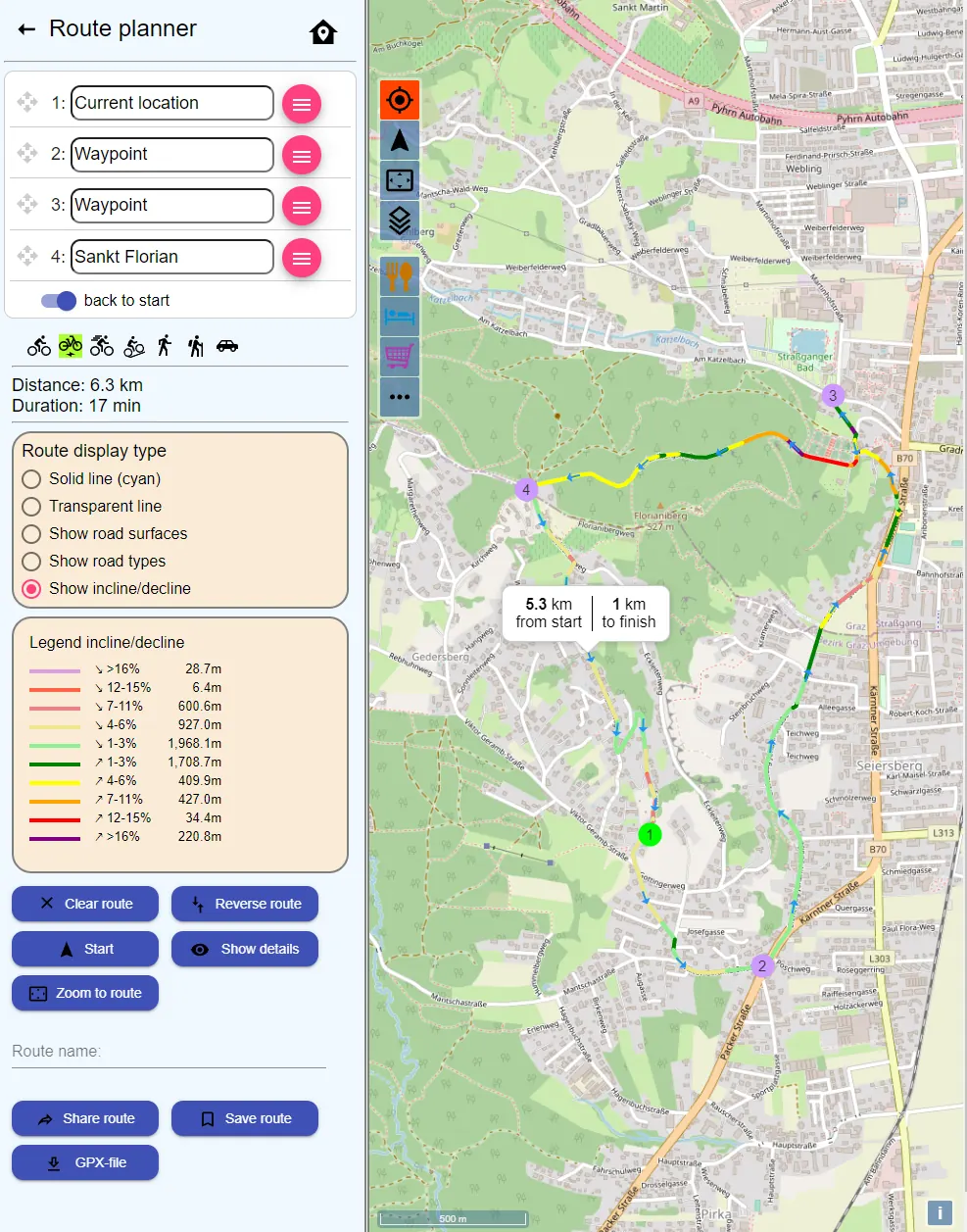
Logistics guidance on delivery appointment scheduling based on capacity, address, service time, and time window feasibility is not written for solo mobile professionals, but the principle translates well. A slot is not only a time. It is capacity, travel, location, and promise.
Set rules before the booking page goes live
The booking page should make life easier for clients, but it still needs rules. Without rules, the business owner becomes the hidden routing engine behind every online request.
Rules to decide before publishing
- which services can be booked online
- which services need request first and confirm later
- minimum notice for new bookings
- maximum future booking window
- service areas, postcode groups, or area days
- travel buffers between visits
- deposit, payment, or cancellation policy where relevant
Support documentation for booking form setup and field configuration shows how quickly booking forms become operational rather than decorative. The fields, visibility rules, and confirmation steps decide whether the form reduces admin or simply moves it somewhere else.
Connect reminders, records, and payments
The booking system should not stop working once the client picks a time. The real value comes after the request: confirmation, reminder, access detail, service note, invoice, payment, and follow up.
Research on customer journey mapping across the full service experience is useful here because the booking page is only one moment in a longer journey. The client needs clarity before the visit, and the business needs usable records after it.
Before the visit
Confirm what matters
Repeat address, prep, arrival window, access notes, and reply route.
- confirmation
- reminder
- access
During the day
Keep context close
Store client notes, service history, and job details where the booking lives.
- client
- service
- notes
After the visit
Finish the admin
Move from appointment to invoice, payment, and follow up without rebuilding the story.
- invoice
- payment
- follow up
Public guidance on Google Business Profile appointment links also shows why booking links matter commercially. The easier a client can reach the booking path, the more important it becomes that the path can handle the details behind the visit.
Service design guidance on understanding a service as connected stages rather than a single screen is useful for mobile booking too. The booking form, confirmation, reminder, visit note, invoice, and follow up are separate moments, but the client experiences them as one service.
Where Offlico fits
Offlico is built for mobile and home visit businesses that need bookings to stay connected to the rest of the working day.
A public booking page is useful, but it becomes stronger when it sits next to smart scheduling, reminders, client records, invoices, payments, mileage, and documents. That is the difference between accepting bookings online and running a calmer mobile service workflow.
Frequently asked questions
What should an online booking system for mobile services include?
It should include a booking page or booking form, service selection, full address capture, access notes, travel buffers, confirmation messages, reminders, client records, and a clear way to handle invoices or payments after the visit.
Should mobile service businesses allow instant online booking?
Sometimes. Instant booking works best when service area, availability, duration, travel buffers, and policy rules are already controlled. For complex or distant visits, request first and confirm later can be safer.
Why is route planning important in online booking?
A time slot can look free but still damage the day if it creates too much driving or a dead gap. Route planning helps the business protect time, fuel, punctuality, and margin.