Why booking pages break mobile work
The practical search query for this article is online booking page for mobile services. The operator problem is not getting a link onto a website. It is making sure the page collects enough detail for a real visit before the slot reaches the diary.
Mobile service businesses need more than name, date, and email. They need address, access, service length, travel area, buffer time, client notes, reminders, and payment or policy context. If the page misses those details, the owner still has to chase them in messages.
This matters commercially for Offlico because online booking only saves time when it stays connected to route planning, reminders, client records, and follow up admin. A booking page that creates manual checking is not really automated.
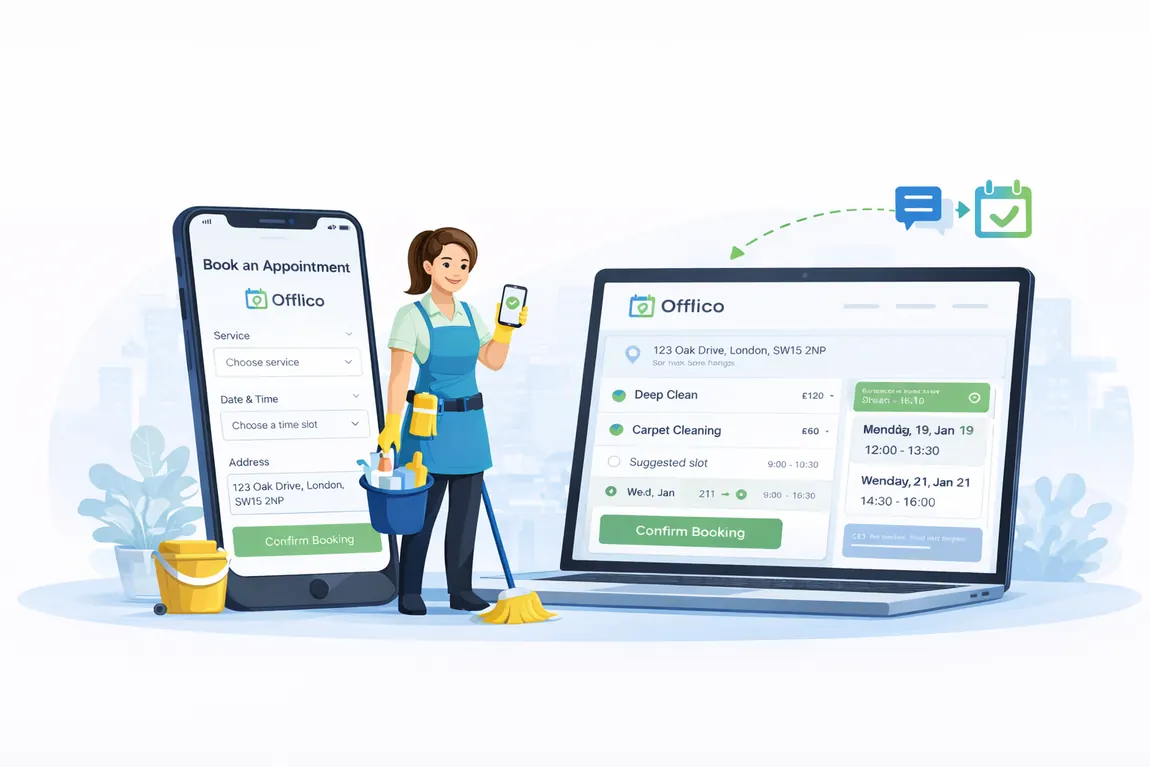
Start with the job clients want
The first screen should help a client choose the right service without reading your whole website. Booking platforms often focus on service menus, times, staff, and confirmations, but mobile operators also need visit fit.
Use short service names, clear duration, price or price range, what is included, and what is not included. If a service needs photos, measurements, parking, pets secured, or special equipment access, tell the client before they pick a slot.
Service choice fields
- service name clients recognise
- expected duration
- price, deposit, or quote note
- who the service is suitable for
- what the client must prepare
- photo or note upload when needed
Capture address and access early
For mobile work, the address is operational data. GOV.UK form guidance separates good address capture from messy free text, and that principle matters for appointments too. A vague postcode or missing flat number can break the day.
Ask for the full address, postcode, parking notes, entry instructions, lift or stair access, pets, and anything that changes equipment or travel time. Keep fields grouped so the form still feels simple.
| Field | Why it matters |
|---|---|
| full address and postcode | checks travel area and avoids wrong turns |
| parking or loading notes | protects arrival time and equipment planning |
| access instructions | reduces door delays and missed appointments |
| pets or safety notes | helps the operator prepare respectfully |
| preferred contact number | makes day of visit updates possible |
Protect travel time and service area
A normal appointment calendar assumes every slot is equally easy to reach. Mobile businesses know that is not true. The booking page should not offer appointments that create impossible routes.
Use service areas, buffer rules, cut off times, and manual review for edge cases. If a postcode is outside the normal area, the page can ask for a request instead of confirming instantly. That keeps client expectation honest.
Route aware booking flow
Show only realistic availability
Hide slots that do not leave enough time before or after nearby visits.
Use postcode rules
Accept normal areas automatically and send edge areas for review.
Add buffers by service type
Longer jobs, parking heavy areas, and equipment visits need different gaps.
Keep a request option
Let clients ask for unusual appointments without damaging the live diary.
Ask for follow up permission clearly
A booking page is also the start of the communication trail. You may need confirmation messages, reminders, arrival updates, payment links, aftercare notes, or review requests.
Keep the wording plain. Tell clients what messages they will receive and use a separate marketing consent choice where needed. ICO guidance is the safer reference point for promotional messages.
| Message type | Booking page wording |
|---|---|
| confirmation | We will send appointment details after booking |
| reminder | We will remind you before the visit |
| arrival update | We may message if travel affects arrival time |
| payment follow up | We may send a payment link or receipt |
| marketing | Ask separately and make it optional |
Keep the form short without losing detail
Long forms reduce completion. Very short forms create admin later. The answer is not fewer details at any cost. It is progressive detail: collect the essentials first, then ask conditional questions only when they matter.
For example, a dog groomer may need coat condition and behaviour notes. A cleaner may need property size and access. A therapist may need consent, suitability, or contraindication questions. Different services need different follow up fields.
Smart form rules
- make phone and address fields easy on mobile
- use optional notes for unusual access
- show conditional questions only for relevant services
- avoid duplicate questions already answered by the service choice
- save client answers to their record for next time
Connect the booking to operations
The booking page is only the front door. The value comes when the accepted booking updates the diary, client record, route context, reminders, payment follow up, and any job notes without the owner copying details between tools.
That is where Offlico fits. It helps mobile service businesses turn booking requests into workable visits by keeping the appointment, client, travel, reminder, and admin context closer together.
| Booking page detail | Operational use |
|---|---|
| service and duration | builds the right diary slot |
| postcode and access notes | protects travel and arrival time |
| client notes | supports safer repeat visits |
| reminder permission | reduces forgotten appointments |
| payment preference | speeds up follow up admin |
Final takeaway
A mobile service booking page should not be a generic contact form with a calendar attached. It should collect the few details that decide whether the visit can run smoothly.
Start with the job, capture address and access, protect travel time, make reminders clear, and connect the booking to the rest of the workflow. That is how online booking becomes less admin, not just a nicer way to receive more messages.