What this searcher needs
The practical search query this article answers is booking app for mobile mechanics UK. Query variants checked included mobile mechanic booking software, garage management software for mobile mechanics, online booking for mobile mechanics, mechanic scheduling software and appointment scheduling route optimisation UK.
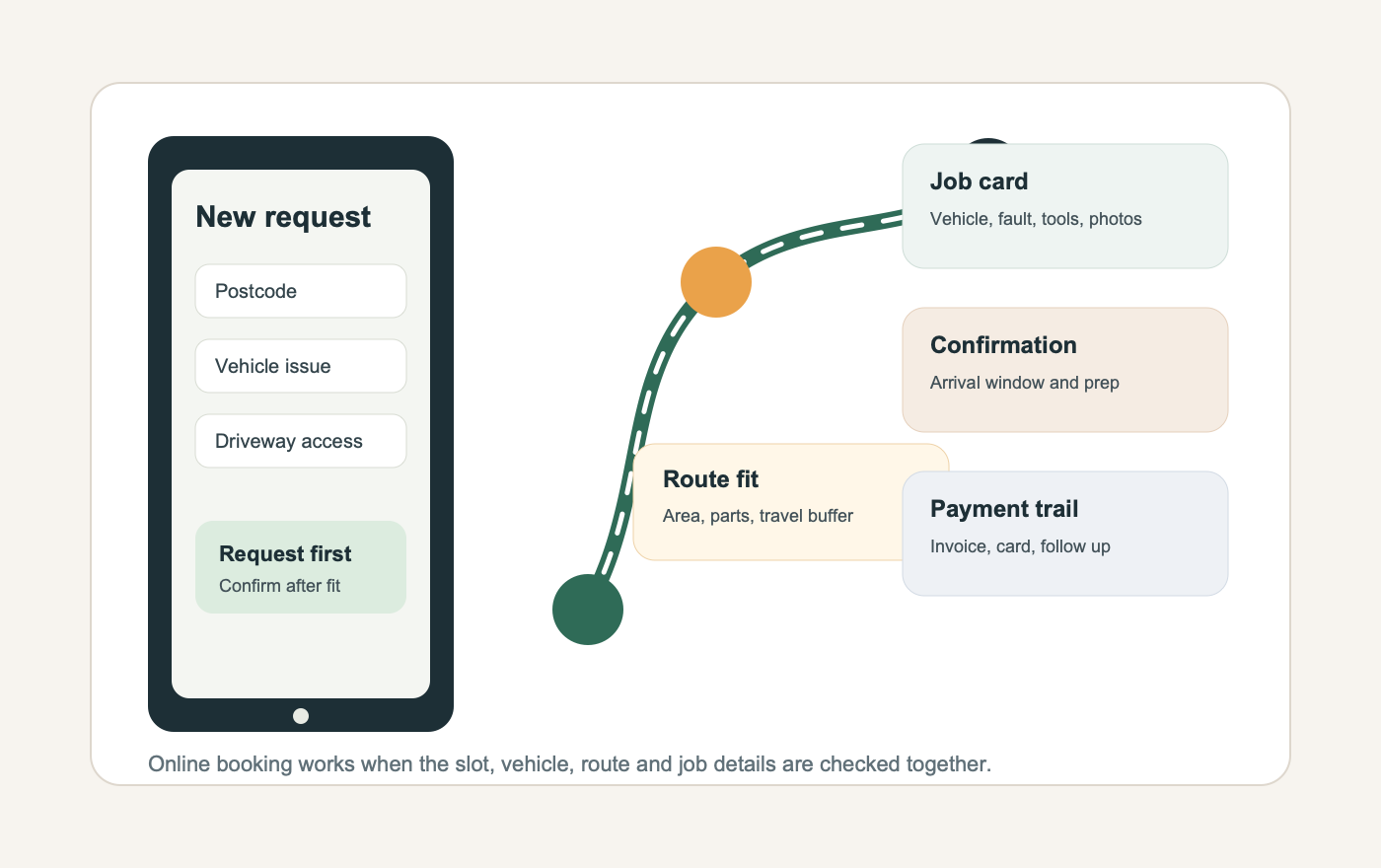
The problem is not simply getting a calendar online. A mobile mechanic needs to know whether the address is workable, what vehicle is involved, whether the fault can be diagnosed on site, whether parts may be needed, whether the customer can provide safe access and whether the slot fits the route.
That matters commercially for Offlico because the searcher is close to a software decision. They are trying to stop missed calls, vague WhatsApp threads, scattered job notes, route waste and payment follow up from living in separate places.
Why normal booking apps fall short
A normal appointment app usually starts with availability. For a mobile mechanic, availability is only one part of the decision. A two hour gap can still be a poor booking if it is on the wrong side of town, needs parts you do not carry, or involves a vehicle that cannot be safely worked on where it is parked.
That is why route and location context matter. Guidance on planning mobile work around travel time and distance explains the operational value of reducing wasted driving, and time based route planning shows why real travel time is more useful than a simple circle on a map.
A good booking app should therefore help the mechanic decide whether to accept, quote, ask for more detail, or offer a different day. It should not only publish a list of free times.
| Generic booking app asks | Mobile mechanic booking app checks |
|---|---|
| What time do you want | Does the time fit the area and travel buffer |
| What service do you need | Is this diagnostic, repair, servicing, battery, tyre or inspection work |
| Where are you | Is the postcode, parking and access suitable |
| Any notes | Registration, fault symptoms, warning lights and photos |
| Pay later | Diagnostic fee, deposit, invoice, card payment or payment link |
Questions the booking form should ask
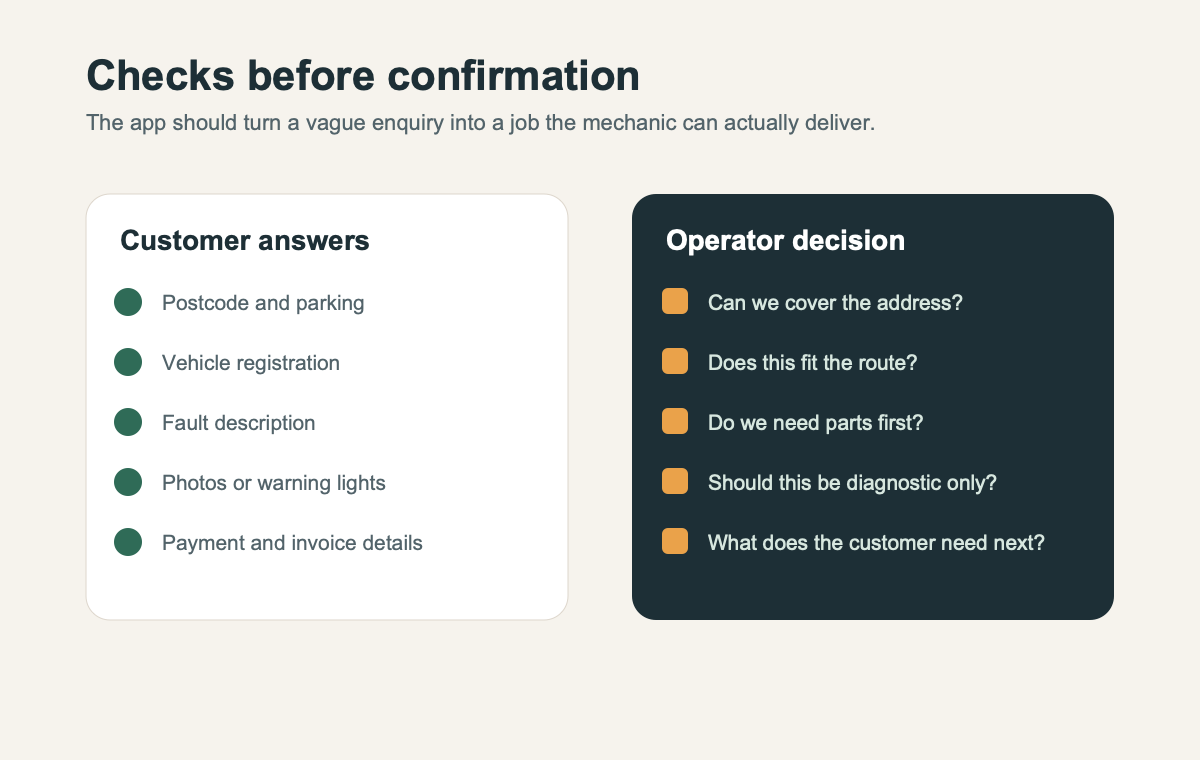
The strongest mobile mechanic booking form asks enough to qualify the visit without turning the enquiry into homework. Start with the fields that decide whether the job can be accepted.
General form structure guidance is useful here because each question needs a job. Accessible form instructions and web form design research point to the same practical rule: make labels clear, explain unusual fields and do not make people guess what is required.
Useful first step fields
- customer name and contact details
- postcode before final confirmation
- registration number, make, model and year where useful
- whether the vehicle starts or drives
- fault description and warning lights
- photos where they help diagnosis
- parking, driveway, height restriction or roadside access notes
- preferred time window rather than one rigid time
- diagnostic fee, cancellation and payment acknowledgement
Use request first booking where needed
Instant booking can work for repeatable jobs with a known duration and service area. Mobile mechanic work often has more uncertainty. A dashboard warning light, no start issue, roadside problem or unclear service request may need review before the slot is confirmed.
Consumer repair guidance shows why clarity matters. A customer with a problem after a car repair needs clear evidence and communication, while independent guidance on what to do when a repair goes wrong reinforces the value of clear records and expectations.
That does not mean the booking page needs legal wording everywhere. It means the app should separate a booking request from a confirmed job when the scope is not yet clear.
| Job type | Safer booking mode |
|---|---|
| Known repeat service | Instant booking may be suitable if the area and duration are controlled |
| Diagnostic visit | Request first, then confirm after symptoms and location are checked |
| Non starting vehicle | Request first because tools, parts and access may decide feasibility |
| Same day urgent job | Manual approval so the mechanic can protect route and existing bookings |
| Edge postcode | Offer specific days or review before confirmation |
Service area and safe access
A mobile mechanic booking app should treat the service area as a working rule, not a marketing line. If the business says it covers too wide an area online, customers may book work that turns the day into long travel and short repair time.
The public guidance for setting service areas for businesses that visit customers is a useful baseline because it frames service area around where the business actually serves customers. For mechanics, the booking app also needs to consider whether the location is suitable for working around a vehicle.
Vehicle work also has safety and compliance context. Workplace transport guidance and vehicle servicing and repair guidance for businesses both underline that vehicle work is not just an appointment in a diary. It needs a workable setting, clear customer expectations and a record of what was agreed.
Service area checks
- normal working postcodes
- edge postcodes that need manual review
- travel buffers for busy roads or rural areas
- parking or driveway access
- whether roadside work is accepted
- weather or daylight limits for some jobs
- what the customer sees when their postcode is outside the normal area
Confirmations reminders and payment
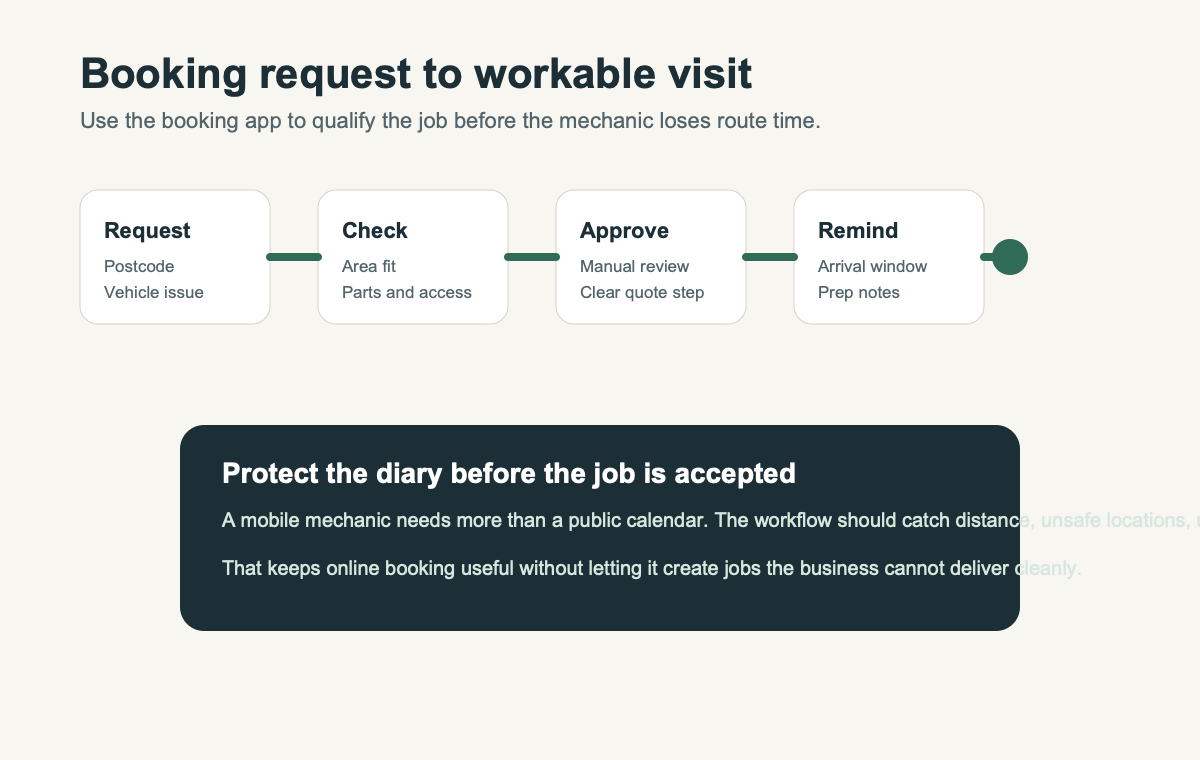
Once the booking is accepted, the app should keep the job moving. A confirmation should restate the vehicle, location, arrival window, expected job type and any customer preparation. The reminder should reduce missed access and last minute confusion.
Official guidance on MOT appointments and vehicle checks is not a mobile mechanic booking guide, but it shows how vehicle appointments depend on clear timing and vehicle status. The same principle applies to independent mobile work. The customer needs to know what is booked, what is not yet guaranteed and what happens next.
Payment follow up matters too. If the diagnostic fee, invoice, card payment or payment link lives away from the job record, the admin comes back later. A booking app should make it easy to see which job was done, what was charged and what still needs chasing.
A clean accepted booking flow
Confirm the request
Send the agreed arrival window, job type, location and preparation notes.
Prepare the job card
Keep vehicle details, symptoms, photos, access notes and quote context together.
Send the reminder
Remind the customer about access, keys, parking, payment and how to change the booking.
Close the payment trail
Connect the completed visit to invoice, card payment, payment link or follow up.
What to compare before choosing
Search results for this topic mix garage systems, automotive booking pages and field service tools. Some visible results talk about workshop scheduling, mobile technician job cards, online booking, reminders and invoicing. Keep those as market signals, but compare the app against your own working week.
A mobile mechanic who does diagnostics, repairs, batteries, tyres, servicing and pre purchase checks may need different rules for each job type. The best app is the one that handles the messy decision points without asking the owner to rebuild the whole context manually.
Shortlist criteria
- Can customers request a mobile mechanic visit without creating vague jobs
- Can the form capture vehicle details, fault symptoms, photos and access
- Can postcode and route fit be checked before confirmation
- Can complex jobs stay request based while simple work can book faster
- Can reminders include arrival window and preparation notes
- Can invoices, payment links or card payments connect to the completed job
- Can client and vehicle notes be reused for future visits
Where Offlico fits
Offlico fits this problem where mobile mechanics need booking, route context, reminders, client records and payment follow up to stay close together. It should not be treated as specialist garage management software for every repair workshop, and this article does not claim that it replaces trade specific diagnostic systems.
Its useful role is the mobile operating layer. The customer request captures the right details, the diary protects route pressure, the reminder reduces missed access and the record gives the owner a clearer trail after the job.
Final takeaway
A good booking app for mobile mechanics is not just an online diary. It is a filter that turns a customer enquiry into a visit the mechanic can price, route, prepare for and follow up.
Start with the operator problem. Ask for the details that affect the job, check the postcode and access before confirmation, keep risky jobs in request mode and connect the accepted visit to reminders and payment records. That is what stops online booking from creating more admin than it removes.
What should a mobile mechanic booking app collect first?
It should collect contact details, postcode, vehicle details, fault symptoms, whether the vehicle starts, access notes, preferred time window and any payment or diagnostic fee acknowledgement.
Should mobile mechanics allow instant online booking?
Instant booking can work for simple repeatable jobs in known areas. Request first booking is safer for diagnostics, urgent jobs, edge postcodes and work where parts or access need checking.
Why does route fit matter for mobile mechanics?
A free slot can still lose money if it creates long travel, late arrival risk, missed access or a job that cannot be completed with the tools and parts available that day.