Why this tracker matters
The practical search query this article answers is invoice and expense tracker for self employed UK. The core problem is simple: the work happens job by job, but the records often do not.
A mobile cleaner finishes a job, a dog groomer takes a card payment, a hairdresser buys colour, a gardener fills the van, and a therapist drives to the next client. If the invoice, receipt, mileage note, payment status, and client context all sit in different places, the weekly bookkeeping routine becomes a reconstruction exercise.
That is why this is a commercial search for Offlico. A person looking for an invoice and expense tracker is not just curious about accounting. They are trying to stop admin leaks before they become unpaid work, missing receipts, weak records, and late night tax prep.
Start with the records HMRC may expect
Before comparing apps, make sure the tracker can hold the records you may need later. GOV.UK says self employed people must keep records of business income and expenses for Self Assessment. Its detailed record page includes sales, income, business expenses, VAT records where relevant, and PAYE records if you employ people.
That sounds broad, but in daily work it usually means a few repeatable objects: the job or appointment, the invoice, the payment, the receipt, the journey, and any note that explains why the cost or income belongs to the business.
TaxAid gives a useful reminder that records should support an accurate return and be available if questions are asked later. A tracker should therefore make it easy to keep evidence long enough for review, not just show a tidy dashboard.
Minimum record set
- Customer or client name
- Job date and service provided
- Invoice number and amount
- Payment status and payment method
- Receipt or supplier bill for costs
- Expense category and business purpose
- Mileage or travel note where relevant
- Weekly review status
Track income before it spreads
Income tracking is weaker when the invoice lives in one tool, the booking lives in a diary, the payment lands in a bank feed, and the client message sits on a phone. The tracker should show what happened to the job, not only what happened to the bank balance.
A practical sole trader record should connect the job date, service, invoice, payment status, deposit, balance due, and client note. Kingsbridge lists records such as sales invoices, bank slips, income, expenses, and VAT records where relevant. Path Accountants also highlights customer invoices, supplier bills, receipts, bank transactions, cash transactions, and business mileage as part of a sole trader bookkeeping record set.
For mobile service work, that record set is only useful if it is close to the appointment. You should be able to answer: was this job completed, invoiced, paid, partly paid, disputed, or waiting for follow up?
| Disconnected record | Useful tracker record |
|---|---|
| Invoice sent from a template | Invoice linked to the completed job and client |
| Bank payment checked later | Payment status visible beside the appointment |
| Deposit note kept in messages | Deposit and balance stored with the invoice |
| Cash marked in a notebook | Cash income recorded with date, client, and purpose |
Expenses need context
Most people do not lose control of expenses because they do not know what a receipt is. They lose control because the receipt has no context by the time they sit down to record it.
Accounting Wise frames expense tracking around tax savings, cash flow clarity, business growth, and compliance. The useful part for an operator is the habit: capture the cost, category, proof, and reason close to the purchase, so the record still makes sense later. A tracker should help you connect expenses to tax, cash flow, and decisions, not leave them as a camera roll of receipts.
Vantage Accounting warns against inconsistent bookkeeping and poor mileage or expense tracking. That maps directly to mobile work, where fuel, parking, supplies, tools, products, phone costs, and card reader fees may all appear during a normal week. The tracker should make it harder to miss expenses and mileage that should be reviewed.
Useful expense fields
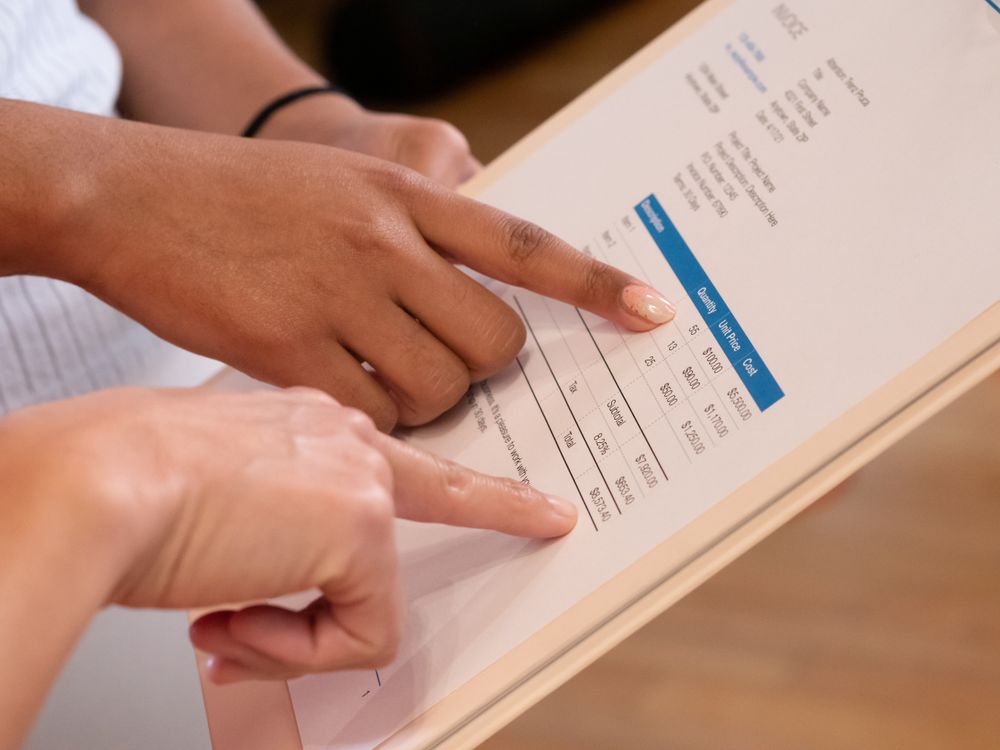
- Supplier or payee
- Date of purchase
- Amount and VAT where relevant
- Category
- Business purpose
- Related client, job, or route where useful
- Receipt image or file
- Payment method
- Review note for mixed personal and business use
Include mileage and travel
Mobile work adds a bookkeeping layer that desk based work often does not have. A free appointment slot still has travel cost, fuel cost, route drag, parking risk, and sometimes a mileage record behind it.
Gorilla Accounting reviews mileage tracking for contractors and small businesses, while ExpenseHub focuses on HMRC mileage app features such as trip capture and mileage reports. The practical lesson is not that every sole trader needs the most automated mileage app. It is that mobile businesses should compare mileage tracking as part of the bookkeeping workflow, then check whether reports are useful enough for accountant or tax review.
If mileage sits away from bookings, it becomes harder to explain the purpose of a journey. If it sits beside the client and job, the log is easier to check. That matters for record quality and for margin: certain areas, job types, or visit patterns may be less profitable once travel is visible.
For a second view, the 2026 mileage app comparisons show how often mileage, receipt capture, and reporting now appear together. That confirms the search pattern: people are not just looking for invoices or receipts in isolation. They want mileage, expenses, and tax ready reports in one routine.
| Travel signal | Bookkeeping decision |
|---|---|
| Many short trips | Log each journey while the client context is clear |
| Long drive for a low value job | Review minimum charges or service area |
| Mixed personal and business route | Add a note before the journey is forgotten |
| Regular parking or toll cost | Attach receipt and purpose to the same job |
Protect cash visibility
An invoice and expense tracker should show more than profit after the accountant cleans the records. It should show whether recent work has actually turned into money.
IPSE's invoicing tool guidance is useful because it treats invoicing as a practical part of freelancer finances, not just a document format. A self employed tracker should help you compare whether the tool can send invoices, reduce mistakes, and keep payment follow up visible.
GoCardless also points to the wider accounting foundation behind self employed work: invoices, payments, expenses, and reliable financial visibility. Keep competitor product claims in the background, but use the pattern. The best tracker is the one that makes invoice payments and self employed financial admin easier to connect.
For appointment businesses, this matters because a completed job can still be a cash problem. If a client has not paid, if the receipt for supplies is missing, or if a refund or partial payment has not been noted, the bookkeeping view is not telling the whole truth.

Prepare for digital records
Making Tax Digital makes this topic more urgent for many sole traders because the record keeping habit has to become more digital and more regular. GOV.UK says that from 6 April 2026, some sole traders and landlords must use compatible software to report income using Making Tax Digital for Income Tax.
ByteStart's 2026 MTD guidance puts the change into plain business terms: sole traders should check whether they are affected, review software, and avoid leaving digital record keeping until the deadline. That is a useful prompt to prepare income and expense records before the pressure lands.
FlashTax frames the same issue around sole trader tax apps in 2026 and 2027, with income, expenses, submissions, and practical tax admin in view. Even if you use an accountant, your tracker should make it easy to turn weekly records into a usable tax review.
The commercial takeaway is not to buy software because rules changed. It is to choose a system that makes the weekly habit realistic. If the tracker is too separate from the work, digital record keeping still fails in practice.
Compare the tracker by routine
The best question is not, does this app track expenses? It is, will I keep using this after a long day of appointments?
Adams Accountancy warns freelancers about avoidable bookkeeping mistakes, and Dolmans lists common record keeping problems that create unnecessary pressure. Both point to the same operating truth: a system that relies on memory will break. Choose a tracker that helps you avoid common bookkeeping mistakes before they compound, and use review prompts to catch missing records while they are still fixable.
Professional Saver's comparison of accounting apps shows how crowded the category is. That is useful background, but the shortlist should be personal. A mobile operator needs less abstract feature comparison and more proof that the app can support self employed finances without creating a second admin system.
Stewart Accounting's app comparison captures a familiar month end failure: receipts in pockets, unclear bank transactions, and business costs paid personally. That is the real test. The right tracker should make it easy to match receipts, transactions, and expense categories before month end.
Shortlist criteria
- Can it create or track invoices from completed jobs
- Can it show paid, unpaid, part paid, and overdue work
- Can it capture receipts from a phone without losing job context
- Can it connect expenses to clients, bookings, routes, or services
- Can it track mileage or store enough journey detail
- Can it separate business and personal costs clearly
- Can it export records for an accountant or tax review
- Can it support weekly review instead of only month end repair
Where Offlico fits
Offlico is not a substitute for an accountant, and it should not be treated as tax advice. Its role is simpler: keep the operational record closer to the work so bookkeeping does not start from scattered fragments.
For a mobile service business, the useful flow is appointment, client, payment, invoice, receipt, mileage, and follow up. When those pieces stay connected, the owner can see which jobs are complete, which invoices need attention, which expenses need review, and which routes or services are affecting margin.
That is why the invoice and expense tracker search matters. The searcher wants less admin, but the real requirement is cleaner context. A job should not end as a calendar entry, a separate card payment, a lost receipt, and a guessed journey. It should become a record the business can trust.
What should an invoice and expense tracker include for self employed UK work
It should track invoices, income, payment status, receipts, expense categories, business purpose, mileage where relevant, and exports for Self Assessment, Making Tax Digital, or accountant review.
Is an expense tracker enough for a mobile service business
Only if it keeps enough job context. Mobile operators usually need receipts, mileage, payments, invoices, and appointment details close together so records can be checked without rebuilding the week from memory.
Do sole traders need Making Tax Digital software in 2026
Some sole traders and landlords are affected from 6 April 2026 depending on income and HMRC rules. Check current GOV.UK guidance and use compatible software where required.