What this searcher is really trying to fix
The practical search query is booking app for tradesmen UK. The tradesperson behind it is usually not looking for another neat calendar. They are trying to stop missed calls, WhatsApp threads, half described jobs, uncertain addresses, awkward arrival windows, and payment follow up from spreading across the week.
That matters commercially for Offlico because the problem sits inside smart routing and online booking. A trades booking app only earns its keep when the enquiry becomes a usable job record, then carries into route planning, reminders, quotes, invoices, and customer history.
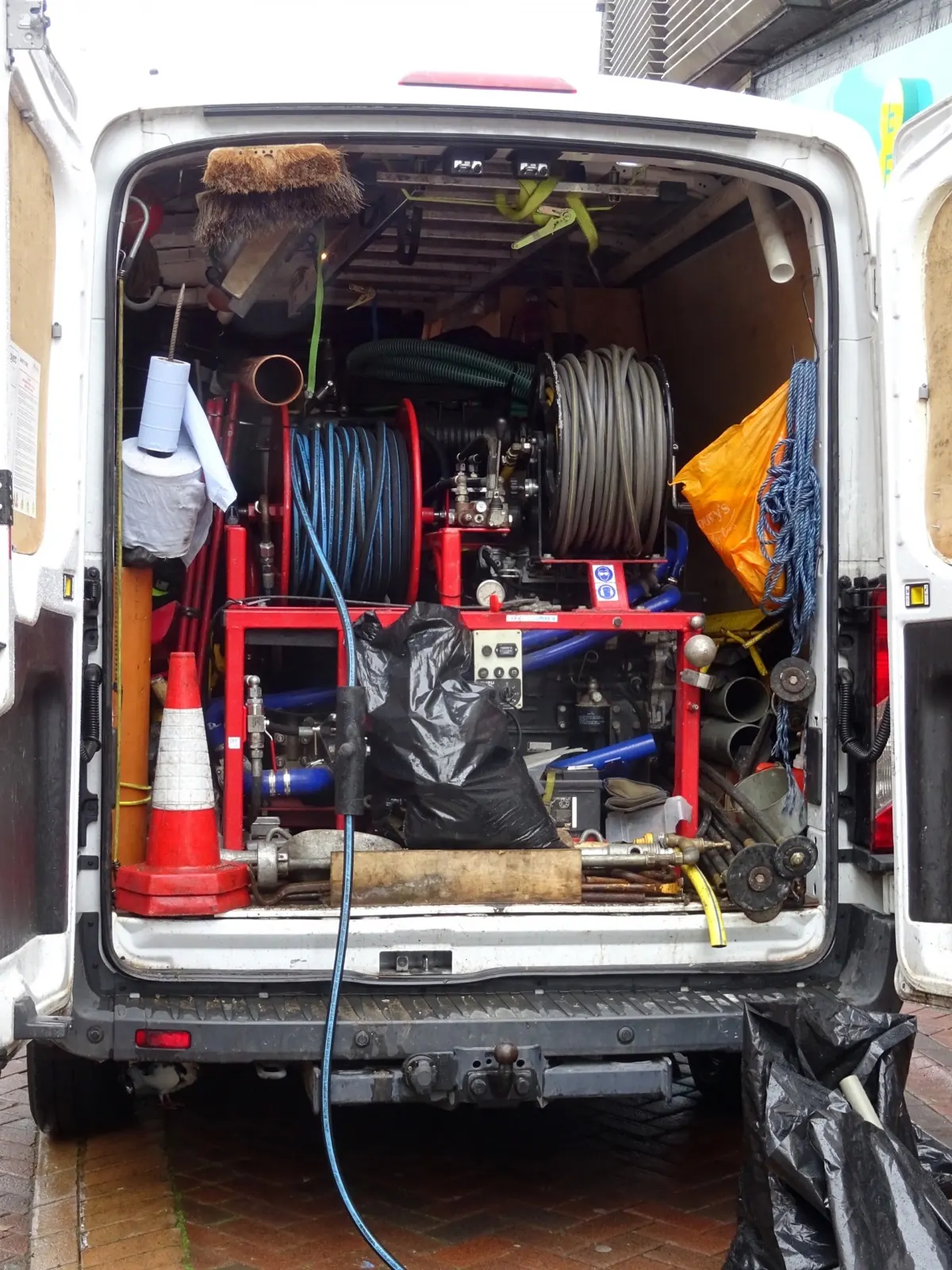
Current search results show the intent clearly. Searches for booking apps, appointment scheduling, and service area booking keep surfacing the same pain: customers want a simple way to request work, while operators need enough information to know whether the job fits the day. A recent UK small business discussion about service area booking describes the exact routing problem, grouping appointments by postcode instead of calling clients manually.
Start with missed calls and loose enquiries
Many tradespeople do not lose work because they are bad at scheduling. They lose the enquiry while they are driving, fitting, repairing, measuring, or talking to another customer. The booking app has to capture demand without forcing every customer into a fully confirmed slot too early.
Operator search results and recent trade lead pages focus heavily on missed calls for a reason. One UK small business thread asks whether missed calls cost self employed tradespeople jobs. That is the commercial problem behind the keyword. The app should catch the enquiry, ask the right questions, and make the next action obvious.
A trades enquiry should capture
- customer name and best contact method
- job type and urgency
- full address and postcode
- photos or notes where scope is unclear
- preferred days or arrival windows
- parking, access, tenant, gate, or key safe notes
- whether the visit is a quote, survey, repair, installation, or repeat job
Do not confuse this with making the customer complete a long form before they can ask for help. The goal is to collect enough detail to triage the job, then use follow up messages for anything that can wait.
Check route fit before diary fit
For a tradesperson, an empty calendar gap is not automatically bookable. A small job can become unprofitable if it pulls the van across town, needs specialist parts, or leaves dead time between visits.
Field scheduling guidance often treats location, travel time, service length, and territory as part of the same decision. Scheduling and routing software guidance explains how time based appointments and route planning work together, and route planning explanations focus on sequencing stops rather than simply listing them. The trades version is simpler, but the principle is the same.
| Booking question | Why it matters |
|---|---|
| What is the full postcode? | The day cannot be planned from a town name. |
| Is this a quote, repair, install, or follow up? | Different job types need different duration and margin assumptions. |
| Are parts, photos, or measurements needed first? | A bad first visit can become a second unpaid journey. |
| Can the customer accept an arrival window? | Windows protect route order better than fixed times. |
| Is parking or access awkward? | A short task can overrun before work starts. |

Use request then confirm for uncertain jobs
Instant booking works well for repeatable jobs inside a known service area. It is riskier when the job needs a quote, photos, tenant access, parts, or a wider arrival window.
Good service design makes the next step clear after a user acts. Research on transactional notifications describes messages that confirm important actions and explain what happens next. A trades booking app can use the same pattern: receive the request, tell the customer what has happened, then confirm once the job and route make sense.
| Instant booking fits when | Request then confirm fits when |
|---|---|
| The job type is predictable | The job needs photos, scope, or parts first |
| The postcode is inside your usual route | The address could break the day |
| You can use a safe default duration | The duration depends on what you find |
| The customer can pick a normal slot | An arrival window is more honest than a fixed time |
This is not about adding friction. It is about keeping promises you can actually keep.
Make the form clear enough to finish
A trades booking form should be short, but it cannot be vague. The customer needs to understand what to enter, why it matters, and what happens after submission.
GOV.UK service manual guidance on form structure recommends grouping questions in a clear order, while W3C form instructions explain why field help and requirements need to be clear. For trades booking, that means address, access, photos, and job notes should feel practical rather than like admin for its own sake.
Usability guidance on web form design and reducing avoidable friction supports the same balance. Ask only what is needed, but do ask the questions that prevent wasted journeys, missed parts, or a second call to understand the job.
Keep the form finishable
- group contact, address, job detail, and timing separately
- make optional photo upload feel helpful, not mandatory by default
- explain whether the booking is confirmed or requested
- show cancellation, call out, or deposit terms before submission
- send an immediate confirmation with the next step
Do not hide terms until there is a problem
Trades jobs often involve call out charges, quote visits, customer cancellation, tenant access, parts orders, and wasted travel. The booking app should make important terms visible before the customer assumes the appointment is locked.
Consumer guidance on cancelling building or decorating work explains why timing and how the work was arranged matter. Business guidance on off premises consumer contracts covers the information that may need to be given to consumers. A booking app is not legal advice, but it should give you space to state terms clearly.
Booking guidance from another sector makes the practical point well: if bookings are taken online, it helps to have the customer confirm they have read the cancellation conditions before completing the booking. For trades, that same clarity can cover cancellation windows, no access, call out fees, quote visits, and deposit handling.
Reminders should protect the visit
A good trades booking app does not stop at capturing the job. It reminds the customer what needs to be ready, where the tradesperson is going, and what kind of arrival promise has been made.
Appointment reminder searches show continuing demand because forgotten or poorly prepared visits waste paid time. Appointment scheduling app guidance keeps pairing booking with reminders and calendar control, and customer appointment software pages highlight confirmations, reminders, and payments as connected workflow pieces. The exact product is less important than the workflow lesson.
Arrival windows also matter. A fixed time can be misleading when the day includes parts delays, traffic, or a previous job that uncovers extra work. Arrival window guidance describes a time range as a clearer customer promise for service appointments.
Useful reminder content
- date and arrival window
- full address and access notes
- what the customer should clear or prepare
- whether photos, measurements, or tenant access are still needed
- how to reschedule before the route is affected
- payment, deposit, or call out expectations where relevant
Connect bookings to quotes and invoices
Tradespeople do not only need appointments. They need a job trail. The app should help connect the enquiry, quote, visit, payment, invoice, receipt, and customer notes so the admin does not have to be rebuilt later.
This is where a booking app becomes more valuable than a calendar. If the booking can carry service detail into the quote or invoice, it reduces retyping and makes it easier to see who has paid, who needs a follow up, and which jobs are becoming unprofitable.
For UK operators, clear records also matter. GOV.UK guidance says self employed people must keep business income and expense records, and HMRC simplified expenses guidance explains why business miles need records when using flat rates. Even if the booking app is not your accounting system, the job record should make bookkeeping easier.
How to choose the right booking app
Do not choose from a feature list alone. Test the app against a real week of jobs, including one simple repeat visit, one quote request, one awkward address, one customer who needs an arrival window, and one job that should not be accepted instantly.
Comparison searches are useful, but the trial is where the truth appears. A tradesperson should know whether the app saves time on the actual enquiry, not just whether the demo page looks tidy.
Test these before committing
- Can customers book or request from your website, Google profile, or social link?
- Can the form collect address, job notes, and photos cleanly?
- Can you approve uncertain requests before confirming?
- Can reminders include access, preparation, and arrival window wording?
- Can job details feed into quotes, invoices, payments, and client history?
- Can you see enough route context to avoid postcode zigzags?
- Can you use it quickly from your phone while on site?
Where Offlico fits
Offlico is built for mobile and home visit service businesses, so the booking is not treated as a standalone calendar event. It can connect online booking with route aware scheduling, reminders, client records, payments, invoices, and bookkeeping context.
That matters when you want online booking to feed into smart scheduling, automated reminders, payment tracking, and bookkeeping. The article is topic led, but this is the point where the product completes the workflow.
Frequently asked questions
What should a booking app for tradesmen include?
It should include online booking or request forms, address capture, job notes, photo upload where useful, route aware scheduling, confirmations, reminders, client history, quotes, invoices, and payment tracking.
Should tradespeople allow instant online booking?
Sometimes. Instant booking is best for predictable repeat jobs inside a known area. Quote visits, uncertain repairs, awkward addresses, or long travel should often use request then confirm.
Why does route planning matter for trades booking apps?
A diary gap can look available but still be a poor job if it creates too much travel, misses parts, or breaks an arrival promise. Route context protects time, margin, and customer expectations.
Final takeaway
A booking app for tradesmen should do more than put a slot in a diary. It should catch the enquiry, collect the details that decide whether the job is workable, protect the route, remind the customer, and carry the job into payment and records.
That is the difference between a booking link that looks modern and a booking workflow that actually reduces admin.