What this searcher needs
The practical search query this article answers is booking app for nail techs. Search discovery also showed nail tech booking app, booking system for nail salon, online booking for nail techs, and nail appointment booking app variants.
The operator problem is concrete. A nail tech can have strong demand and still lose hours because bookings sit across Instagram DMs, WhatsApp, screenshots, deposits, patch test notes, and manual reminders.
That matters commercially for Offlico because this is a software comparison moment. The searcher is ready to move from message based booking into a booking page, reminders, client notes, and a cleaner diary.
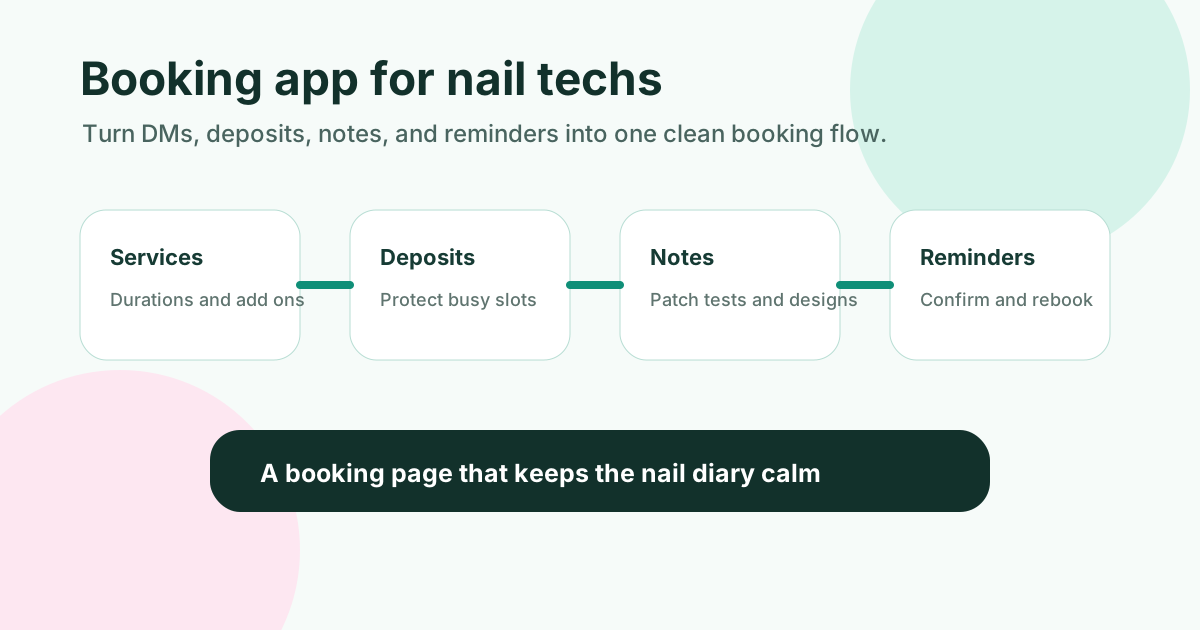
Where nail booking admin breaks
Nail appointments look simple from the outside, but the booking flow carries a lot of detail. A fresh set, infill, removal, repair, nail art, mobile visit, or late evening slot all change the time, price, and preparation.
Many popular booking tools explain online booking pages and appointment scheduling, including Fresha, Booksy, Treatwell, Square Appointments, and Setmore. The useful comparison is not which app has the longest feature list. It is which app protects the diary from the admin you actually repeat every week.
| Booking pressure | What the app must capture | Why it matters |
|---|---|---|
| Service choice | Treatment type duration and add ons | The wrong duration creates gaps or overruns |
| Deposit or policy | Payment status and cancellation rule | No shows hurt more when popular evening slots are held |
| Client context | Allergies patch test notes shape and colour requests | Notes buried in DMs are easy to miss on the day |
| Mobile visit | Postcode parking access and travel buffer | A fully open booking page can create an impossible route |
| Repeat client | Preferred cadence and rebook prompt | Retention is easier when follow up is not manual |
Must have features for nail techs
Start with features that directly remove back and forth. A booking app for nail techs should make the next appointment easier to accept, prepare, and remind about.
General scheduling tools such as Calendly and Acuity Scheduling can be useful, while salon specific tools may add marketplace discovery or salon workflows. Independent nail techs should judge each one against their real booking pattern.
Use this feature checklist
- A public booking page or request form that works well on mobile
- Separate services with realistic durations and prices
- Add ons for removals nail art repairs and aftercare extras
- Deposit support or a clear manual deposit step
- Automatic confirmation and reminder messages
- Client records for patch tests preferences photos and notes
- Calendar sync that does not double book private time
- Manual approval for mobile visits or complex work
- Easy rescheduling rules and cancellation policy text
- Repeat booking prompts for infills and regular clients
Set up the booking page around decisions
The best booking page is not just a list of services. It should ask for the details that decide whether the appointment can be confirmed. The related Offlico guide to booking form questions is useful because nail bookings need qualification as well as a slot.
Form and intake tools such as Jotform appointment forms and SimplyBook.me salon booking show how quickly forms can become long. Keep the form short, but make the essential questions impossible to miss.
| Question | Use it when | Decision it supports |
|---|---|---|
| What service are you booking | Every booking | Duration price and prep |
| Do you need removal or repair | Gel acrylic or mixed history clients | Extra time and product planning |
| Do you want nail art | Design led appointments | Quote and appointment length |
| Have you visited before | Repeat and new clients | Client notes patch test and preferences |
| Where will the appointment happen | Mobile nail techs | Service area travel and parking |
| Do you accept the policy | Deposits and cancellation rules | Slot protection and fewer disputes |
Reminders and client records matter
A booking app is only useful after the slot is in the diary. Nail techs still need reminders, notes, and follow up that do not depend on remembering to message each client manually.
For UK operators, reminder and marketing messages should be handled carefully. The ICO direct marketing guidance is a useful starting point for consent based messaging, and GOV.UK self employed record guidance is relevant when business records and payments need to stay organised.
What to store on the client record
- Preferred name and contact details
- Patch test dates and allergy notes where relevant
- Usual service and timing
- Colour preferences and shape notes
- Photos or design references if your workflow supports them
- Deposit and payment context
- Late cancellation or no show history
- Preferred rebooking interval
Final takeaway
The right booking app for nail techs is the one that turns scattered messages into a reliable appointment record. It should make services clear, protect popular slots, keep client context visible, and send reminders without extra admin.
If you are choosing between tools, test one real week of bookings. Count how many messages, payment checks, reschedules, and note lookups the app removes. That number matters more than a long feature list.
What is the best booking app for nail techs?
The best choice depends on whether you are mobile, salon based, solo, or growing a small team. Prioritise service durations, deposits, reminders, client notes, calendar sync, and booking page control before marketplace extras.
Should nail techs allow instant online booking?
Instant booking works for simple repeatable services. Use request based booking for mobile visits, complex nail art, unclear removals, or appointments where location and preparation need checking first.
What should a nail tech booking form ask?
Ask for service type, removal or repair needs, nail art requirements, new or returning client status, contact details, location if mobile, and policy acceptance. Keep optional design detail for later if it makes the form too long.