Why reminder systems break once your day gets mobile
A reminder system that works for a fixed location salon often breaks the minute you start driving between homes, jobs, and time windows. Field businesses have to handle access notes, route changes, live ETAs, parking delays, and jobs that overrun by twenty minutes instead of five.
That is why reminder templates for cleaners, carers, physiotherapists, podiatrists, mobile mechanics, dog walkers, and other home visit businesses need to do more than restate the appointment time. They need to confirm the right details, reduce avoidable no shows, and keep the client prepared for the reality of a moving day.
- Immediate booking confirmation so the client can check the time, address, and access notes.
- A 24 hour reminder with the visit details and anything they need to prepare.
- A same day update when the appointment depends on prep, access, or a moving ETA.
- An on the way message when the client needs a tighter arrival window.
Want a clean version for your desk or team SOP? Open the printable reminder template pack.
The reminder timing framework that actually fits field work
There is no universal reminder cadence for every service. The right timing depends on how easy the visit is to forget, whether the client needs to prepare anything, and how likely the appointment window is to move because you are working across multiple stops.
| Visit type | Recommended cadence | Why it works |
|---|---|---|
| Recurring home visits | Immediate confirmation, 24 hour reminder, on the way message | Recurring clients already trust the schedule. They mostly need reassurance that the visit is still on and roughly when to expect you. |
| Prep heavy appointments | Immediate confirmation with prep notes, 24 hour reminder, same day short reminder | If clients need to be ready, forgetfulness is usually the problem, not intent. |
| Urgent or reactive callouts | Immediate confirmation, live ETA update, late arrival fallback if needed | These appointments move fast. A rigid 24 hour cadence is irrelevant, but clear timing updates matter. |
| Access sensitive visits | Immediate confirmation, 24 hour reminder asking for access confirmation, 60 to 90 minute on the way update | Gate codes, parking notes, building access, pets, and key arrangements are often the real failure points. |
Twilio’s appointment reminder guide and messaging best practice documentation both point back to the same rule: reminder copy works best when it is triggered from real appointment data, not pasted manually at the end of the day.
Copy and paste SMS reminder templates
These templates are written for real field use. Keep them short, clear, and specific. Replace the placeholders with your client details, visit type, and any access notes that matter.
SMS templates
Use SMS when speed matters and the client is likely to read a short message faster than an email.
Booking confirmation
New bookings, recurring slots, and admin follow up after a phone call
Hi [Client first name], your [service] with [Business name] is booked for [day], [date] at [time]. Address: [address]. If anything changes, reply here or call [number].
Core reminder
Most home visits where the client only needs the essentials
Hi [Client first name], just a reminder that your [service] is tomorrow at [time]. If access details have changed or you need to update the appointment, reply here before [cutoff time].
Prep reminder
Visits where the client needs to prepare paperwork, parking access, pets, or a room
Hi [Client first name], your [service] is today at [time]. Please have [prep item] ready and let me know if access or parking instructions have changed.
ETA update
Route based days where arrival time can move slightly
Hi [Client first name], I’m on my way now and should arrive around [ETA]. If there is anything I need to know before I arrive, reply here.
Delay message
Protecting trust when the schedule shifts
Hi [Client first name], I’m running around [number] minutes behind because the earlier visit overran. My updated ETA is [ETA]. Thanks for your patience.
Email templates for higher trust or higher ticket visits
Email works better when the message needs more detail, attachments, or a calmer tone. It is especially useful for assessment led visits, invoice backed work, or any job where the client needs instructions in writing.
Email templates
Keep the subject line simple and use email when the client needs more context than a short text can provide.
Detailed appointment reminder
Assessments, longer visits, and higher trust services
Subject: Reminder for your [service] tomorrow at [time]

Hi [Client first name],

Just a quick reminder that your [service] with [Business name] is booked for tomorrow at [time]. We will attend at [address].

If there have been any changes to access, parking, or the work required, please reply to this email before [cutoff time].

Thank you,
[Name]
[Business name]
Confirmation with preparation steps
Any visit where the client has to prepare the space or documents
Subject: Your [service] is confirmed for [date]

Hi [Client first name],

Your appointment for [service] is confirmed for [day], [date] at [time]. Before the visit, please make sure [preparation step 1], [preparation step 2], and [preparation step 3] are ready.

If anything changes, reply here and we will help.

Best,
[Name]
[Business name]
Follow up and rebooking prompt
Aftercare, recurring work, and turning one off visits into repeat business
Subject: Thanks for today, next steps from [Business name] Hi [Client first name], Thank you for today’s appointment. Here are your next steps: [aftercare note or service summary]. If you would like to book your next visit, you can reply to this email or use this booking link: [booking link]. Best,
[Name]
[Business name]
How to adjust the wording for different visit types
The skeleton of a reminder can stay the same, but the details that matter change by profession. The highest quality reminder systems feel tailored to the visit, not copied from a generic salon template.
For mobile cleaners
Mention access, alarm notes, and parking early
Cleaning reminders should reduce wasted arrival time. If a key safe code, pet arrangement, or permit detail matters, surface it before the van is outside.
- Confirm access instructions for flats, gated properties, and managed buildings.
- Ask the client to flag any changes to parking or entry.
- If the visit has a long task list, mention the expected time window.
For physiotherapy and podiatry
Include prep details and aftercare expectations
Clinical home visits benefit from calm, professional wording. A reminder should reduce uncertainty and help the client arrive prepared.
- Reference any documents, mobility aids, or treatment preparation needed.
- Use email when the client needs more detail than a quick text can provide.
- Follow up with a rebooking prompt while the client still has the visit in mind.
For mobile mechanics and trades
Use ETA updates and delay messages more heavily
Reactive work runs on moving windows. The client mainly wants confidence that you are still attending and knows when to expect you.
- Confirm vehicle or job details in the first message.
- Send an on the way update with a realistic ETA, not a vague promise.
- Have a professional delay template ready for overruns and traffic.
For carers and support workers
Keep the wording dependable and low friction
Care reminders often reassure family members as much as the client. Accuracy and calm wording matter more than promotional language.
- Lead with the date, time, and who is attending.
- Confirm the best contact route if circumstances change on the day.
- Avoid sales language in care related reminders.
Turn templates into an operating system, not a manual task
Templates are only half the job. The real win is building them into a repeatable workflow that lives inside the booking, client, and route system.
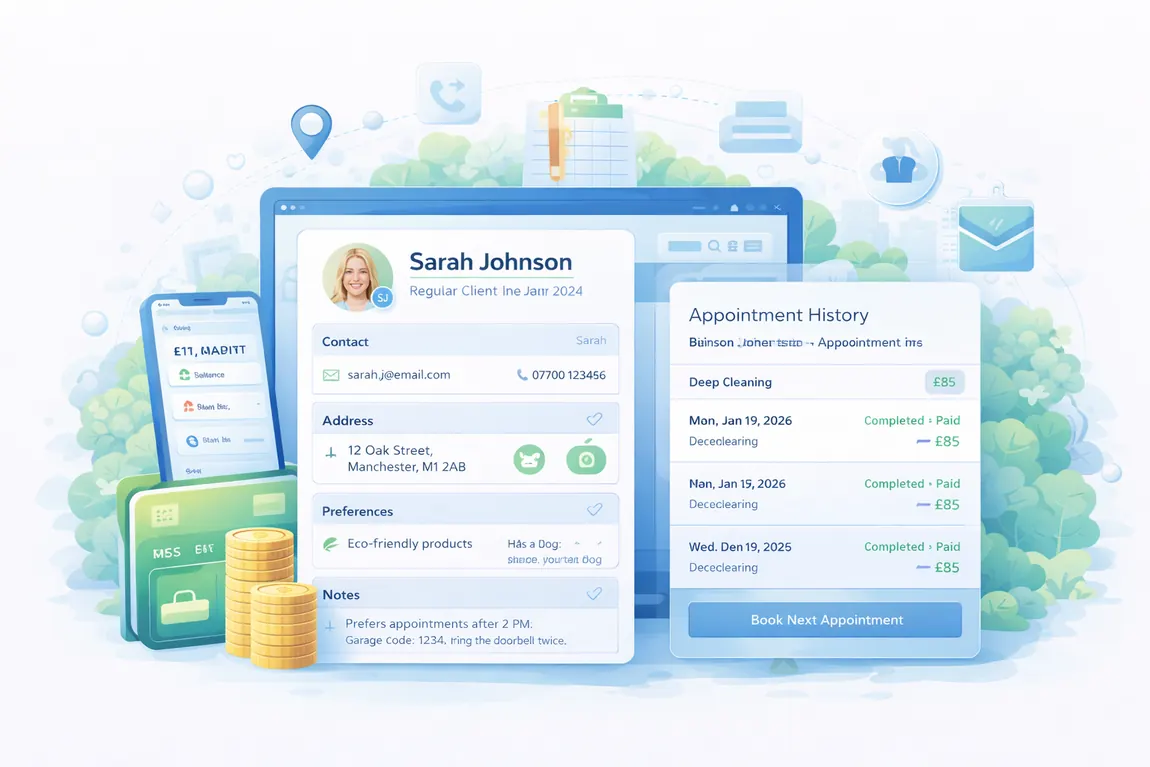
That is where tools like automated reminders, client management, and smart scheduling matter. When reminders know the appointment time, travel context, service type, and client record, the wording stays accurate even when the day moves.
If you send reminders in the UK, keep service updates distinct from promotional copy. The ICO direct marketing guidance is a useful reference when deciding what belongs in a booking reminder and what should stay in a separate marketing message.
What to operationalise
- Store the client’s preferred channel, phone number, email, and access notes in one record.
- Tie reminder timing to the appointment status instead of sending ad hoc messages from memory.
- Use different templates for confirmation, 24 hour reminder, on the way update, and follow up.
- Review which services need extra preparation steps, attachments, or a longer written email.
- Keep the booking page clean so confirmation messages start with correct details in the first place.
Frequently asked questions
Should I send both SMS and email reminders?
Only if the visit needs it. For many routine home visits, SMS is enough. Use email when the client needs more detail, aftercare notes, or preparation instructions in writing.
How many reminders are too many?
If the message is repetitive and adds no new value, it is too many. A clean sequence is usually confirmation, main reminder, then an on the way update if the visit is route sensitive.
What should I include in every reminder?
At minimum: the service, date, time, how to reply if something changed, and any detail that will stop a failed arrival such as access or preparation notes.
Can I reuse the same reminder wording for every profession?
Use the same structure, not the same wording. Clinical visits, recurring cleans, reactive repairs, and care related visits all carry different expectations and details.